

What Is The Ethernet Port On Your Computer Monitor Actually For?

We may receive a commission on purchases made from links.
Display technology in laptops has come a long way, with options nowadays including 4K OLED panels with support for high refresh rates. That said, adding an external monitor to your setup unlocks a whole new level of multitasking. There are plenty of great Thunderbolt and USB-C monitors that connect to your laptop via a single cable and handle display output and charging, and sometimes even expand the port selection.
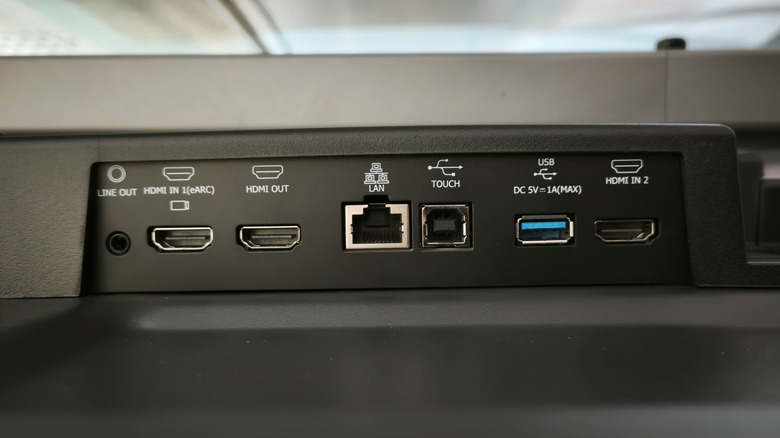
Monitors with built-in USB hubs are a godsend, especially if you own a laptop that barely offers you connectivity options out of the box. MacBooks and a few Windows ultrabooks are guilty of this, with some laptops infamously only offering two or three USB-C ports. If you've been shopping around for a monitor, you might also have stumbled across a few that have an Ethernet port. This might seem a little confusing, considering your monitor is simply a video output peripheral — so why does it need access to the internet in the first place?
Similar to the other ports on your monitor's hub, the Ethernet port is meant to simplify your setup. It accepts internet from your router and passes it through to your laptop via the USB-C connection. Given that most laptops no longer ship with an Ethernet port, monitors with this functionality eliminate the need for an additional dongle. Of course, for this to work, you will need a laptop that supports power and data transfer in addition to video output through its USB-C port.
Using monitor ports can reduce clutter on your desk
USB-C has simplified many things, from smartphones to purpose-built electronics like headphones and mini printers, but perhaps its most positive influence has been on modern computing systems. Not only can you use USB-C for displays, but a single connection can also handle fast charging up to 240W. This means one less cable going from the wall outlet to your laptop when you have it hooked up to your monitor. The same USB-C connection also enables data transfer at high speeds through the USB hub built into your monitor.
Your keyboard, mouse, external speakers, and even your router can all plug into your monitor, allowing you to shove all the cable clutter away behind your desk and run a single cable to your laptop. Though Wi-Fi has gotten pretty reliable, an Ethernet connection still offers lower latency and better stability — which is most apparent when gaming or downloading large files.
Some monitors also have a video output port, and this lets you daisy chain multiple displays. Your laptop is still going to be running a single cable to the first monitor, which then passes along the signal to the second screen, and so on. For example, the Asus 1080p Docking Monitor has a 4.3-star rating on Amazon and offers a USB hub, which includes an Ethernet port, for around $180. Just be sure to check if your laptop's USB-C port comes with support for both Power Delivery and DisplayPort Alt Mode.