

10 New 3D Printing Gadgets In 2026 To Keep On Your Radar
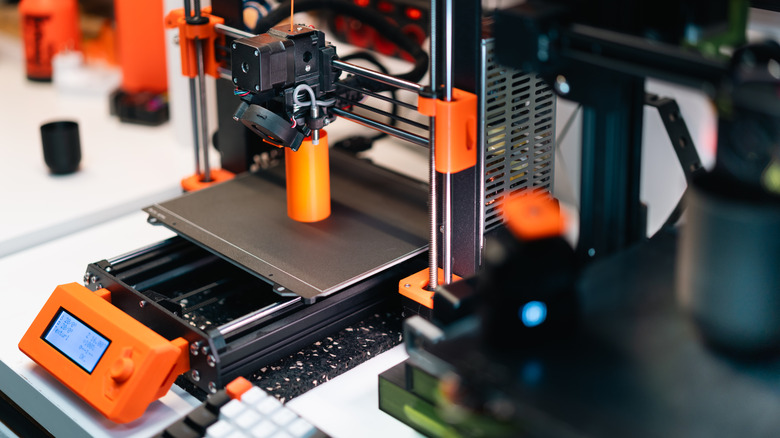
3D printing has evolved very quickly. From slow bed-slingers with small print beds to fancy Core-XY printers with multiple nozzles and tool changers, we've come a long way. In 2026, multiple brands are pushing the envelope on what a 3D printer can do. Also, there have been drastic improvements in filament tech and 3D scanners to get an accurate scan of the objects around you. With so much happening, we thought it would be a good idea to compile all the latest advancements in 3D printing in one place. Whether you're looking for a budget-friendly 3D printer or you're an enthusiast looking to upgrade, these are the latest 3D printing gadgets to keep on your radar.
Courtesy of these advancements, you no longer have to deal with manual bed-leveling springs before starting a print or filament changes at every few layers when you're attempting a multicolor print. In fact, we've gone a few steps further, to a point where 3D printers can swap hot-ends quickly to save time and even reduce wastage by as much as 90%. We're also seeing brands launch upgrade kits that can convert your existing printer into a multicolor one, along with stronger, more durable filaments.
There are also additions to your 3D printer workdesk, like portable CNC and injection molding machines that can aid makers and DIY enthusiasts. Notably, a few of these gadgets are available to purchase right away, while a few of them are Kickstarter campaigns or are in their early phase, which means they may launch later in the year.
Elegoo Centauri Carbon 2
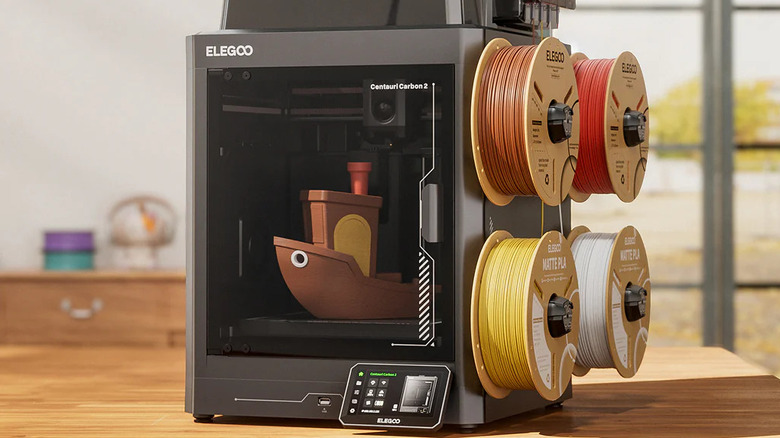
Last year, Elegoo took the 3D printer market by storm by launching the Centauri Carbon — a Core-XY enclosed 3D printer with a solid set of features — for just $299. While it was an excellent printer, the biggest drawback was the lack of multicolor printing support. Well, Elegoo has now addressed that with the Centauri Carbon 2 Combo, a brand-new printer that features Elegoo's Canvas setup to aid with multicolor printing. You can mount up to four filaments on the included spool holders, with PTFE tubes running from them to the nozzle. The result is the ability to print objects with four colors, along with a few more improvements, like a hotend that can achieve higher temperatures, and a bigger display.
Apart from these changes, the Elegoo Centauri Carbon 2 can now detect failed prints thanks to AI algorithms baked into the camera. It's also much quieter compared to the last-gen Centauri Carbon, which is a welcome change. While multicolor, enclosed 3D printers aren't new, this one impresses at its price.
While it isn't as jaw-dropping as last year's version, the Elegoo Centauri Carbon 2 Combo retails for just $419, which makes it the cheapest 3D printer of its kind. It can print pretty much any filament, and it even supports printing via an app now. Considering these investments, the Centauri Carbon 2 is an easy recommendation for anyone looking to enter the world of 3D printing. It's nice to see that Elegoo has addressed many user concerns with the previous iteration.
Snapmaker U1
Multicolor 3D printing has been around for a long time. Even now, though, the hardest part of it isn't the print time, but the sheer mountain of plastic waste generated by purge towers. We tend to focus so much on the colorful final model that we ignore the fact that we just threw away half a spool of perfectly good material.
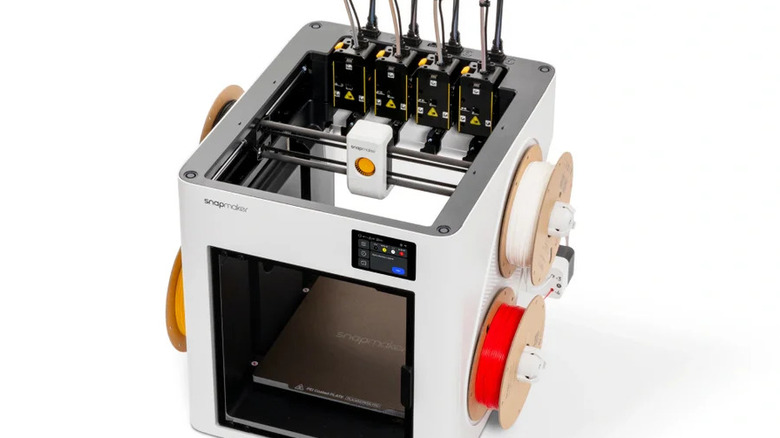
The Snapmaker U1 aims to change this. Instead of a single nozzle that constantly needs to flush out old colors, the U1 utilizes independent, automatically swapping toolheads. The mechanical design is fascinating to watch, physically clicking different extruders in and out of place magnetically as the print progresses. The U1 essentially eliminates the filament purging process. It keeps your workspace clean, drastically cuts down on material costs, and is significantly better for the environment.
While you are certainly paying a premium for the complex tool-changing mechanics, the long-term savings on wasted filament make it a brilliant investment for anyone who prints in color frequently. Having multiple distinct nozzles means you can load dedicated support materials, like water-soluble PVA, without risking cross-contamination in the hotend. Removing supports becomes as easy as dropping the finished part in a bowl of warm water and watching the unwanted parts melt away. It transforms a tedious chore into a totally hands-off experience. As per the brand, the U1 is five times faster while also generating five times less waste compared to standard multicolor printers.
Creality Sermoon P1 3D scanner
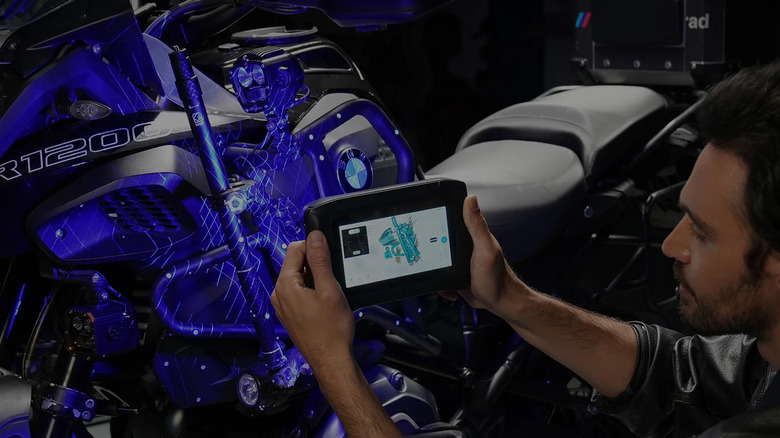
While trying to reverse-engineer physical parts, dealing with complex scanning setups is usually the first thing that takes up a lot of time and effort. That's where the Creality Sermoon P1 proves its worth. It's an all-in-one 3D scanner that strips away the need for a tethered PC and messy tracking sprays. Whether you are scanning a small figurine or a full car bumper, the device processes the point clouds entirely on-device. The built-in 6-inch touchscreen makes it easy to use, since you don't have to keep switching between a handheld scanner and a distant laptop monitor. Capturing geometry for custom CAD enclosures is a difficult task, since it involves calipers, guesswork, and multiple failed prints. Now, you simply need to sweep the scanner over your object, let the internal hardware stitch the mesh together, and export a ready-to-modify file.
The $3,399 price tag may put off some enthusiasts, but if you do a lot of modeling based on real-world items, it will definitely pay for itself in a few months. Additionally, Creality bundles a Sparkx i7 3D printer with the scanner, making it a sweet deal. Notably, the brand has added a big battery to the Sermoon P1, allowing you to take it out in the wild without worrying about power outlets. For anyone who wishes to recreate real-life objects with 3D prints, the Sermoon P1 is a no-brainer.
AtomForm Palette 300
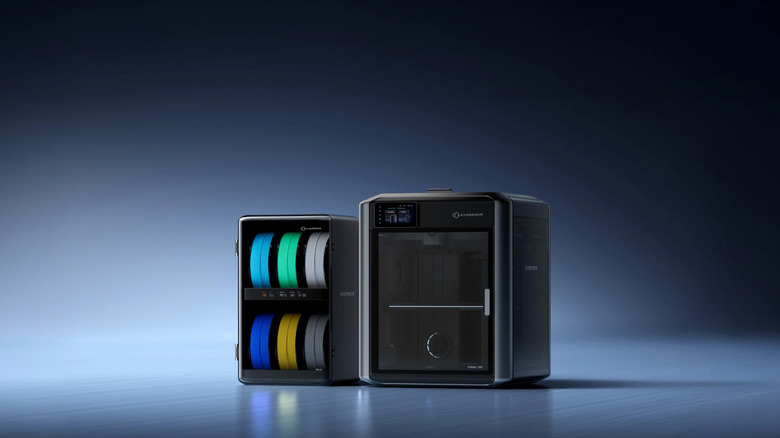
While the standard four-color limitations of most modern 3D printers are great for basics, sometimes your designs demand more complexity. The AtomForm Palette 300 is built for exactly those moments. It is an ambitious multi-material handling system equipped to manage up to 12 distinct spools of filament simultaneously. It doesn't ask you to compromise on your color palette or manually splice rolls of plastic together. Instead, it allows you to print models in a single, continuous run. The hardware is robust, which is exactly what you need when a machine is juggling that many materials and feeding them seamlessly into your printer's extruder. When designing intricate art pieces or highly detailed board game miniatures, limiting yourself to just a handful of colors stifles creativity.
If you're someone who spends hours painting printed figurines, trying to get the details right, only to end up with a messy, uneven finish, the Palette 300 eliminates that process. Moreover, the software ecosystem that drives it is surprisingly intuitive, making it relatively simple to assign different materials to various sections of your digital model before hitting print. It is the ultimate time-saver for anyone who wants their 3D printed objects to look like mass-produced, retail-ready products right off the build plate.
Creality Sparkx i7
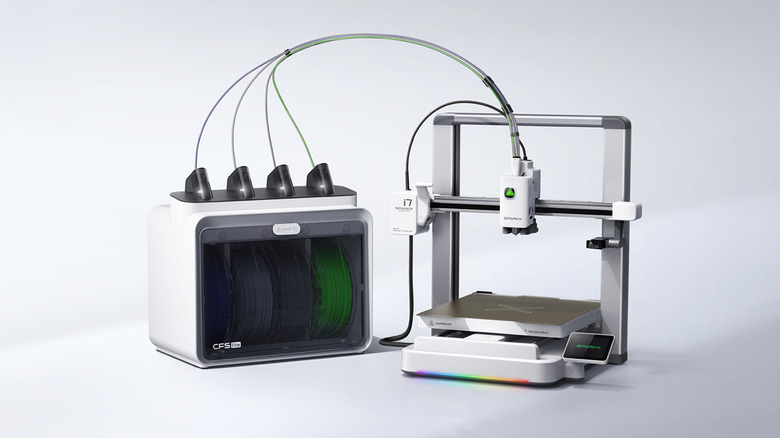
When it comes to raw printing speed, we often assume that one has to buy expensive, closed-ecosystem machines to get the best results. Well, the Creality Sparkx i7 is here to prove us all wrong. It is a fast bed-slinger platform that brings high-speed and precise printing to a much more accessible price point. Additionally, it comes largely pre-assembled and relies on smart, fully automated bed leveling sensors to get you printing in minutes.
If you're still holding on to an old, slow printer that takes hours or even days to finish up a simple print, switching to a modern machine like the Sparkx i7 can drastically cut that time. It completely changes your relationship with your tools when failure only costs you an hour instead of a day. You're motivated to print more, which is a huge bonus for anyone who is just starting.
The i7 can handle PLA, PETG, and even tougher filaments like TPU right out of the box. The user interface is snappy, and the accompanying mobile app allows you to monitor your prints remotely via a built-in camera. Notably, you will have to shell out extra for the multi-filament add-on. But if you frequently print in multiple colors, the $399 asking price may be well worth it. Of course, the Elegoo Centauri Carbon, for just a few dollars more, provides an enclosed Core-XY system with multicolor support. That said, Creality offers a few bells and whistles, like an AI system that turns human portraits into 3D models, along with practical improvements, such as an enclosed filament storage box to keep your spools dry.
Protopasta quantum dot filament
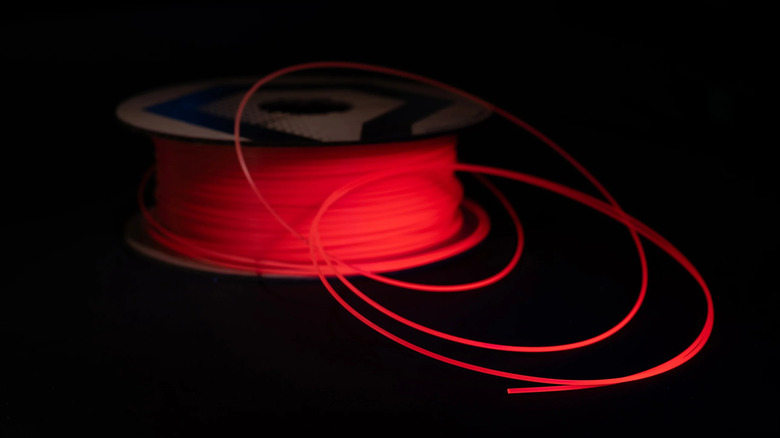
Sometimes the hardware isn't the bottleneck — it's the boring materials we are feeding into it. We tend to sideline aesthetics once we find a standard plastic that prints reliably. That is precisely what Protopasta's new Quantum Dot filament aims to change. While it isn't a gadget per se, it's a highly advanced spool of material that reacts to light and viewing angles in ways standard filaments simply cannot replicate.
You won't have to spend hours sanding and priming your 3D prints just to make them visually appealing. Using a specialty filament like this gives you a smooth, color-shifting finish straight off the build plate. Unique filaments like this are undeniably more expensive than your generic run-of-the-mill filament, but for display pieces, gifts, or premium products that you may want to sell, the sheer difference it makes in the overall finish is well worth it.
The way the embedded nano-particles catch light hides the layer lines almost entirely, giving the final object the smooth, polished appearance of injection-molded resin or machined aluminum. It prints just as easily as standard PLA, meaning you don't need a high-temperature hotend or an enclosed chamber to get incredible results. You just slice your file normally, hit print, and watch the magic happen. In a hobby where we constantly chase the next major hardware upgrade to improve our print quality, it is refreshing to see an innovation that focuses purely on the material's chemistry.
FibreSeeker 3
3D printing is almost always sidelined in favor of traditional metal machining when it comes to functional strength. Even fancy filaments like carbon fiber PLA usually have microscopic dust mixed in for a matte finish, rather than offering actual structural rigidity.
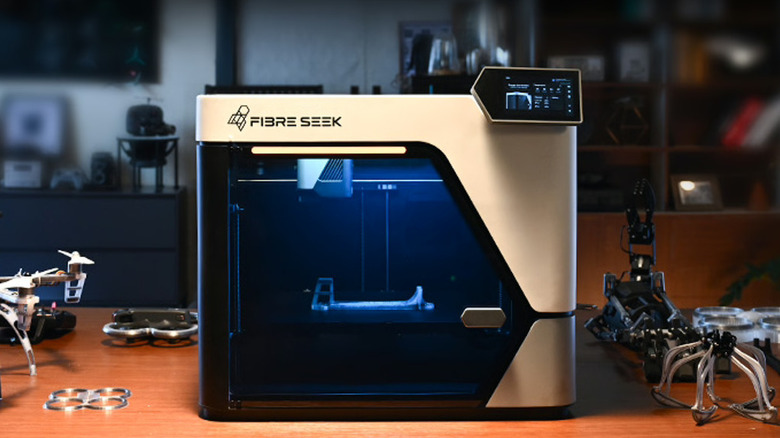
The FibreSeeker 3 is an attempt to fix that problem. It is a desktop printer that actively embeds a continuous spool of real carbon fiber directly into the molten plastic as it prints. The complex dual-nozzle setup handles the standard base plastic and the fiber separately, weaving them together to create parts that seem like they are made out of aluminum using a CNC machine. If you're printing drone parts, custom camera mounts, heavy-duty shelving brackets, or pretty much anything that requires structural integrity, you may have observed that standard PLA or even PETG can snap rather easily along the layer lines under heavy load.
The FibreSeeker eliminates that weak point. While you do have to use their specialized, proprietary slicing software to define the fiber routing paths, and the continuous fiber spools act as an added running cost, being able to print true load-bearing metal replacements right on your desk is a total game-changer for engineers. You can iterate on a mechanical design in the morning and have a field-ready part installed by the afternoon. The machine is built like a tank to handle the abrasive nature of the materials, featuring hardened steel components and a heavily reinforced gantry. It essentially converts 3D printing into a legitimate manufacturing method without complex procedures.
Saltgator
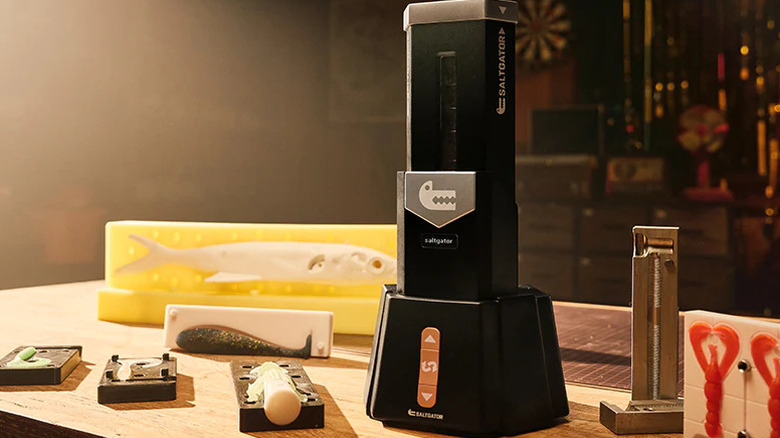
FDM printing is arguably the best printing method for most purposes. But when it comes to making soft, squishy, or watertight parts, it usually falls flat. Printing flexible TPU often results in stiff models with layer lines and stringing, both of which are undesirable. The Saltgator — which isn't a 3D printer at all — is a desktop softgel injection molding machine designed to complement your existing 3D printing setup. The workflow is straightforward. You 3D print a negative mold of your object using standard PLA, clamp it into the Saltgator, and manually plunge a heated softgel directly into the cavity. This makes it extremely simple to print ultra-soft rubber gaskets, custom watch bands, or even toys for your pets.
Moving to a hybrid injection workflow eliminates all the issues when printing with TPU while giving you structurally cohesive parts. Notably, there is a learning curve to using the machine, and you have to purchase the brand's proprietary material, which is an added expense. That said, it opens up an entirely new realm of materials that are impossible to run through a standard hotend, such as ultra-clear silicones. The machine is surprisingly compact, heating up quickly and cleaning out easily between color changes. If you are tired of compromising on the flexibility and finish of your soft parts, the Saltgator is an excellent gadget to keep your eye out for when it launches later this year.
Makera Z1
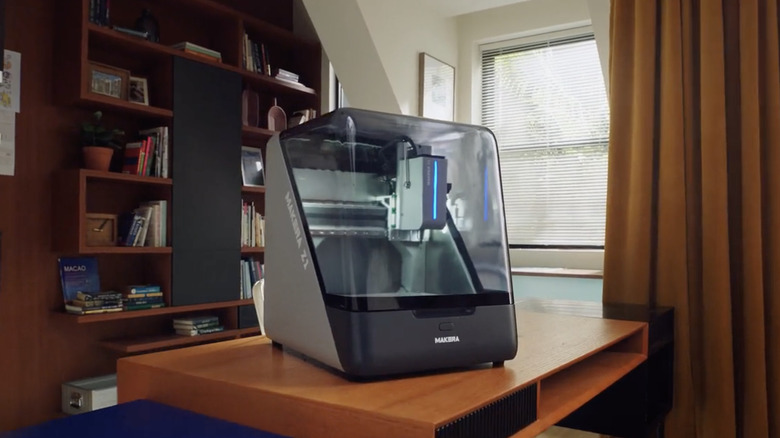
This is where things start to get serious, to a point where you're no longer looking at a simple 3D printer or something that complements one. Instead, the Makera Z1 is for times when you need to carve into a block of solid brass, aluminum, or hardwood — all at home.
We tend to sideline CNC machining because the equipment is usually massive, excessively loud, and incredibly intimidating to learn. But not the Makera Z1. It's a beginner-friendly, fully enclosed desktop CNC mill that fits right next to your 3D printer, bringing industrial-grade carving capabilities to a home workshop. The machine features automated tool probing, auto-leveling, and an enclosed chassis to keep sharp metal chips and loud cutting noises contained. The Z1 takes the fear out of milling with its user-friendly CAM software and automated setups.
Naturally, a fast-spinning spindle cutting directly into metal is inherently louder and messier than a quiet, melted-plastic 3D printer. That said, the price, while being on the higher side, isn't exorbitant, considering how novel the concept is. The ability to easily swap between a precision milling bit for carving wood and a high-powered laser module for engraving leather makes it a powerhouse for makers. It perfectly complements a 3D printer, since you can print your complex, hollow prototypes out of cheap plastic to verify the fit, and then confidently use the Z1 to carve the final, industrial-grade version out of a block of aluminum. It bridges the gap between casual making and professional manufacturing, letting you work with premium, real-world materials.
CoPrint KCM multi-color retrofit kit
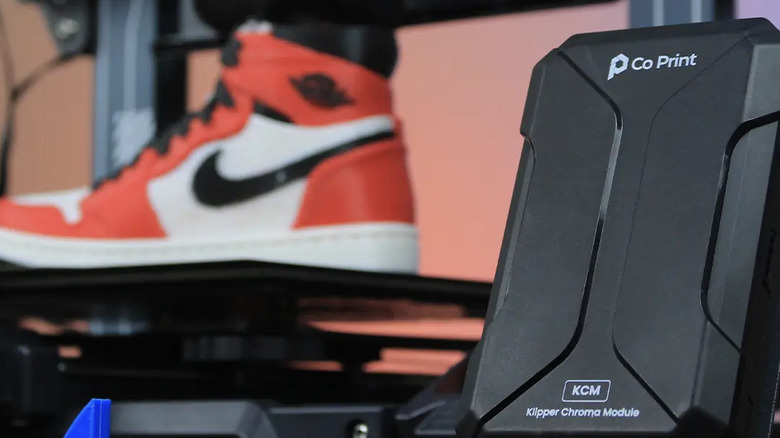
Pretty much all the gadgets and products mentioned above involve buying a new printer, either as your first purchase or as a replacement for your existing rig. But what if we told you there was a way to get the most out of your current 3D printer without splurging hundreds of dollars on a new one?
Thanks to the CoPrint KCM retrofit kit, you can upgrade your existing 3D printer to a multi-color setup in just a few steps. It is a standalone multi-material module explicitly designed to retrofit your existing 3D printer, instantly granting it the ability to seamlessly swap between different filaments. If you're eyeing brand-new, expensive multi-color printers, simply slap a CoPrint KCM device for a fraction of the cost.
While it does require some DIY tinkering, additional cable management, and software configuration, the economic savings might make all the hassle worth it. If not, the satisfaction of watching your trusty old printer suddenly start printing in four different colors would definitely be worth it. The way it works is it uses a single nozzle, cutting the filament and feeding the new color automatically based on the model, meaning you don't lose any build volume. Notably, you must have a 3D printer running on Klipper firmware for the KCM module to work. The brand lets you enter your printer's model name to verify if it's supported or not, so we recommend using it before making the purchase.