

HDD Or SSD: Which Storage Drive Has The Longer Lifespan?
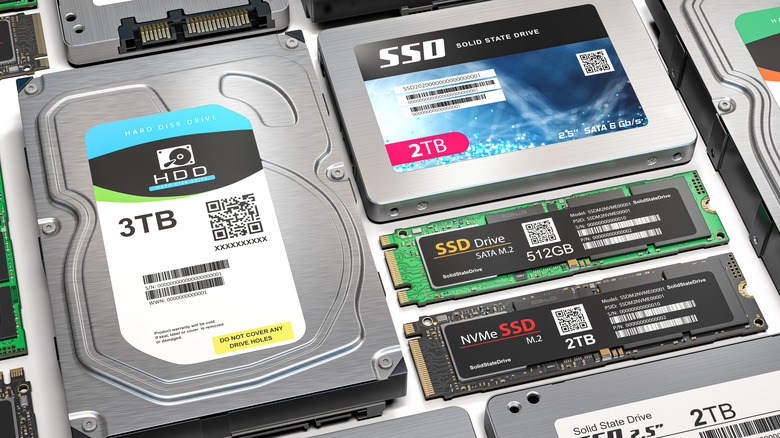
When it comes to digital storage, there are two main players to consider — the older HDD format and the newer SSD. At first glance, choosing between them should be a no-brainer, certainly in a speed comparison, the SSD is the hands-down winner. However, while speed is important, it isn't the only one — there's also reliability to consider. (Though if speed doesn't matter to you, hard drives tend to be cheaper per gigabyte than SSDs.)
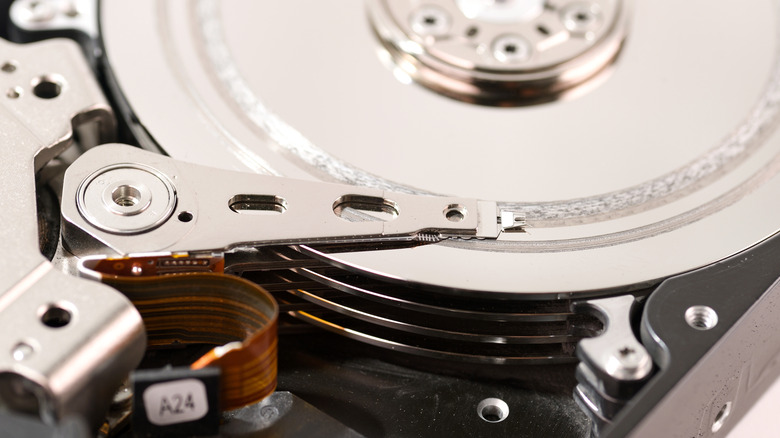
To understand this metric better, we need to take a quick peek under the hood of both formats to see how SSDs and HDDs differ. The older Hard Disk Drive format is a mechanical device that stores data on spinning magnetic platters that use an actuator arm to read and write data. With typical speeds of 7,200 RPM, HDDs are vulnerable to physical wear and damage from vibrations or shock.
By contrast, SSDs have no moving parts and store data on NAND flash memory. It's this characteristic that makes them both faster and more resistant to physical damage. It's surely then an open and closed case with the SSD winning both in the performance and reliability stakes.
But the story isn't quite as simple as that. SSDs also have a limitation of their own to consider. Each flash memory cell can only be written to a finite number of times before it begins to degrade. This is why manufacturers typically rate SSD endurance using metrics like terabytes written (TBW) or drive writes per day (DWPD).
The question is how these differences manifest themselves in real-world situations — something large-scale reliability studies can help answer.
HDDs vs. SSDs: What the data says
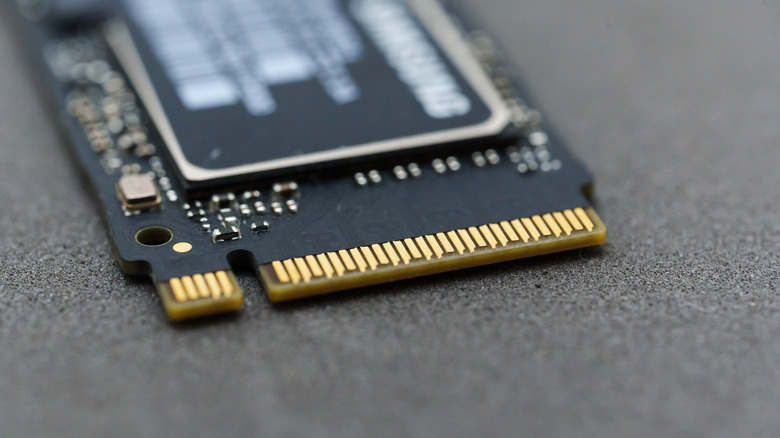
One of the most common ways manufacturers estimate the lifespan of an SSD is through the aforementioned TBW specification. Put simply, TBW represents the total amount of data that can be written to a drive over its expected lifetime before the flash memory begins to degrade. For example, a modern 1TB consumer-grade SSD may have a TBW rating of around 600TB. This implies that the drive is expected to safely handle this amount of data before the drive fails.
In practical terms, that limit is far higher than most users will ever reach, and in most cases will easily ensure the drive lasts as long as the expected lifespan of a home computer. Even writing 50GB of data daily would take decades to approach that figure.
Determining the reliability of HDDs is not quite so straightforward, as they are more prone to damage from physical mistreatment. However, most hard drive manufacturers say that an HDD is expected to last from about four to seven years. On the face of it, this would seem to confirm that an SSD is likely to have a longer lifespan than an HDD.
Real-world reliability seems to support this conclusion. Cloud storage provider Backblaze, which tracks the performance of thousands of drives in its data centers, reported an annualized failure rate of around 0.98% for SSDs compared with about 1.64% for HDDs (via Blocks & Files). While the data suggests that SSDs fail less often than their mechanical counterparts, both statistics reinforce why you shouldn't buy a used hard drive.
How SSDs and HDDs fail (and the warning signs to watch for)
Although both types of drive are capable of lasting many years, they tend to fail in very different ways due to the technology inside them.
As noted, traditional hard drives rely on mechanical elements like spinning platters, motors, and actuator arms. The actuator arms maneuver the read/write heads over the surface of the platters at distances measured in tens of nanometers without ever touching them. For context, a human hair is about 60,000 to 100,000 nanometers.
Nevertheless, it's these movable parts that are the HDD's Achilles heel. These can fail if the drive experiences excess vibration, heat, or physical shock from a drop or similar. One of the most widely recognized warning signs of a failing HDD is the appearance of unusual noises — particularly repetitive clicking sounds, often referred to as the "click of death." Drives approaching failure may also begin producing slow read speeds, corrupted files, or repeated system crashes.
SSDs are not so prone to physical damage, although hitting one with a hammer to prove the point is not recommended. As noted, the most common form of failure with these drives is the NAND flash memory failing. SSDs can also be susceptible to damage from power surges (as can HDDs) and the effects of overheating.
The key takeaway for all this is that all storage drives will ultimately fail. This is why backing up crucial data to an external drive is always recommended.