

The Adorable Tech I'm Using The Cover MWC 2026
We may receive a commission on purchases made from links.
Mobile World Congress is back again in Barcelona, Spain, and I'm back here covering the show. This year, I have a different focus than I did in 2025 — I'm still on the hunt for new tech and gadgets to cover the trade show, but I wanted to use some products that were a little odd, a little cute, and a whole lot of fun to cover the show.
MWC will have no shortage of new gadgets launching, but that's no reason to rely on schlepping the same old tech around the show floor. In addition to fun, I also focused on small and in some cases, a little cute. One of the challenges of covering a trade show is being saddled with excess gear, so this year I'm focusing on reducing weight and reducing bulk so I can live through the show without my old back requiring excessive medication.
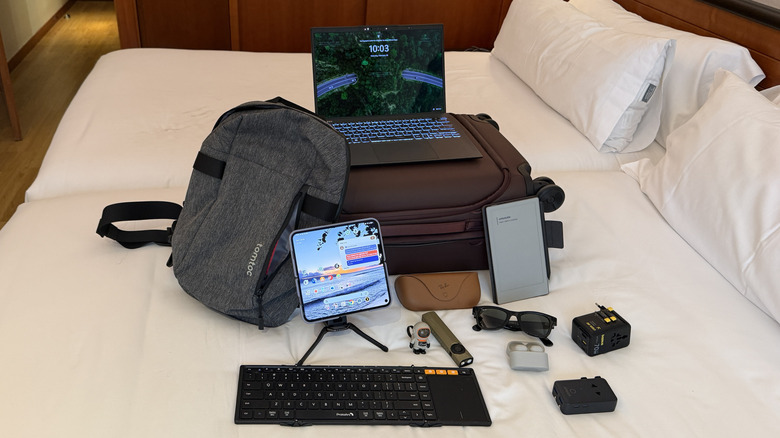
Now that I've landed in Barcelona and I've unpacked all the gear, I can now share it with you — with the exception of a few things that are still under embargo (that you'll learn about later this week). So, without further ado, here's the thin, slim, light, and adorable gear that I've got with me.
MSI Prestige 13 (2025)
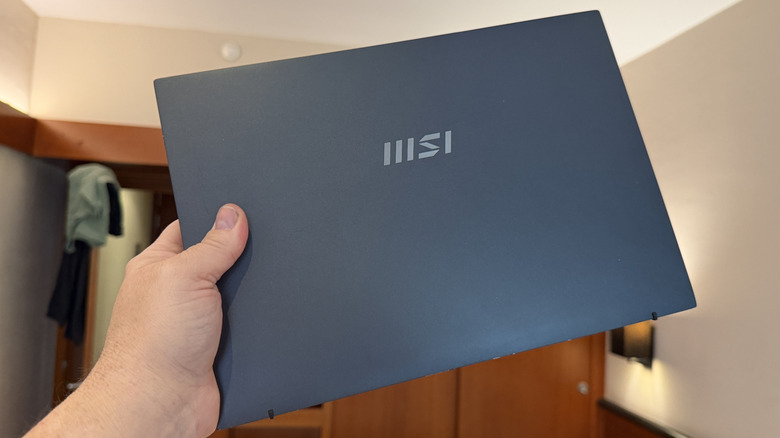
I hadn't yet had the opportunity to wield a sub-KG laptop, so when MSI showed me its upcoming lineup for 2026 at CES, I was instantly smitten. Included in that lineup was the Prestige 13 (2025) which was released last year but was so remarkably thin and light I wondered how it would fare on a show floor. So, MSI sent one over. Unfortunately, it arrived at my home the day after I landed in Las Vegas. No stranger to travel am I, so it was only a matter of time until I had the chance to test it out, and sure enough, 45 days later, the chance arrived.
A 13" laptop is not ideal for my work loadout. I generally prefer two screens, which I will address below and later this week with another two items in my bag. Just to make sure I wasn't shooting myself in the foot — this is going to be my only computing device on the show floor after all — I practiced at home to make sure that this laptop would work for what I needed it to do.
No plan survives first contact with the enemy however, so just to be sure, I used it for a couple of weeks doing my normal day job and it went swimmingly. This particular model has Intel's Lunar Lake processor, plus 32 GB of RAM and 2 TB of storage. There is no touch screen on this laptop — a small price to pay. But at 999 grams, this laptop will ride very well on my back for the next few days, and it'll work as my primary computer, along with another accessory below.
J5Create CrossLink Wireless Dongle
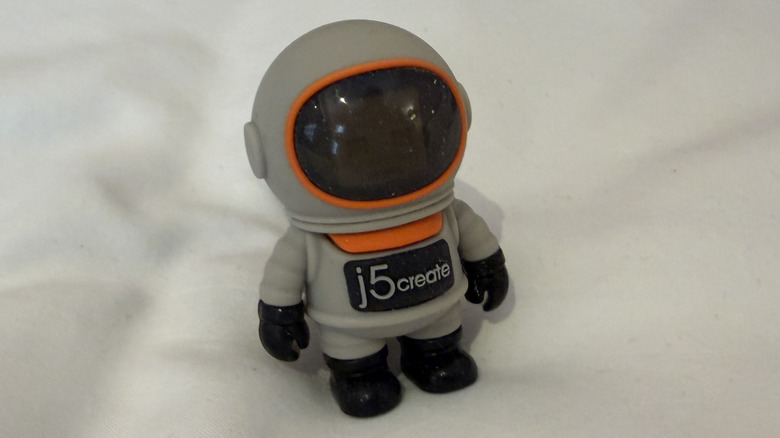
This tiny spaceman, the J5Create CrossLink Wireless Dongle, is a nifty little device that I saw at CES, and the company was nice enough to send one over. I often lament when I'm on the road that I can't do my job as well because I have a single computer screen to work with. I've tried a few cloud-based apps that allow you to share your screen, but this is the first hardware I picked up to do the same task.
The spaceman is superfluous, but it adds a fair bit of charm. The little figure houses a USB-A dongle and USB-A to USB-C adapter that you use to connect the two devices. It also requires an app on both devices to work. There are Windows, Android, and iOS apps — I'm using an Android tablet that I can't discuss just yet (but stay tuned).
The issue I ran into was a severe amount of lag between devices. I tried using a couple of tablets from last year that didn't work terribly well. CrossLink has a direct Wi-Fi connect option that creates a connection between the devices, but even that wasn't terribly helpful. I soon found that the processor in the tablet seemed to be the culprit. Once I connected up a new tablet that ran the Snapdragon 8 Elite Gen 5 processor, we were right as rain. I'm not crazy about the fact that the processor seems to be the logjam there — there aren't a ton of Snapdragon 8 Elite Gen 5 tablets on the market right now, so that could be an issue, but if you have the hardware, this can be a good solution for you.
Remarkable Pro Move
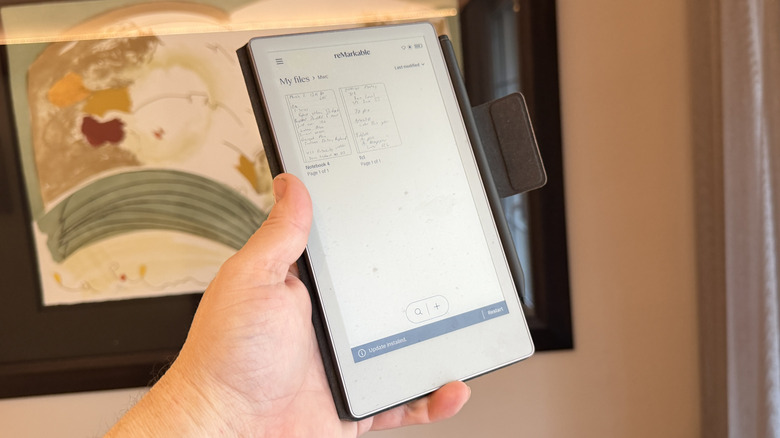
At CES, I talked about my internal debate between using the Remarkable Pro or the Remarkable Pro Move tablet on the go. I quickly learned that the Remarkable Pro Move was the... move. While I initially worried that the tablet might prove to be too narrow to be workable, that was very much not the case. The remarkable tablet turned into a vital note taker for me, and its slim profile slipped easily into my bag, and as previously discussed, smaller is better.
I still haven't taken full advantage of the app part of the tablet. I'm still using it as a notebook replacement, which is probably not the ideal way to do things, but it's great having a digital note-taking device that I can actively use to capture notes on the go. Paper doesn't have a very long shelf life in my world, and having a digital backup saved to the cloud might be handy in the future, so I'm into it, but for now, I have successfully bridged the gap between handwriting and digital note-taking, and I don't have to sit in a press conference with a laptop any more, which is always welcome.
As an aside, I took the Remarkable Pro Move to an escape room two weekends ago, and it worked extremely well there. If you happen to have a Remarkable tablet, I'd add it to your escape room arsenal as well. We got out with 18 minutes left by the way.
TomToc Navigator-T24 Sling bag
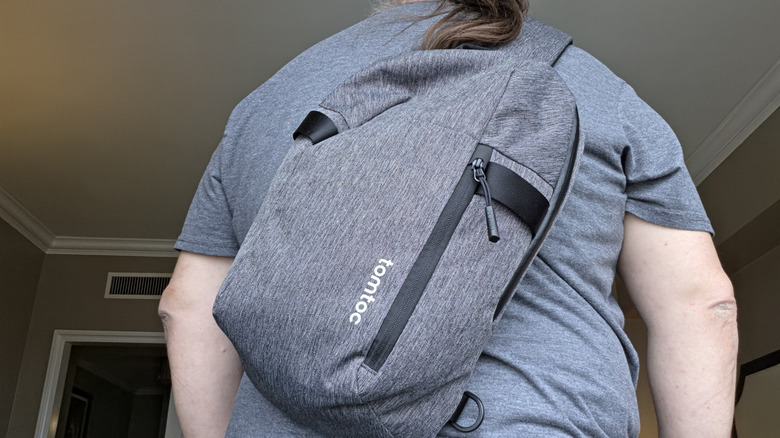
I am on a seemingly endless quest to find the perfect backpack, but I found myself sidetracked when I came across the TomToc Navigator-T24 S sling bag, and I figured, "Well, if small is the theme, let's run with it." Carrying smaller items means I can use a smaller bag. The T24 can hold up to a 14" laptop, which is a whole inch larger than the one I have. Plus, it has a tablet sleeve and numerous other pockets, including a nice outer pocket for smaller items and a hidden pocket up against my back for sensitive items like a wallet or passport.
There's a ton of organization in this bag for such a small item. When paired with the next item on the list, I was able to pare my normal carry-on personal item down from a 24L backpack to this bag without breaking a sweat, though I also packed this bag inside the new Wndrd Prvke pocket backpack because this is a trade show, and I have a stupid job, so I usually leave with more items than I showed up with. So, there's a little traveling protip for you as well.
The shoulder strap is particularly soft and padded, though the clasp to lengthen and shorten it can be tricky. Of course, once you have it set to where you need it, you shouldn't need to adjust it much. Overall, I'm into it. It's the perfect companion for a day trip somewhere.
Peak Design Roller Pro Suitcase
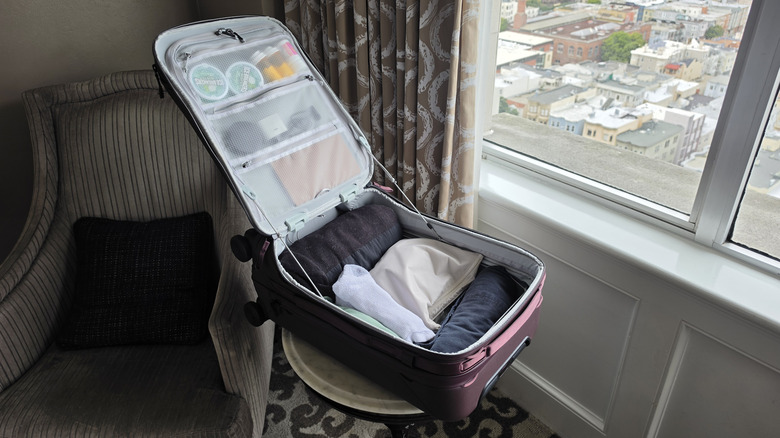
In opposition to everything else I brought with me, there's the Peak Design Roller Pro suitcase. I first saw this at CES and I was instantly enamored. Unlike most other suitcases I've used, this does not have a clamshell design. Rather, the suitcase opens with a wide mouth, so it is borderline cavernous on the inside. What's more, this thing has a number of pockets lining the inside cover. I was able to slip in a few of the items I would normally have to carry in my backpack, which makes things a lot easier to manage.
Additionally, the bag has a top pouch for smaller items and a laptop sleeve itself. That is a lovely addition for someone like me who may need to carry a second laptop because, again, I have a stupid job. On the inside of the bag, there are organizational bungee cords that allow you to tie down items and separate them out that way.
The handle extends out butter smooth and is made of carbon fiber. The quad roller wheels are very smooth, even on carpet, which is a delight and very counter to what I'm normally used to. The only downside is there are no locks on the suitcase — my previous suitcase had them integrated. But I never carry keys, so the key lanyard in that smaller top pocket is great for holding a couple of TSA locks, which is a nice workaround. Overall, I'm smitten with this suitcase.
Other odds and ends
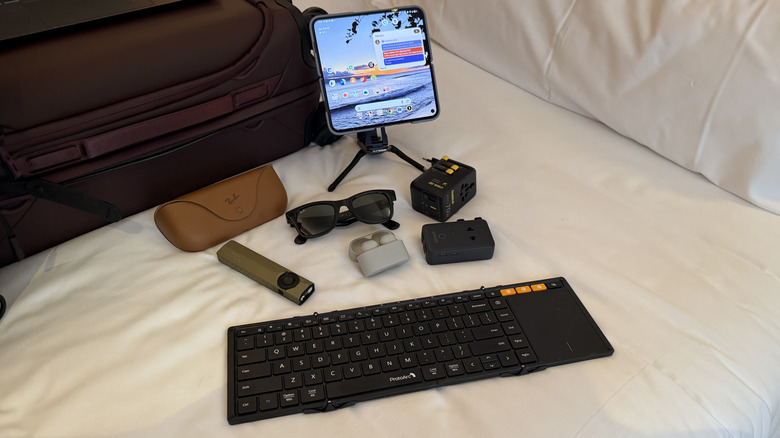
Finally, I carried quite a few other odds and ends that I've talked about before but wanted to reiterate here. First, there's my on-the-go keyboard/screen setup that utilized a Pixel 10 Pro Fold, a ProtoArc XK01TB folding keyboard, and the Omoton TP02 360-degree tripod. The big screen and Pixel Snap on the Pixel Pro 10 Fold make it super portable.
I recently started carrying the ArkPro Ultra flashlight with me because its powerful and compact. I've spoken at length about the Meta RayBan glasses and how useful they can be on a show floor, though this time I'm just using them as normal sunglasses. I left my transition lenses back at home. The Sony WF-1000XM6 earbuds are fresh off my review and riding in my pocket for great ANC both on the show floor and in the air. Finally, I have the Anker Nano Travel Adapter and the Baseus 70W Travel Adapter for my power needs on the road overseas.