

Skylight Calendar 2 Review: How To Sync Your Life On A Digital Display
One of my favorite parts about my job is my ability to test new things and push the limits of my comfort zone with a new piece of tech. When I take on a review, I need to do my best to integrate that piece of tech into my workflow, and I never really know how that's going to shake out.
I never pictured myself being a digital calendar guy. I mean sure, I live and die by my Google Calendar, but it never occurred to me to get a digital screen whose sole purpose it is to show me what's coming up on a given day. I had the opportunity to test Skylight's first calendar around this time last year (SlashGear has a Skylight Calendar (2025) review as well).
Since then, I've tested a number of alternatives to the Skylight calendar. At the end of it all, I kept coming back to the Skylight. From a feature-completeness standpoint, it has just the right amount of features — without trying to be something that it's not.
One of the pitfalls of a new platform is the temptation to try to do too much, and I tested a few calendars that did just that. But Skylight comfortably stays in its lane with some obvious low-hanging fruit, and some not-so-obvious fruit as well. I've been using a Skylight Calendar 2 review sample provided by Skylight for around two weeks, and this is my full review.
Two steps forward and a step back
Skylight actually has two calendars on the market right this minute — the Calendar 2 and the Calendar Max. The latter resides on my kitchen wall, and I'll discuss that a bit as well, but the subject of this review is the former. The Calendar 2 replaces the previous version with a few upgrades, and a small step back from its predecessor. From a hardware standpoint, the screen on the Calendar 2 is faster, brighter, and more responsive than the previous generation.
If you're using the calendar on a tabletop, the stand is mostly improved. The last calendar's stand was solid metal, very heavy and to be honest, way overengineered. The new stand is lighter, but still sturdy, but it only works in landscape orientation...for some reason. This is actually the step back I referenced. I used the previous version of the calendar in portrait orientation on a shelf in between my desktop computer and another shelving unit. The calendar wouldn't fit in landscape though, so it had to move it.
I'm not sure why Skylight made this call. I would imagine it was hard to simplify the stand and have it still work in both orientations. Whatever the case, I'm not thrilled, but that's about the only thing I'm not happy about. By the way, you can wall mount the calendar in either orientation, so all is not lost.
One other improvement is the frame around the calendar is now magnetic and interchangeable, though the other frames won't be coming for another month or so. Mine comes with black and it works just fine, but if you want more personality for your calendar, you'll need to give it another 30 days or so.
Using a digital calendar
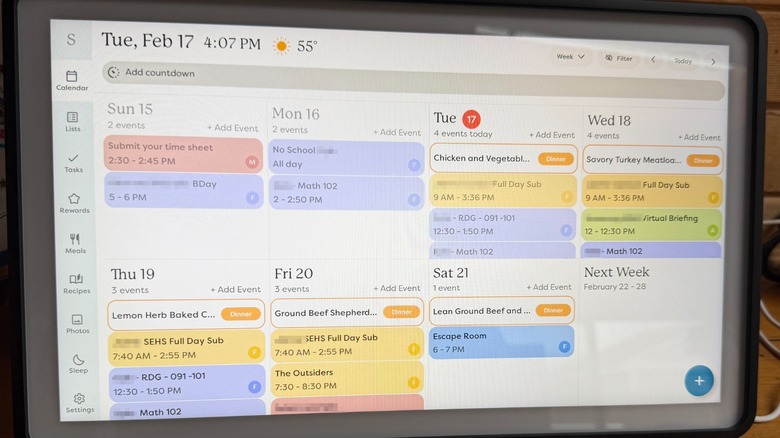
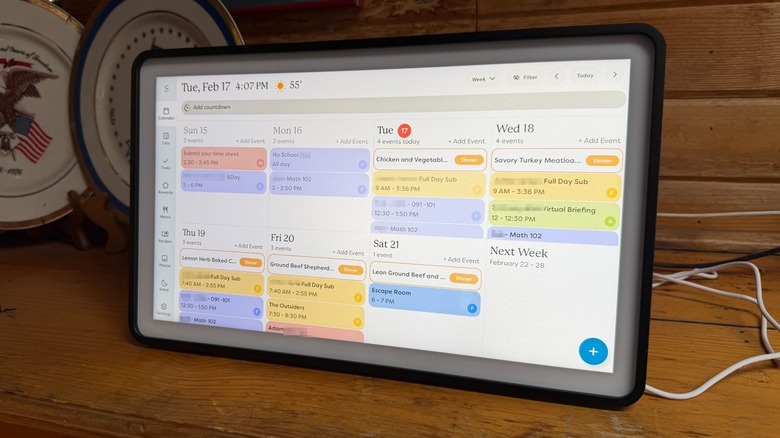
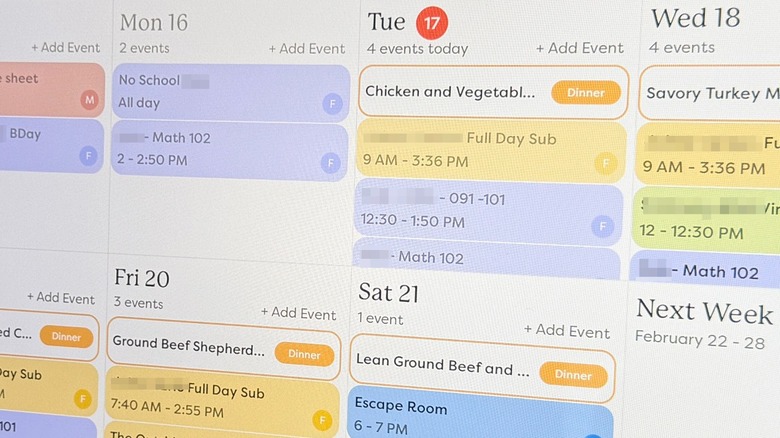
The idea of a digital calendar never really appealed to me, until I had one. My family uses Google Calendar for all of our family activities — work schedules, school schedules, meetings, and the like. You would think it's easy enough to pull out your phone or open a new browser tab and see everything that way — and it is. But having a digital calendar on the wall that just shows you what's coming up all the time is extremely convenient — much like an old-school paper calendar.
You can glance up at the wall and see whatever is coming up. If you want to add an event, you can tap on a plus symbol to add an event or reminder. This version of the calendar is much more responsive than last year's which is a great upgrade. When you open the new event box, you get a virtual keyboard that betrays the fact that this is an Android build, but one that is highly customized.
When an event is coming up, you get a little tone with an "OK" button, which is handy except when you can't reach the button to dismiss it. I'd like to see a timer on the OK button to auto-dismiss it, but overall, the calendar is just there when you need it.
It's so much more
Beyond the calendar functionality, Skylight has built in some very smart features. Most of these are controlled with an app that I installed on my iPhone 17 Pro Max. In addition to the calendar (which syncs with Google, Outlook, Apple, Yahoo, and a few others) you can also set up reminders, repeating tasks or chores, and then there's the one that's most surprising and useful — meal planning, but it's a little more than that.
At the risk of sounding like an infomercial "Don't you just hate it when you get home form a hard day and you have to figure out what to eat? Well fortunately, Skylight can do all that for you!" If you have a black and white image of someone standing in their kitchen looking disheveled and shrugging in a very exaggerated way, you're not alone. Ready for the super cringey part? Skylight does it with AI! But wait, don't go anywhere. The AI is actually... kind of... good?
Your personal Sidekick
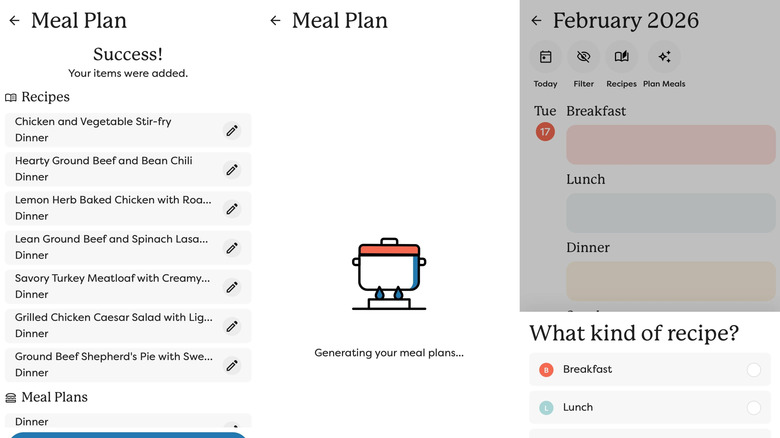
Skylight's AI feature is called Sidekick and it's a handy little tool you can use to perform certain tasks. The obvious one is using Sidekick to capture an event from a poster or something like that. It can find the date, time, and event title and create an event for you. That's quickly becoming table stakes for AI, but what about creating table steaks?
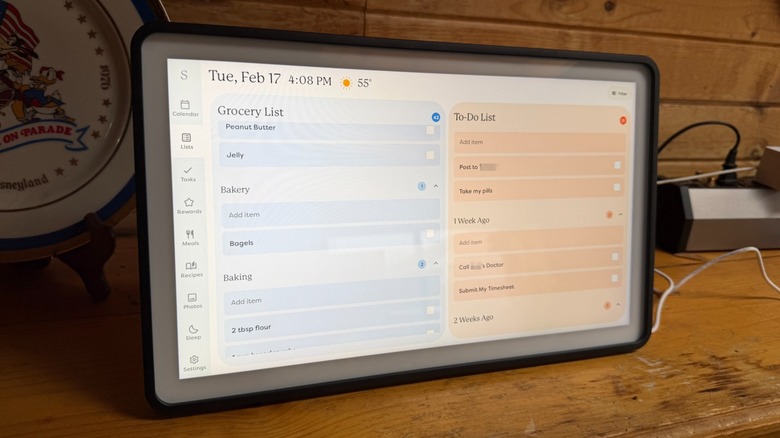
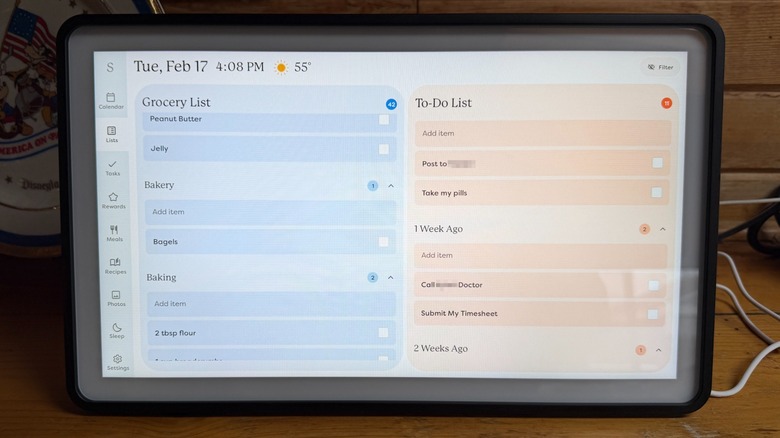
Sidekick can create a comprehensive meal plan for you and your family. In my case, I typed something to the effect of "My family has one diabetic person, so we have a real focus on protein and reduced sugars. We typically have ground beef and chicken on hand, but we're not opposed to salads and other vegetables." From that prompt, Sidekick whipped up a dinner plan for my family for seven days, included the recipes for the meals and added the ingredients to our shopping list.
The limitation here is that it added the ingredients to Skylights List feature, which is fine, except my family already has an app we've bought into to accommodate shopping lists and whatnot. I would love to see some kind of integration with AnyList, an iPhone app not enough people know about, but if you do that, you open a can of worms with customers asking, "Well you support XYZ, why not ABC?" I get it, and I respect Skylight for evading that nightmare scenario.
It's not perfect, but it's close
I did not go into the digital calendar experience expecting it to be life-changing, but it really has been. Paper calendars are fine, but once you go digital, it's hard to go back. Having your life digitized and hanging on the wall at all times is just so useful. Plus, compared to other digital calendars I've used, I can promise you Skylight is absolutely killing it. There is some room for improvement, and some caveats to be aware of.
The first is a big note — things like meal planning and magic import are behind a paywall called the Plus Plan. It's $79 for a year, which isn't too bad, but when everything in life is a subscription, it grates a little.
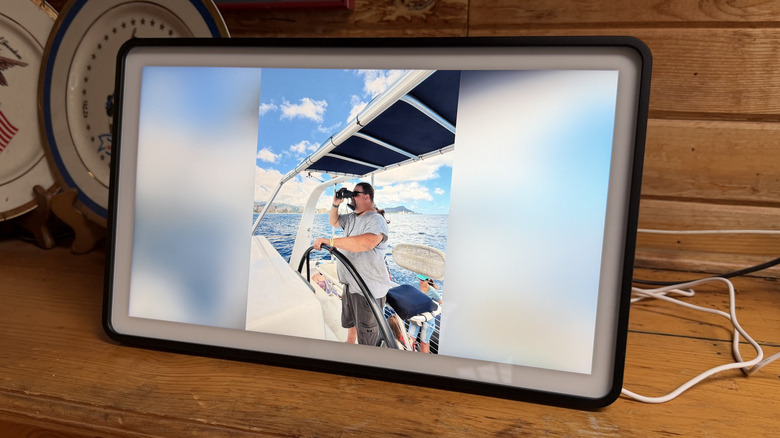
A feature that the Plus Plan unlocks lets you use your calendar as a digital frame when it's not in use. This tracks because Skylight got its start in the digital photo frame industry. However, I never used the digital frame feature because to me, it defeated the purpose of having a digital calendar. The only way to turn off the frame is to tap on the screen, but that kills the ability to glance at the calendar and see what's coming up.
Price, Availability, and Verdict
The Skylight Calendar 2 is available from Skylight's website for $299. It will be coming to other retailers in the future as well.
That price is a tad on the high side. I love the digital calendar, don't get me wrong, but that's a pretty high barrier for entry. Personally, I think it's worth it, especially if you spring for the Plus Plan (which also gives you an extra $20 off the purchase price) and really buy into the Skylight ecosystem. Skylight offers free returns for up to four months, so you can really test drive it to make sure it's for you.
All that being said, the convenience of putting your digital life on the wall at all times is pretty intoxicating. I suspect you'll forget about the purchase price soon enough once you get it set up and realize how helpful it can be.