

Suffering From Slow Internet Speeds? It May Be Super Simple To Fix
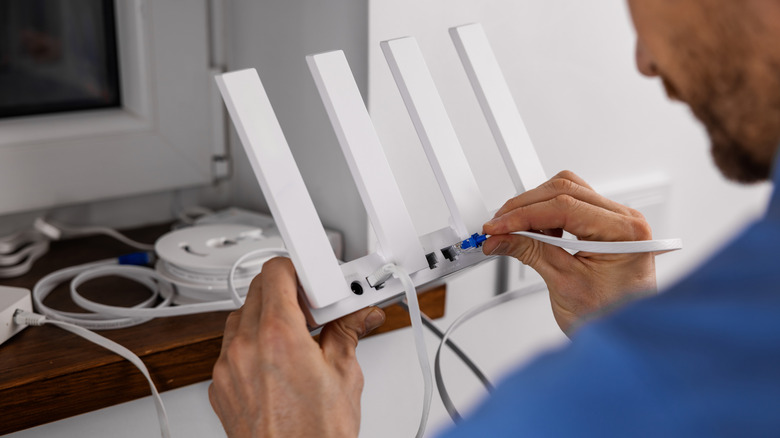
You've probably been there — you're trying to stream your favorite show on Netflix, and it keeps buffering every few minutes. Or you're trying to load up your favorite game, and it just won't play. If the issue stems from slow internet speeds, you'll want to get to the bottom of the problem. After all, in addition to driving you crazy, slow Wi-Fi speeds will also hinder communication, productivity, and even learning.
And while there are many reasons why your internet speeds may be slow, such as your router's position, congested networks, and physical barriers, one common culprit that you might not have considered is your router's Ethernet cable. As it turns out, if you are paying for an internet plan that exceeds 100Mbps, and you're still using an old Cat5 cable to link your modem and router, chances are you may experience a sudden dip in internet speeds.
Theoretically, old Cat5 Ethernet cables are designed to max out at 100Mbps. Because most common broadband plans range from 200 Mbps to 1 Gbps or more, if your home is equipped with Cat5 cables, you'll only get the lower 100 Mbps speeds. This means that you might experience inconsistent speeds — slow at times, fast at others — especially if you're trying to stream 8K videos on several devices while still playing your favorite console games.
How to fix a slow, unreliable internet connection due to Cat5 cables
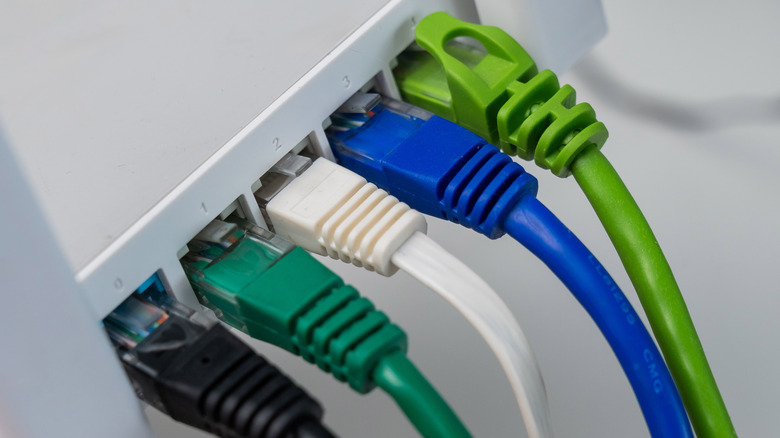
If you're experiencing slow internet, the easiest way to tell if the cables are to blame is to check the "Cat" rating, which is the technical text printed on the outer plastic jacket. If you discover that your cables are Cat5-rated and you have a small home setup, it's best that you upgrade to modern Cat5E cables, which can support 1 Gbps. A Cat6 cable can even do the job better, as it offers 10Gbps at shorter lengths and 1,000 Mbps at distances beyond 330 feet.
With that said, before you blame your Ethernet cables, you'll want to take a look at your router's specs and decide whether it's time to replace your Wi-Fi router. Your router plays a crucial role in helping you access a fast, smooth internet connection. But like other tech gadgets, they may wear out or become damaged over time. When this happens, you will likely notice signs that you need a new Wi-Fi router, such as dropped signals, poor coverage, and slow speeds.
However, if you've recently upgraded to one of the fastest Wi-Fi routers available and you're still experiencing slow Wi-Fi, it's wise to try things like replacing your router's antenna, placing your router in a central, unobstructed position, and switching to the 5 GHz band. You can even improve your Wi-Fi speeds by setting up a mesh Wi-Fi system and eliminating signal congestion.