

3 Cool HDMI Gadgets You Might Not Know Exist
We may receive a commission on purchases made from links.
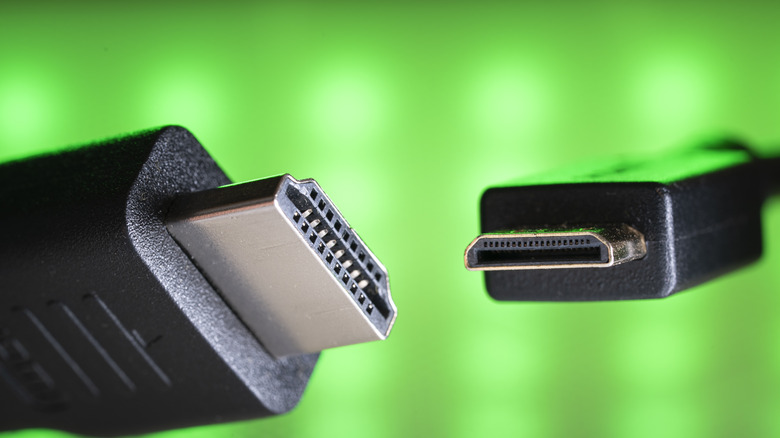
HDMI, or High-Definition Multimedia Interface, is a standard port that's found on most modern monitors and televisions. If your TV has built-in smart features, you may not have felt the need to use one of its HDMI ports on the back. But for monitors that connect to computers or game consoles, HDMI is essential for passing through both audio and video signals. There are different versions of this interface, and the right HDMI cable will depend on your requirements.
In sleeker laptops, the HDMI connector type is slowly being replaced by USB-C ports that come with video output capabilities. Still, full-sized HDMI remains a popular standard that's in use by countless monitors and TVs. That said, the HDMI port on your display can be used for purposes other than directly connecting an input source. Notably, you can use your TV or monitor's HDMI port to convert it into a wireless display.
If you don't have a full-blown tower PC or a game console lying around, you can emulate a similar experience using a mini PC that is small enough to not stand out in your living room like a sore thumb. For more nerdy applications, you can use an HDMI audio extractor to separate the audio source and direct it to a dedicated speaker system. Let's explore these product types in a bit more depth. You can find more about how we've picked the products for this list at the end of the read.
Wireless HDMI Transmitter
The core function of any HDMI cable is to connect an input source, like a computer, laptop, or game console, to an output device, usually a television or a monitor. Depending on your use case, you might need to pick a newer HDMI cable that supports not just high-resolution output, but also a higher refresh rate. However, if your requirements are oriented mostly towards casual movie watching, where latency or refresh rate aren't a priority, you might want to check out wireless HDMI transmitters.
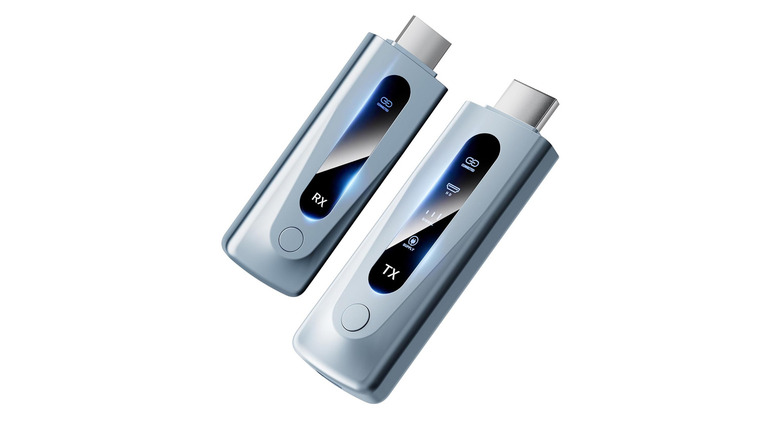
These are two-part gadgets — one plugs into your computer or laptop, acting as the transmitter, and another slots into your monitor or TV that receives this signal. A wireless HDMI transmitter and receiver make the most sense if your input source is a bit further away, such that using a wired connection becomes difficult or messy. Wireless HDMI for home theater setups can be a viable solution, but only as long as you're watching pre-recorded content like movies or TV shows.
For real-time streams — or games, in particular — the added latency might be enough to cause a dent in the experience. The Braidol Wireless HDMI Transmitter and Receiver is a popular pick on Amazon, with a 4.4-star rating and over 800 reviews. It's priced at $115 and features a 328-foot range, with the ability to output up to 1080p at 60Hz. The transmitter lets you connect computers, cameras, or streaming boxes, and supports dual-band Wi-Fi for better compatibility, speed, and range.
HDMI Audio Extractor
One of the biggest advantages of using HDMI is that it carries both your video and audio signals through a single cable. This is especially helpful if you're dealing with game consoles paired with your TV. However, if you have a dedicated audio setup, perhaps a set of Hi-Fi speakers that you want to use instead of the ones built into your TV, the setup gets a little complicated — especially if your speaker solution doesn't support input via HDMI.
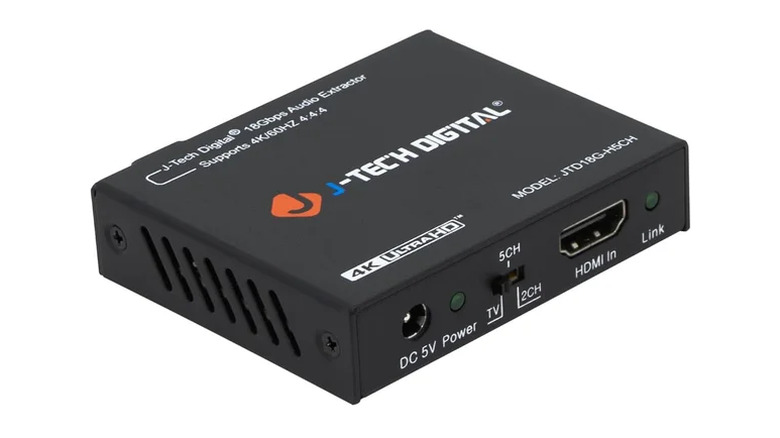
An HDMI audio extractor is purpose-built for this scenario. It slots between two devices and separates the audio and video signals coming from the input device. You can carry the video signal forward through another HDMI cable into a TV or a monitor, and use a 3.5mm or S/PDIF connection for audio. We recommend the J-Tech Digital HDMI Audio Extractor, which has a 4.2-star rating and over 7,500 reviews on Amazon. It's priced at $35 and supports video passthrough up to 4K 60Hz, with 5.1-channel S/PDIF audio output.
If you're using a monitor that doesn't have built-in speakers, you can pick up an HDMI audio extractor and use it as a bridge while connecting your game console. You can then route the audio signal to a dedicated pair of speakers or a soundbar. When buying an HDMI audio extractor, make sure you check which audio formats and video resolutions it supports.
Mini PC Stick
This one's likely going to be the most exciting gadget you can plug into an HDMI port. A mini PC is just that — a compact yet fully functional computer that's designed to handle web surfing, media streaming, or light work. In principle, it isn't very different from the utility a streaming box like the Apple TV 4K provides. The big difference is that you get a device that can do much more than just stream videos, thanks to the fact that a mini PC often runs a regular copy of Windows.
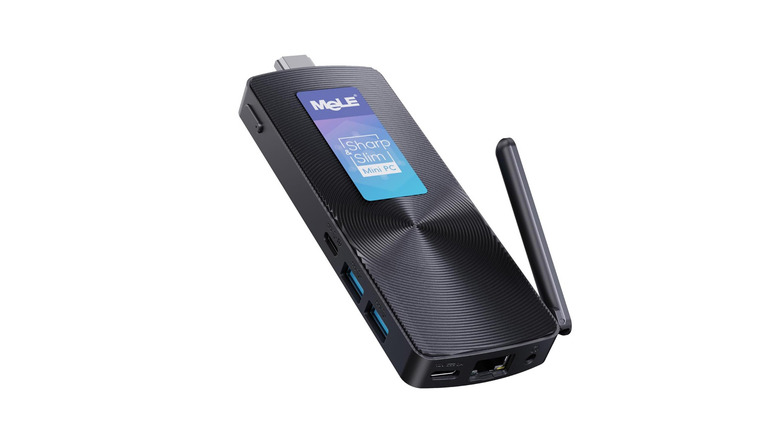
There are a handful of options on Amazon that come in a stick-like form factor. They're a little larger than an Amazon Fire TV Stick, but are essentially a single unit with an HDMI connector attached. The $326 MeLE PCG02 Mini PC Stick is Amazon's overall pick, with a 4.2-star rating from over 500 reviews. It uses Intel's N100 processor and comes with 8GB of RAM and 128GB of internal storage, which can be expanded via the built-in microSD card slot.
There is support for 5 GHz Wi-Fi, Bluetooth 5.1, and you get a gigabit Ethernet port. With two USB-A and one USB-C port (capable of video output), I/O options are respectable. There are also more decked-out mini PCs in the market, ones that are closer in size to an Apple TV 4K. Alternatively, you could use a Raspberry Pi instead of a mini PC if you have a strict budget and don't require a lot of horsepower.
How we picked these products
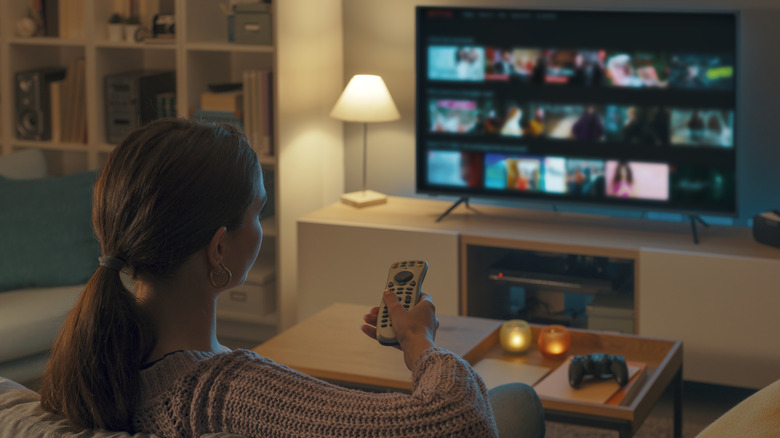
Usually, when you're buying an HDMI cable, there's not a lot of thought that needs to go into it, apart from cross-checking the specifications. With the HDMI gadgets we've listed, however, a bit more consideration is required. There are dozens of wireless HDMI transmitters on Amazon — but a product of poor quality or bad signal strength may end up providing an unusable video stream.
The margin of error when buying a mini PC is even greater. You don't want a sluggish experience due to an underpowered CPU, less RAM, or slow storage. Similarly, if you're hooking up a powerful gaming console like the PS5 to an HDMI audio extractor, you need to make sure it can support a high-resolution video signal at 60Hz or 120Hz.
While making specific recommendations for products, we referred to reviews left by verified customers on Amazon. A high average rating is also indicative of a well-thought-out product. If you're looking for alternatives, it is highly recommended that you look for customer feedback or refer to reviews by trustworthy publications before making a purchase.