

Always Plug These Devices Into Your TV's HDMI eARC Port
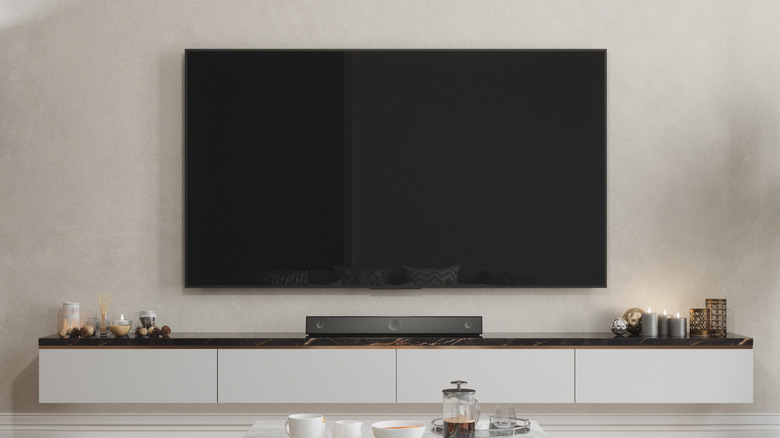
Installing a new TV can be as easy as taking it out of the box, plugging it in, and turning it on. But for a more complex setup, like connecting a device, it actually matters which HDMI port you use on your TV. This is especially true of the HDMI eARC (enhanced Audio Return Channel) port, which should always be used for your soundbar or audio receiver. This will give you the best audio experience from your TV, especially if you're using a home theater system.
eARC has greater bandwidth than standard HDMI ports, and it has a higher bitrate, meaning it can both send and receive more data faster. So for audio systems that require a higher level of performance, like DTS:X and Dolby Atmos, the top two surround sound formats, eARC is the ideal port to use. Even an Apple TV benefits from being plugged into HDMI eARC. But to truly experience what eARC can deliver, using the right port isn't enough.
Your audio device must be compatible with eARC, and this is true for both the soundbar and the audio receiver. If the device you're using is rated for the older Audio Return Channel (ARC) port, it will still work. However, it won't be able to reach the higher bandwidth that eARC can, which means you won't get the better quality sound you're looking for.
Some devices don't benefit from eARC
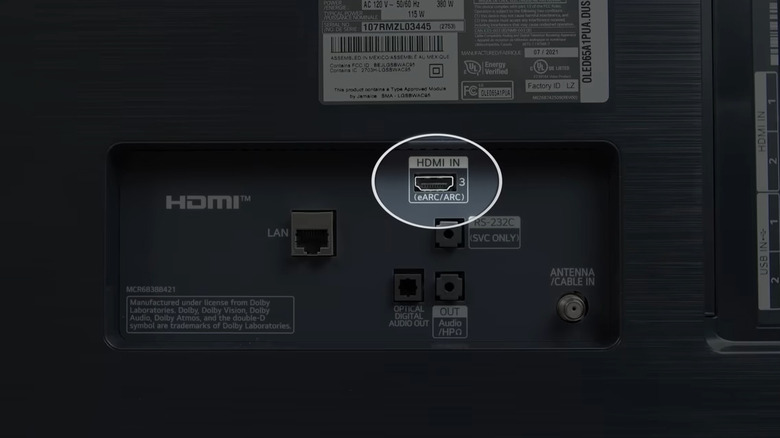
HDMI eARC capability was first introduced in 2017 as part of the HDMI 2.1 standard. This new standard was an improvement on the original ARC feature, which couldn't deliver high-quality uncompressed audio. eARC made this possible, allowing the transfer of audio formats like Dolby TrueHD to be achieved, thus realizing their full potential. While some devices excel when plugged into eARC, others do not.
Blu-Ray players, gaming consoles, PCs, and streaming sticks won't benefit from eARC. That's because eARC's designed to specifically send audio out from the TV, so an audio device is more suited for it. However, plugging one of these devices into an eARC port won't necessarily cause any problems. But for gaming consoles like the PS5, HDMI 2.1 is the preferred connection because it allows access to 4K resolution. Plus, gameplay may have less lag overall when plugged into HDMI 2.1.
If you're unsure about which HDMI port on your TV is the right one to use, consult your user manual for the device you want to connect. There should be some manufacturer information on whether eARC, ARC, or other HDMI ports are the preferred connection. Your TV's ports should be clearly labeled, but if for some reason they're not, you can also refer to your owner's manual, as it should tell you what you need to know.