

5 Things You Should Never Do On A Company Phone, Unless You Like Trouble

When your employer gives you a new smartphone, you may want to treat it as your own with your favorite social media channels and other apps. However, we'd advise against that. As soon as you get a company phone, remember a few things. Firstly, the phone is legally the property of your company, and unless stated otherwise, they are entitled to monitor it.
There are sophisticated Mobile Device Management (MDM) systems that the company's IT department has access to. These systems can be used to track app usage and internet traffic, which can pose a potential security risk for the phone's user. Before you start treating your company phone as your personal one, here are five things you should never do.
Avoid accessing personal social media profiles
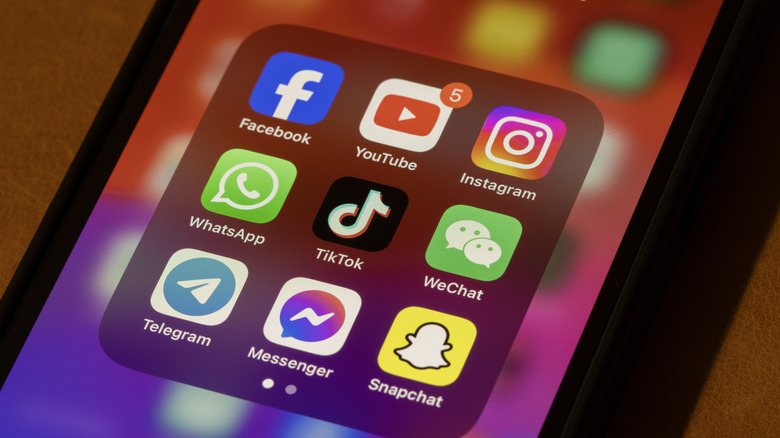
These days, some people communicate more via social media apps than in person. This can spread personal information online, including your phone number, home address, or employment history. This is why you should strictly limit sharing your personal information online.
While it may be tempting to log into your Facebook, Instagram, or Snapchat on your new phone, you are unknowingly merging your personal footprints with your company's device. Though your employer likely cannot read your DMs or anything encrypted, they can track metrics such as app usage or data consumption. And if you are busy doom-scrolling on Instagram during office hours, then that can get spotted in the monthly app usage report and affect your performance review.
Social media is also the most common place for people to get scammed. Accidentally clicking on an unknown or malicious link may lead to your phone getting compromised. Worse would be if you have your company's data on it. Sophisticated malware can run in the background and transmit data without you knowing. To protect yourself from such a mess, keep social media accounts for your personal device.
Never install financial apps
It is never a good idea to use your personal banking or payments app on a device that you don't personally own, let alone a company phone. You can bolster your financial apps and information with security habits such as multifactor authentication, but your data is still at risk. In fact, mobile banking apps contain more sensitive information about a person than any other app and are the prime target for any attacker.
If you are using digital wallets, banking apps, or have crucial Two-Factor Authentication (2FA) codes on your company phone, then in case of theft or loss, your company can erase your device remotely. While that may be a good thing, if all the details were exclusively on the company phone, you may be locked out of your own money. You will then have to undergo a tedious process of proving your identity and regaining access to your bank accounts.
There is also a major security risk. Malware targeting banking apps may also get access to your company's data from your phone as collateral. You should never use your company phone as a primary device for using finance apps. Even without malware, your company's IT may see which banking institution you are using, and in any event of legal investigation, your personal finance apps may be subject to scrutiny.
Do not sideload third-party apps

Sideloading is a technical term for installing third-party apps from outside the Google Play Store on Android. While Apple has eased the installation of third-party apps, this is limited to European countries. People generally install apps from third-party websites, as they get a specific paid app for free. However, installing apps from unknown and untrusted websites just because they are free is risky.
Think of the official App Store or Play Store as a protected area with a security guard. Here, apps get listed after careful security checks, like a security guard checking IDs. But occasionally, bad actors bypass the strict security and infect the devices of people who install them. Comparing this with a third-party website is like leaving your front door wide open in a bad neighborhood, where anyone or everyone has access.
Unverified apps are the easiest way for hackers to slip into anyone's phone. Even if you have followed the safest methods to sideload, these apps do not update automatically and pose a long-term risk. If a security flaw is discovered in the installed version, it won't get fixed automatically. This is the reason why Android by default blocks installation from "unknown sources." In short, you should never sideload an app on a company phone unless it is an app that your company has authorized. Keep that for your personal device, if you know what you are doing.
Refrain from watching inappropriate content

Incognito mode is a myth. IT departments can easily log web traffic and flag suspicious domains, regardless of whether they were opened in incognito mode. Kaspersky data reveals that nearly half of employees have admitted to viewing adult content on their company phones.
Getting caught viewing adult content on your phone is straight-up embarrassing, but adult websites pose other risks, too. Such sites are notorious for malvertising — malicious ads that lure you to click and install spyware or ransomware onto the company network. Any content that you view on your phone should come from a trusted source, adult or otherwise.
If you are not bothered about the security risks that viewing adult content on a company phone entails, the HR fallout should worry you. Because if you are caught watching adult content on a company-monitored device — especially during work hours or even among colleagues — then your company has the right to charge you with gross misconduct, leading to immediate termination (based on the severity).
Do not job hunt or jot down your future ideas
You may think that it is harmless to go through a suitable job listing during lunch hours or at home, or write down a brilliant startup idea on your company phone. But strategically, that is a big blunder. Firstly, job hunting on a company phone creates a digital trail, which the IT department can easily monitor. This would signal to them that you are unhappy and looking to jump ship. Based on my personal experience of working for a multinational in London, you don't want HR to know such matters.
Second, don't use your work phone to develop your brilliant start-up, invention, or any other plan, as this could put you in a legal grey area. Your company may legally own your ideas, since you used the company's device(s) to develop them. Many companies have a strict clause in place stating that anything created or noted on a company device belongs to the employer.
Your million-dollar idea could actually go to a million-dollar company, but not in a way you would want. It is better to keep your career plans and start-up dreams on your own personal devices. In short, keep your company phone boring.