

5 Email Etiquette Tips Every Professional Should Know
One of the first lessons that any person learns — or gets taught — is the importance of effective communication. And as one settles into their professional life, emails become the primary pipeline of communication. On the surface, this feels like an easy task. But there's a reason why experts teach email skills in training courses, and universities across the world offer learning material on how to master the art of emailing and the etiquette that one must follow.
It almost sounds mundane, wondering why emailing has its own decorum and protocols, but they're nothing too fancy or overbearing. Instead, they are analogous to how we communicate in spoken language. The only difference is that instead of the conversations happening in real time, emails are an asynchronous form of communication. Now, there's no universal rule when it comes to describing what an ideal email looks like.
Every conversation is different. Academic emails are entirely different beasts, while those in fast-paced corporate setups rely on efficiency. For example, Meta's current CTO and former Vice President, Andrew Bosworth, highlighted how he loves concise five to 10 sentence emails. "Not only am I up to speed, I have a mental model. I'm engaged. Also, you've made it super cheap for me to help you." But email etiquette is almost universal, applying irrespective of the environment. And yeah, they do make a big difference and offer a peek into a person's conduct, skills, and discipline.
Grammar is essential
People who are particular about grammatical accuracy and colloquialisms often get a bad reputation for caring too much about these nuances. But when it comes to emails, adherence to grammar can be a test of character. Douglas Rushkoff, a well-known academic and media theorist, once wrote that "without grammar, we lose the precision required to be effective and purposeful in writing," and added that "even a poorly constructed tweet reflects a poorly constructed thought."
Critics have long argued that technology has sped up message delivery and that the resultant "texting culture" has given rise to new words and grammatical modifications. The effect is easy to notice, especially in an era where terms like "slop" are crowned word of the year by authoritative sources such as Merriam-Webster. Simply put, our linguistic style from social media — which prefers slang and abbreviations over proper grammar — can inadvertently seep into our emails.
Therefore, it's more important than ever to pay attention to grammar and spelling errors in email conversations. Two rules that work best are reading the finished text again, and if possible, twice. Technical tools such as Grammarly or the built-in Grammar checker in Google Docs or Microsoft Word are also worth trying. On smartphones, the same can be done using Writing Tools (built within Apple Intelligence) on iPhones or Writing Assist (within the Galaxy AI kit) on Samsung Galaxy smartphones, which can do a grammar and spelling check pretty well.
Alternatively, you can just feed the text to an AI chatbot such as ChatGPT or Gemini to look for grammatical inconsistencies and fix the mistakes. But these AI tools often take a rather heavy-handed approach to fixing mistakes and can make errors, too. So, it's best to use them only as an extra pair of eyes.
The 24-hour rule

There are plenty of success stories of how a single "cold email" landed a golden opportunity for a person. The head of Android at Google, Sameer Samat, wrote an email to Google co-founder Sergey Brin in the middle of the night seeking advice. Brin replied a minute later, invited Samat to the Google office, had him meet a few people, interviewed him, and offered him a job as well. But not all emails are responded to with such enthusiasm or end in a success story.
In the realm of professional life, especially marketing or affiliated fields, delays occur for a variety of reasons. Some inboxes are just too swamped to give your original email even a chance at being read. In a few cases, it may have been read, but the recipient didn't get a chance to reply. The key to success is being persistent but without sounding desperate or vexed.
That brings us to the 24-hour rule. If you have written an email for business, academic, or even personal reasons, and it hasn't been answered, don't shoot a second email in a hurry. Wait until a full day, then follow up with a nudge — but stick within the 24-48-hour window for a follow-up. There's some scientific backing to it as well.
"Most of the replies are very fast: More than 90% happen within a day of receiving the message, and the most likely reply time is just two minutes. Also, half of the replies are within 47 minutes of receiving the message," says a research paper. In a nutshell, if an email hasn't been responded to within the first 24 hours, try again after 24 hours, and if that too goes unanswered, there's a slim chance you will get a response at all.
The importance of auto-reply
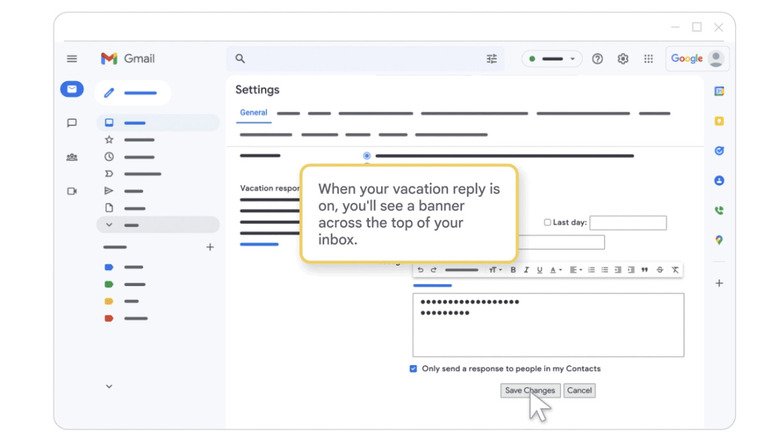
When you're away from work, it's important to set up an auto-reply email that tells all senders about your out-of-office status. It may sound like a standard protocol, but there are numerous benefits to it. If it's an urgent or important communication, your auto-reply email can guide the sender toward a colleague who can attend to the pressing matters. An automatic response will make it clear to the sender that they don't have to wait indefinitely for a reply and will give them a clear idea of when exactly to reach out again.
More importantly, auto-reply is an indirect tool for fostering a bit of personal connection. You can keep it short and formal, but adding a bit of personality, humor, and compassion to the email goes a long way. Telling the senders you will eventually get back to their emails upon your return is a nice gesture and a matter of basic courtesy for delayed communication.
"Sharing a small piece of information about you, your trip, or your company's product or service can serve to deepen a business relationship or the connection a client feels toward your company," says an analysis on auto-reply systems by the Harvard Business Review. Sharing a meaningful anecdote or nudging people toward a helpful resource for their emailed queries is what auto-replies are all about. These automatic responses also serve as a form of personal comfort, too.
In a Microsoft survey, it was discovered that for more than 77% of participants, setting an out-of-office reply made their vacation feel "official," while 60% said they enjoy seeing creative OOO (out-of-office) messages from others. It never hurts to inject a bit of poetic charm, humor, or a dash of empathy, instead of a blunt auto-reply message that feels impersonal.
The holy double-check rule
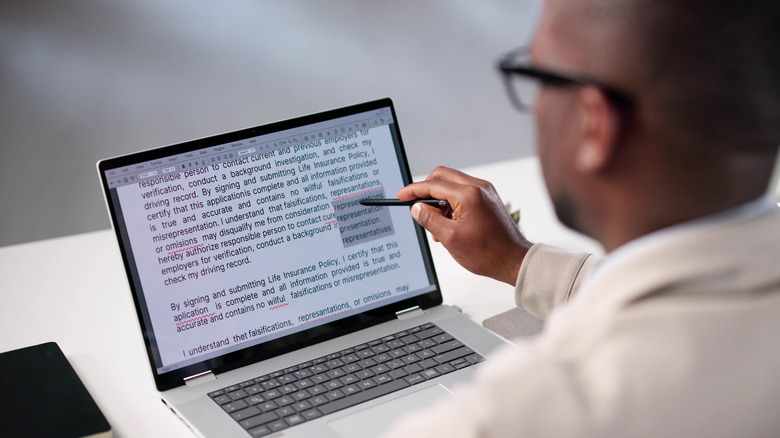
The importance of grammar can't be emphasized enough, but the double-check rule can save you from some truly embarrassing or downright devastating mistakes. There's a lot that can go wrong beyond an honest typo. For example, misspelling the recipient's name. A standard grammar-checking software, or even an AI-powered system, can often overlook it. That's because these automated tools often struggle with names, especially if they are not Anglicized in origin.
Simply put, you want to double-check the name of the recipient and run a finder check, as well, just to make sure it's spelled correctly throughout the email body. But even with decidedly European or American names, the automatic spell-check systems can fumble, especially with homophones such as John/Jon, Mark/Marc, and Sean/Shawn. So, it's always wise to verify the right spelling. For a recipient, it's often pretty rude if you get the name wrong, especially if you've been in touch for a while or have their information at hand.
In a similar vein, you must double-check if you are sending an email to the right recipient(s), especially when it's sensitive communication. Modern email platforms such as Gmail often surface a list of addresses the moment you start entering the name. If there are multiple people with the same first or last name, you want to make sure that you click on the right email address and double-check it, just to be on the safe side.
There are plenty of cases where such a mishap has spiraled into an embarrassing situation. In October 2025, a London-based reporter wrote an email to former New York City Mayor Bill de Blasio regarding an interview and comments. Instead, the email landed in the inbox of Bill DeBlasio, a wine importer from Long Island.
A signature block
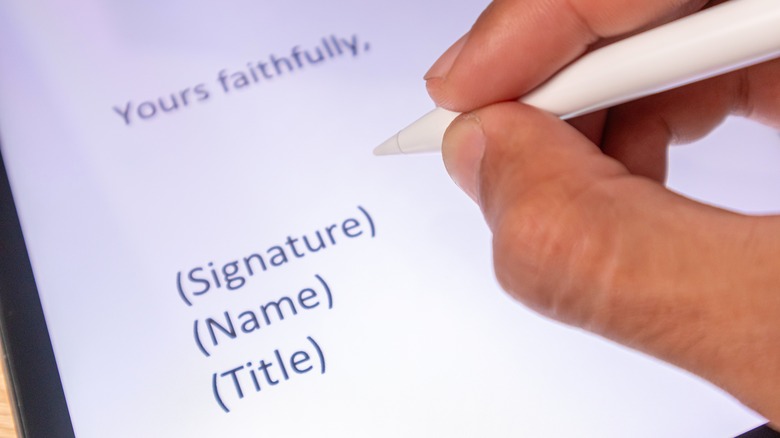
There's plenty of debate on how you should end an email. Some debate whether "best" is too curt or "respectfully" goes too far. But irrespective of what you pick, it should be a true reflection of your personality and intent. The best way forward is to set up an email signature block, one that houses your digital adieu and a brief introduction of your professional status as an email signature. In case you're unaware, an email signature block is an automatically appended text and image portion that sits below the written content of your emails.
Think of it as a digital business card attached to each email. It includes your name, contact information, title or designation, business or college affiliation, and, if possible, a logo as well. It saves you precious text space that would otherwise be crammed into sentences when introducing yourself to the email's recipient. Plus, it establishes trust and legitimacy, especially if you are reaching out on behalf of a company or institution.
According to market research, 42% of people feel uneasy when they don't see a brand's signature in emails, while 69% argue that a consistent signature is important. And while you're at it, make sure you add your pronouns as well, especially if you come from a different cultural or geographical background.
Even for students or people at the early stage of their careers, an email signature can serve as a small but valuable tool to pitch themselves as candidates while subtly highlighting their academic affiliation and achievements. "An email signature is equal parts style and substance, a form of personal branding that evokes a traditional letterhead but is also much more similar to a personal bio on social media," says an analysis by Northeastern University.