

Why Some USB Ports Charge So Much Slower Than Others

USB charging is so commonplace that it's taken for granted, but it's a minor miracle that there's finally a universal standard. Those old enough to remember what a headache it was to have a whole bin full of chargers, each of which belonged to a different gadget, can attest that things are much better now that most things are compatible with USB charging. Even so, there is a wide range of different USB standards, and charging speeds can fluctuate wildly between them.
If you've ever wondered why a charging brick can juice up your phone so much faster than the USB port in your wall outlet, or why different ports on the same computer sometimes charge at different speeds, the answer is that it depends. Sometimes, it's a limitation of the physical hardware or USB specification, while in other cases a manufacturer may implement faster or slower charging speeds on a per-product basis. Older USB standards can still be found on modern devices, including new smartphones and motherboards for desktop and laptop PCs.
Moreover, manufacturers may use proprietary charging tech, or impose artificial limits on a port's charging speeds to protect the device it's attached to. Understanding the charging capabilities of the USB ports on your devices can help you get the most out of them. Moreover, it will help you to avoid kneecapping their performance by using the wrong cables and chargers. So, here are the basic factors that can influence how much power a USB port can deliver.
USB standards and manufacturers set charging speeds

Other variables aside, a few different things can determine the top charging speed of a given USB port. Those are the USB generation, Power Delivery (PD) generation, and limitations or customizations set by a device manufacturer. The limit at which a USB port can send or receive a charge is 240 W via USB4 Version 2.0, as of this writing. Most devices don't hit this threshold, though some new laptops are showing up on the market that do charge at 240 W over USB-C. On the other hand, USB can charge as slowly as 2.5 W. Those sluglike speeds are most commonly found in USB 2.0 ports – increasingly rare on newer hardware but still quite common in places where old ports were installed years ago, such as public charging ports at airports and coffee shops, USB wall chargers in outlets around your home, or car dashboards.
The USB Power Delivery (USB-PD) standard also plays a role. It negotiates a handshake between a charging port and the device being charged to avoid any damage. PD 2.0 was capable of up to 100 W charging, while PD 3.1 is capable of the 240 W charging speeds we just discussed while using USB4 Version 2.0. There are also proprietary power negotiation technologies such as Qualcomm Quick Charge and Oppo SuperVOOC, which may be used in certain phones and other devices.
Lastly, a device manufacturer may impose custom limits on USB charging at the level of the host controller on the motherboard. Usually, those limits are meant to protect the device. For instance, a port might have hardware that's technically capable of 240 W charging, but if it drew that much power from it, it would fry the system.
You need the right cable and charging brick
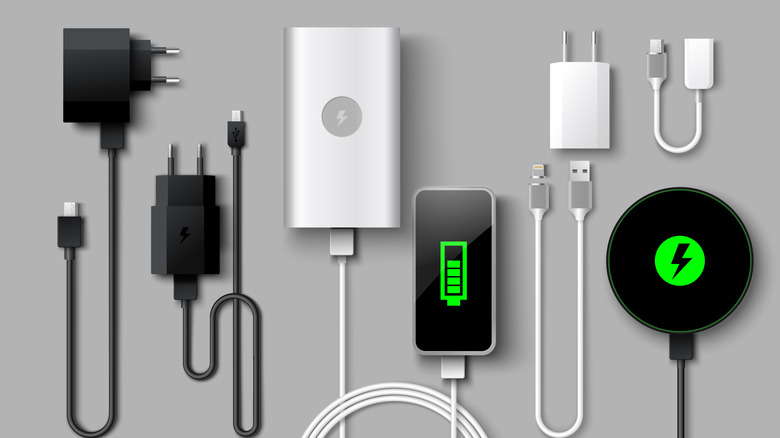
Even if you have a device with the latest USB tech and super fast charging capabilities, you could still find yourself dealing with frustratingly slow real-world charging speeds because of your charging brick or cable. Whichever link in the chain is slowest will set the rate at which a device charges over USB. For instance, if you have a laptop that charges at 140 W and a correspondingly fast charging brick, but the two are linked together via the 60 W cable that came with your iPhone, the laptop will only charge at that slower speed.
The best course of action is to use a charging brick that is rated for a higher wattage than the device, so long as both use a compatible power negotiation standard like USB-PD, to ensure an optimal power throughput. In some cases, the charger included with a smartphone or other gadget may not actually be capable of reaching that device's top charging speed. And, of course, many devices no longer ship with included chargers.
If you're unsure of the charging speed on a particular USB port, the easiest way to deduce it is to purchase a USB power meter. It's a device that sits between the port and your device to give you a power readout. Power meters are often quite cheap from sites like Amazon.