

Why You Should Install Windows 11's December 2025 Patch ASAP
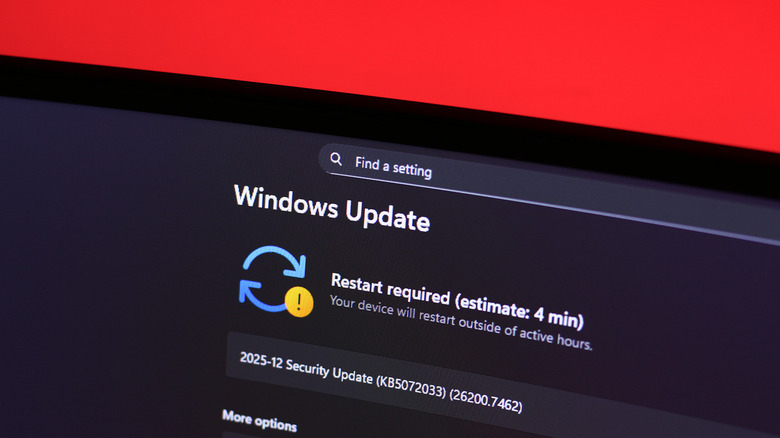
There are few things we all dread more than the pesky little "Windows Update" notification that seemingly pops up at the most inconvenient of times. That said, keeping your device up to date with the latest version of the software is highly recommended — not just so you can experience new features, but because these updates also bring critical security patches that safeguard your data from bad actors. The latest December 2025 Patch Tuesday Windows update is one such instance where you shouldn't hit the "Remind me later" button.
Most notably, the new patch fixes a PowerShell vulnerability that allowed unauthorized attackers to inject malicious scripts into a computer. The latest update adds a confirmation prompt that the user can respond to by canceling suspicious requests. Remote code injections are some of the most popular kinds of cyberattacks, and the best way to protect your data is to install the latest security updates as and when they're made available.
Two other vulnerabilities have been taken care of, including an exploit that allowed for privilege escalation through the Windows Cloud Files Mini Filter Driver component, and another that left GitHub Copilot for JetBrains vulnerable to remote code injections. For those interested, Microsoft's Security Update Guide is a handy resource that lists the latest vulnerabilities addressed in new updates.
The KB5072033 update also squashes a few bugs
Beyond the critical security updates, the latest December 2025 patch includes a few fixes and quality-of-life improvements for Windows 11. Disabling AI features like Recall is one of the settings you should change on your Windows laptop. However, if you've grown accustomed to using Microsoft Copilot features, you may have noticed funny behavior with the "Ask Copilot" extension. This has now been fixed. An issue in the networking stack that caused external virtual switches to lose their physical network adapter bindings has also been addressed.
Another consumer annoyance that recently made headlines was a visual glitch in the File Explorer that momentarily caused a bright white flash when switching between directories. This was not just distracting, but borderline painful for dark mode users to endure. The new KB5072033 update also fixes this glitch. According to the patch notes, a few AI components, like Image Search, have also been updated to newer versions.
There is a known issue with the new patch, though. Users may not be able to spot the password icon in the sign-in options on the lock screen after updating their computer. This is another visual glitch, and simply hovering your cursor over the area where the icon is supposed to be makes the password button pop back up. You should already see an update notification in the system tray. Alternatively, you can navigate to Start > Settings > Windows Update and click on "Check for Windows updates."