

What Is 'Pixnapping'? How To Protect Yourself From The Latest Android Exploit

Like any other computer, smartphones are prone to some nasty malware, and the latest exploit discovered in Android is equal parts ingenious and horrifying. The last thing most Android users worry about is having the pixels stolen from their phone's screen, but that's exactly what this attack purports to do. Aptly dubbed "pixnapping" by researchers, it's still mostly theoretical, but it involves a known side-channel vulnerability that "has the potential to exist in all modern mobile devices," according to a University of Hawaiʻi–West Oʻahu cybersecurity report.
As of this writing, the Android operating system has no way to protect itself from a pixnapping attack. There is also no limit to what can be stolen using this technique. If it's on your screen, it can be seen by hackers who have gained access to a smartphone or other Android device. However, there are several common-sense steps that users can take to prevent themselves from falling victim to this malware until Google, Samsung, and other manufacturers issue patches for it. Another saving grace is that pixnapping is still theoretical, at least as far as cybersecurity experts can determine, and there are plenty of ways to boost your Android phone's security.
Pixnapping steals your screen's pixels
The next generation of Android malware could use a technique called 'pixnapping,' which was recently discovered by a group of researchers from UC Berkeley and other institutions. Prior research from 2013 showed that a malicious website could snatch the pixels from your screen. It's not exactly a screenshot, but it might as well be. According to the University of Hawaiʻi–West Oʻahu report, which summarizes the 2013 paper along with five new papers from 2025, "[B]y measuring each pixel's rendering time, an attacker can deduce the pixels of an unknown image. A malicious site could load a website that a victim is using and recreate the image pixel by pixel. The copy that the hacker recreates is not always perfect, but it is close enough to determine what the image is."
This research was recently iterated upon, revealing that a currently known side-channel vulnerability present in even the latest Android devices, like the Samsung Galaxy S25 Ultra, provides a new attack pathway. In this version of the attack, a malicious app replaces the malicious website used in the original research. Unknown to the user, the app chugs away in the background, able to exfiltrate information from any app the user has open on their screen. Researchers were able to steal two-factor authentication codes from Google Authenticator, details of Venmo accounts, and even messages from encrypted messaging apps, including Signal. In other words, anything on your screen is up for grabs.
The good news is that researchers have not released the source code for this attack (for obvious reasons), and there are no known examples of real attacks using this method. The bad news? There is no known method to stop a pixnapping attack. However, basic precautions can keep you safe.
Tech-savvy users can decrease the chance of pixnapping attacks
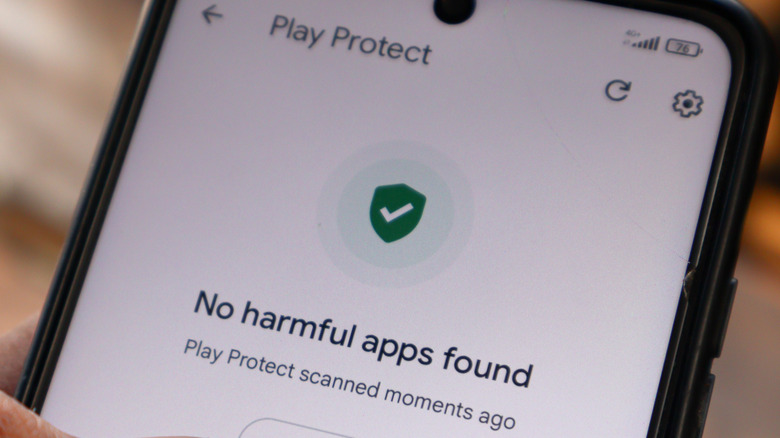
Despite the novel nature of pixnapping, Android users who follow basic cybersecurity practices don't need to worry too much about getting pwned — at least for now. As noted above, the current mechanism of attack requires the victim to install a malicious application on the target device. Scammers and hackers will often launch attacks through bad apps, but you can enable Android security features and take other basic precautions to protect your device.
You should never install an app you downloaded from outside of the Google Play Store unless you know with absolute certainty that it's safe. Even when it comes to Play Store apps, you should always look for red flags such as a low number of app installs, large numbers of overly positive reviews that repeat the same phrases and may have been written by AI or copied from a script, and so on. Apps that replicate basic smartphone functionality — flashlights, basic calculators, weather apps — are more likely to be malicious attempts to prey on those with low tech literacy. Google Play listings also show which permissions an app will ask for. Apps that ask for permissions unrelated to their functionality, such as a calculator asking to see your location, should be avoided.
You should also make sure to tighten up security on your Google account by using a strong password and two-factor authentication. Even better, go passwordless by switching to a passkey. Another good idea is to make sure you have purchase verification turned on in the Play Store, so that no one can spend your money without your password or fingerprint. Lastly, scammers will pose as authority figures to convince you to install a malicious app. Never install any app just because someone told you to.