

Alexa Tablet 12 Pro Review: What A Difference Google Play Makes
We may receive a commission on purchases made from links.
Amazon tablets, which have historically gone under the name "Kindle Fire" or simply "Fire" tablets, have always been difficult to take seriously. The hardware has always been decent, but underpowered, and the app situation has been, to put it mildly, something of a dumpster fire. Tablets under the Amazon branding have been useful as streaming devices, or as I often call them "Netflix boxes."
But that's changing, and it's largely due to one key thing. Now working under the Alexa branding, Amazon tablets are finally worthy of attention by those who don't just want to read or watch movies on them. That key difference is Google's official dose of licensing of the Google Play store — which is finally included in these tablets. The difference is basically night and day.
The Amazon App Store, which remains a barren wasteland of forgotten apps, is no longer a thing. For those people who do not own a Fire device made before 2026, the Amazon App Store is not a factor, because the Google Play store now comes on your Alexa tablet. All of this comes with an attractive price tag as well. I've been using an Alexa 12 Pro tablet for about three weeks, and this is my full review.
It's all about the Google
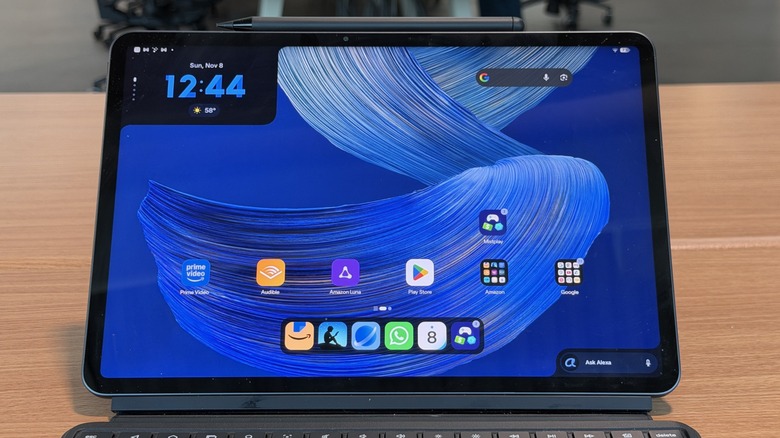
While I would normally start off a review talking about the hardware, the most important update to Amazon's tablets comes in the software. Google Play services make this, and all Alexa tablets so much more functional. Of course, if you're embedded in the Microsoft ecosystem, perhaps that wasn't such a big deal for you. Former Microsoft Chief Product Officer moved from Microsoft over to Amazon back in 2023 — and he remains Amazon's Senior Vice President of Devices, Alexa, and Leo here at the tail end of 2026 — not least because of that, Microsoft software has been running strong on Amaon tablets for a while.
But for someone like me who is deeply embedded in the Google ecosystem, this newest Amazon tablet's integration of Google Play (and so forth) is a very big deal. It's what allowed me to take this tablet with me on a recent vacation as my only computing device, eschewing my normal laptop. It's what will allow me to take this tablet with me to CES 2026 to carry around on the show floor, rather than a laptop.
Having the Google Play app store and access to Google's basic suite of apps on this tablet makes a massive difference in its potential for broad usability.
Alexa in an Alexa tablet?

Of course, the Google Play store is a significant part of the software story, but it's not the only part. It should come as no surprise to you that the Amazon Alexa tablet also comes with Alexa on board. This holds a very key advantage that I didn't realize I was missing. When I took this tablet on vacation, I also was taking a pseudo smart speaker with me.
As a frequent traveler, one of the things I often miss is the ability to ask a smart speaker a question. That is a habit that I have come to rely on more and more, so when I went out of town, I missed that. To make a long story, short (too late), having an Alexa tablet along on a trip gives me a hand-free assistant I can summon, just like when I'm home.
Alexa as an assistant is quite capable these days. I'm a fairly basic smart speaker user, so Gemini or Alexa is all the same to me, though Alexa is far faster at carrying out smart home commands. Alexa also replaces Gemini as the smart assistant on board the tablet.
It has a dedicated button on the device's Pro Keyboard, and it has a persistent corner in the bottom of the screen where you can summon it. It even replaces Gemini when you long press the power button. Alexa can take screenshots and react to what's on your screen which can be handy in certain situations. Again, I'm not a huge AI person, and all of these functions are table stakes at this point. Still swapping out Gemini for Alexa hasn't missed a beat on this tablet.
Amazon's Other Software
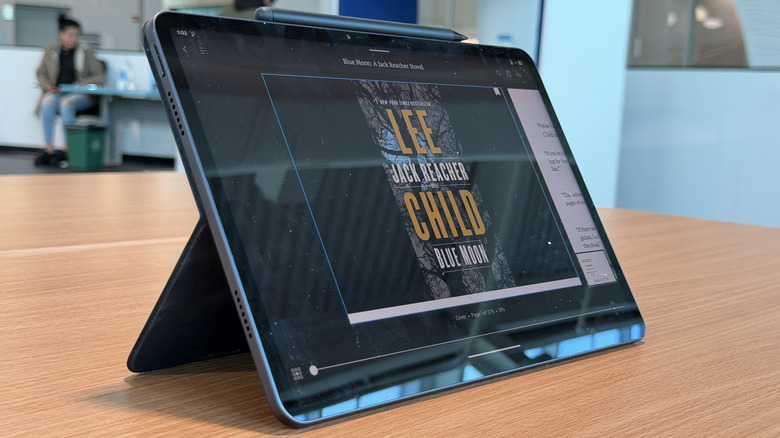
In addition to the Alexa integration, there are also dedicated apps for Amazon services including shopping, Kindle, and Prime video, because of course there are. In the upper right corner of the home screen (opposite the Alexa box) there's a Prime services box from which you can jump back into Amazon Prime videos you've been watching. It's a handy shortcut, but honestly, I didn't use it as often as Amazon probably wanted me to.
Other parts of the software are a little weird, and I think a lot of it has to do with this tablet being a Gen 1 tablet that includes Google services. The tablet is missing some optimization that other Android tablets have had for a long time. Notably, as a 1Password user, I found this tablet to be a little annoying.
Normally, when you're using 1Password, autofill will pop up in a bar at the top of your Virtual Keyboard, or at the bottom of your screen when you're using an attached keyboard. When you're using the Pro Keyboard for the Alexa tablet, it just simply doesn't appear. I had to disconnect my keyboard and revert to the virtual keyboard in order to get the 1Password prompt to show.
It's little things like that that sully the tablet experience just a bit. But these also feel like easy things to fix with a software update. One can hope, but I can't promise that it's something that will be fixed.
Hardware is still underpowered
As for the hardware, it's fine. There's nothing amazing there — it won't meaningfully compete with the like of Samsung or Lenovo when it comes to power. The tablet runs on a MediaTek Dimensity 8400 processor and 8GB or 16GB of RAM depending on which configuration you get. As reviewed, this tablet has 128GB of storage and 8GB of RAM.
The tablet I reviewed also lacked the nanocoated screen (Nanomatte) that Amazon was proud to show off during its first introduction of the tablet to the media. The tablet's display (as reviewed, without nanocoating) was quite reflective and a little hard to see in broad daylight. It's also, by the way, an IPS LCD panel with a 3:2 aspect ratio, so it's nice for split screen/dual app action.
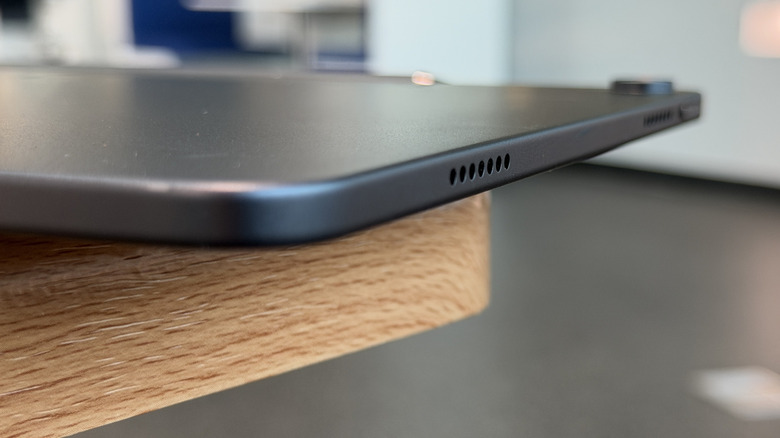
The tablet also has a fingerprint sensor mounted in the power button, which is pretty reliable and usable, a 13MP camera (which one should never really use because this is a tablet), and a 9,000 mAh battery. To that end, I never really had a problem with battery life. The speakers are nice and loud, so it's great for watching movies, though the 128GB of storage means you won't be storing many of them to watch on a plane.
The specifications overall are fine, but certainly less than impressive. That's par for the course when it comes to tablets made by Amazon, so honestly there are no surprises here. It's not a bad tablet, by any stretch, but if you're wondering where Amazon cut costs to keep the price down — it was in the hardware.
Amazon's Other New Tablets
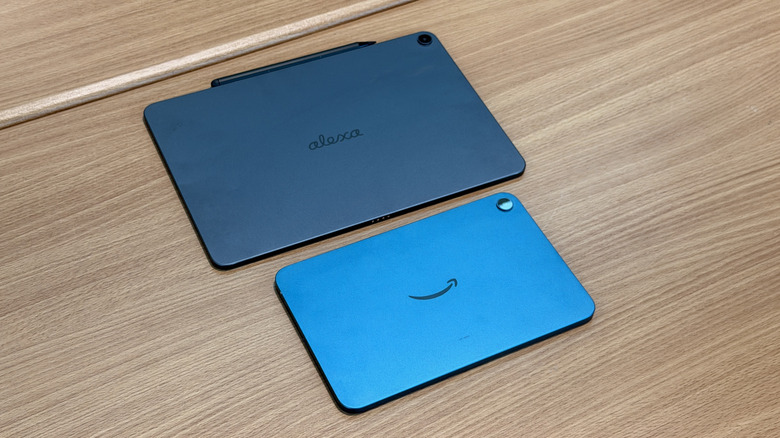
Amazon also sent along an Alexa Tablet 8 tablet, which is tiny and adorable. I'm absolutely obsessed with the Teal colorway on this tablet. I think "stunning" is too much of an overstatement, but it certainly is a head-turning color. The version we have pictured here is the most standard color: Graphite.
Otherwise, the hardware on the Alexa Tablet 8 is even less impressive than the 12 Pro. It's actually more in line with previous Amazon tablets, which is not a bad thing, but you'd best not plan on playing any games or editing videos, or even just having quick and smooth interactions on them.
The screen is smaller, obviously, at 8.7 inches at a slightly odder 5:3 aspect ratio. It's still an IPS panel with a resolution of 1340x800 pixels. The screen gets decently bright and the speakers are also loud on this tablet, so it's good for streaming. But the processor is a MediaTek Kompanio 540 chip and this tablet ships with 4GB of RAM and either 64GB or 128GB of storage. To tell the truth, I wasn't even aware that 4GB of RAM and 64GB of storage was still even a thing (for the uninitiated, that means this tablet has very little storage space and it doesn't have much headroom for running powerful apps or high-powered games).
All the same, this is a cute little tablet that is a nice little Netflix Box. There are no biometric features, which is annoying — I should check my reviewer privilege I guess — but if you don't want anything more than a coffee table tablet, this is your winner, and the teal will be a nice conversation starter.
Accessories: Alexa Pro Pen, Alexa Pro Keyboard
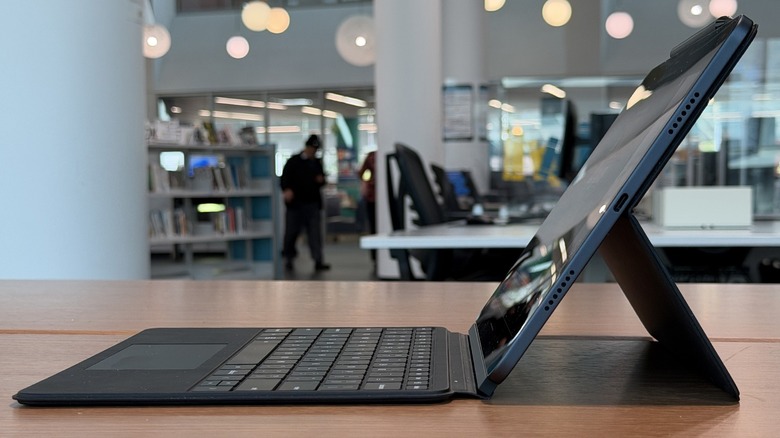
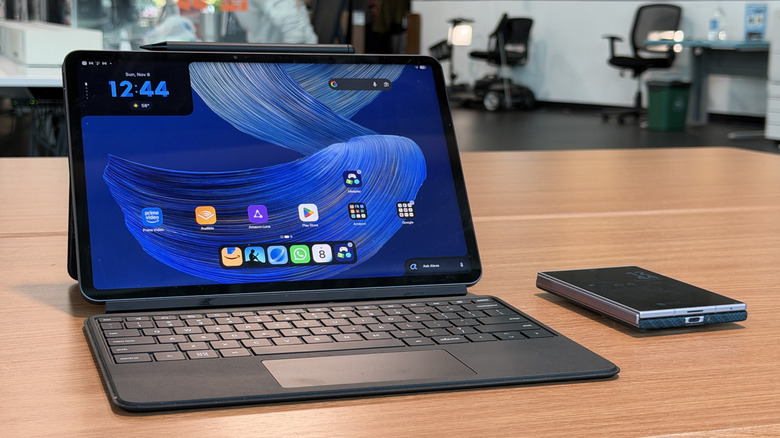
Back to the Alexa Tablet 12 Pro – Amazon also sent over a pair of its official accessories: a Alexa Pro Pen and the Pro Keyboard. One of them is really good. The Pro Keyboard is lovely to work with and type on. The keys are tight with excellent travel and good pitch. You can type all day on it and never get tired. It attaches magnetically to the bottom of the tablet, and connects with pogo pins, so there's no Bluetooth capability (or necessary).
The Pro Pen on the other hand is not quite done cooking. Palm rejection on the tablet is not great either. When using the pen, every now and again it will simply stop working, or it will go the other way and become too sensitive. When you try to select an option, the whole screen starts to scroll while the pen is a full inch away.
The only remedies I've found for either of those situations are to either re-seat the pen to the top of the tablet (magnetically, which is also how the pen charges by the way), press the button on the pen a couple of times, or simply stop using it and use your finger instead. I don't think I need to tell you that none of those are great options. Again, this feels like a Gen 1 problem that can perhaps be fixed in a software update. Time will tell.
Alexa Tablets price, availability, and verdict
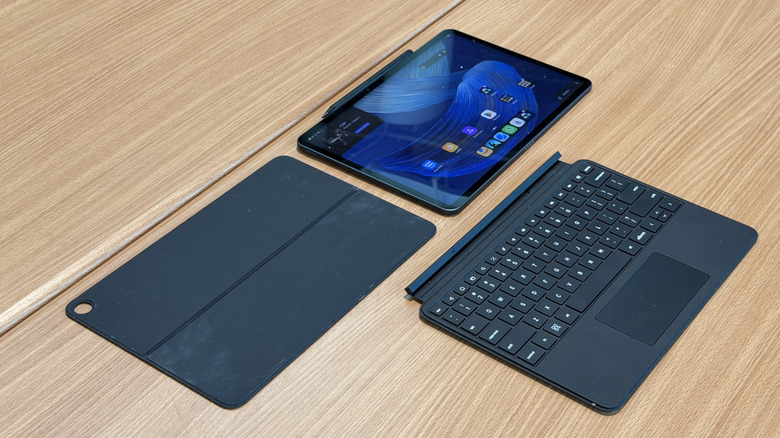
All of Amazon's new tablets, including the 8-inch tablet, (Alexa Tablet 8, $169.99, without ads), Alexa Tablet 12 Pro, and the 11-inch size which we did not review (Alexa Tablet 11, $239, without ads) are available from Amazon online.
Alexa Tablet 12 Pro starts at $399.99 listed on Amazon without the Nanomatte screen. The Pro Keyboard costs $149.99 and the Pro Pen costs $89.99. There are various bundles you can pick up as well. As for the tablet and the whole "Productivity Bundle" (with keyboard and stylus) for $599.99, I like it. You could even just get the tablet and the keyboard for $529.99 in a keyboard bundle if you have no need for the stylus.
I used the Alexa Tablet 12 Pro quite a bit as a productivity machine during my time with it. From a productivity standpoint, I have no complaints, and the starting price is attractive.
The smaller tablets are both fine, but maybe a touch expensive for what they offer. Gone are the days, I suppose, of $50 fire tablets that you can watch Netflix on (and that's it), so this is where we are. It's not a bad price, but you might want to wait for a Prime Day or Black Friday sale to nudge the cost even lower before pulling the trigger.
Overall, from a writing, surfing, and general productivity standpoint, there's little reason to buy a more expensive competitor that can flirt with (or surpass) four digits in price. For half of that, the Alexa Tablet 12 Pro is a solid competitor. You won't do any super heavy lifting, like AAA gaming that you can do on those other more powerful tablets, but for a nice mid-range price, you can get a lot done with Amazon and Alexa.