

How To Tell What Type Of Ethernet Cable You Have
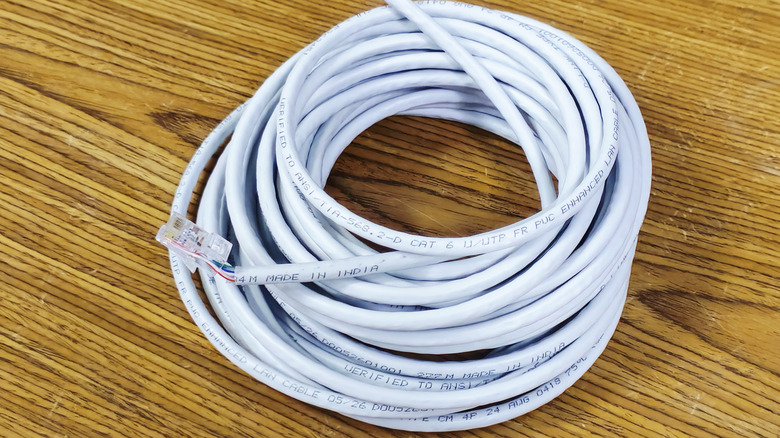
If you have a bunch of Ethernet cables lying around and are planning to use them for home internet, or simply want to know the type of cables in your existing setup, identifying them is fairly easy. Generally speaking, you will find the Ethernet cable's category printed on the outer coating or jacket. At least that's the case with most reputable manufacturers. So, for a Cat5e Ethernet cable, you should find "Cat5e" printed on the jacket, and for Cat6, the marking should clearly list "Cat6." The same approach applies to every Ethernet cable category.
If the markings or labels have faded over time or the cable didn't have any, you can use a network cable tester. If that sounds like too much trouble, connecting the cable between two devices and testing the data transmission rate will give you a basic idea about its category. There's, of course, a lot of room for confusion, but this way, you will at least know whether the cable meets your requirements.
There's a lot more information printed on the cable, which can help you identify whether the cable is a good choice for your setup. You should find the manufacturer's name alongside the cable category. Additionally, the cable is usually marked as shielded (STP) or unshielded (UTP), which can help if you are aiming to minimize the impact of interference. Markings like 2P or 4P tell you about the internal construction of the cable, specifically, whether it has two or four twisted pairs (four or eight individual wires) inside. Some cables also have labels for their rated bandwidth, which is listed in MHz. Lastly, you might find some compliance-related information – markings like TIA/EIA – which indicate the standards the cable claims to meet.
What type of Ethernet cable do you need?
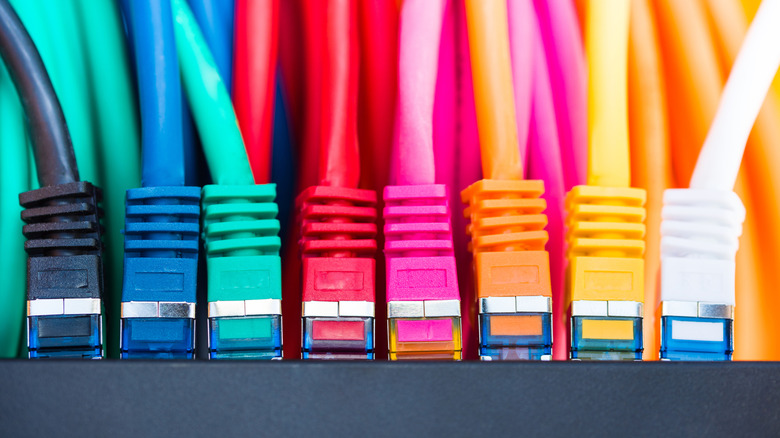
Now that you know how to identify the category and type of Ethernet cable you have, it's just as important to understand what's best for your setup. And there are a lot of factors at play, including the devices in your network and their individual capabilities, the speed delivered by your ISP, your current requirements, and plans for future upgrades. Another thing worth considering is how long the cable run is going to be. For instance, the Cat6 Ethernet cable supports 10 Gbps for runs up to 55m, but as the distance increases to 100 meters or 328 feet, the supported speeds drop to 1 Gbps. That's why many choose Cat6a over Cat6, because it supports 10Gbps for the entire 328-foot run and has a rated bandwidth of 500 MHz, twice that of Cat6 cables.
As for the cable category, you should pick one that meets your current requirements and any upgrades you might make in the foreseeable future. For the average home user, Cat6 cables should work fine, while those who prioritize performance can go with Cat6a. On the other hand, Cat7 (not as common) or Cat8 cables are overkill. Remember, in a wired setup, your internet plan's speed isn't the only factor that governs the cable category, because data transfer also happens locally. That's why you should identify the transfer speeds your devices are capable of and pick a cable category that can handle those speeds.
The environment the cable will be installed in is equally important. That's why you have dedicated indoor and outdoor Ethernet cables, and the former are generally not suitable for installation outdoors. Similarly, if interference is a concern, you can opt for shielded Ethernet cables, though they are costlier than the unshielded type.