

TP-Link Deco BE25 Review: Mesh Networking That's Both Stylish And Speedy
We may receive a commission on purchases made from links.
I was foolish when I first moved into my home. When the Internet technician came to do their work, they asked where I'd like to install my router. I, having lived only in smaller spaces when facing this same situation, said, "just put it anywhere," and the installer obliged. They pulled the cable into the house, cut it off, and stuck my router in a corner of my basement. To be clear, this is 100% my fault.
We are fortunate that we live in a time when Wi-Fi dead zones in our homes can be a thing of the past. For those not familiar with the idea, mesh networking absolutely blankets your home in Wi-Fi signal wherever you happen to be within it. If you find a place where the Wi-Fi can't reach, all you have to do is add another access point. Just like that, your range extends that much further. You can use it to go around corners and even extend further outside if you want to.
TP-Link has a line of Deco routers that can do just that. They're smart, stylish, and they deliver on that promise. I've been using a set of Deco BE 25 router samples provided by TP-Link for one week, and this is my full review.
Going Deco
I first got into mesh networking around 2018, when I picked up a set of three Deco M5 routers to cover my home to make up for an ill-placed router. Back then, my main goal was just to be able to get a Wi-Fi signal in my kitchen. I set up a 3-pack and got all that. When I found the signal in my upstairs bedroom to be on the weak side, I added another M5. When I wanted to get Wi-Fi in my sun porch out back, I added one more, for a total of five.
So, when the company asked if I wanted to upgrade, I jumped at the chance. The company was also nice enough to send over five units to replace the five I already had, though just for fun (and to see if they could work together) I kept one of my M5 units on the network for a total of six. So, the good news is, these are backward compatible, though you obviously won't get all the benefits of the upgraded system if you do that.
Deco(rative) hardware
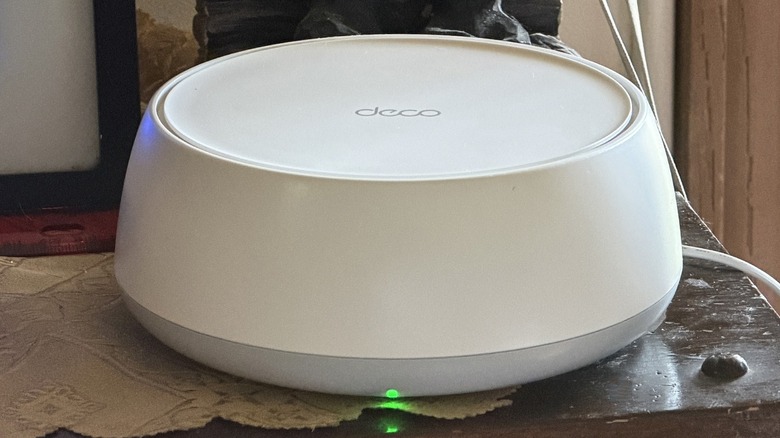
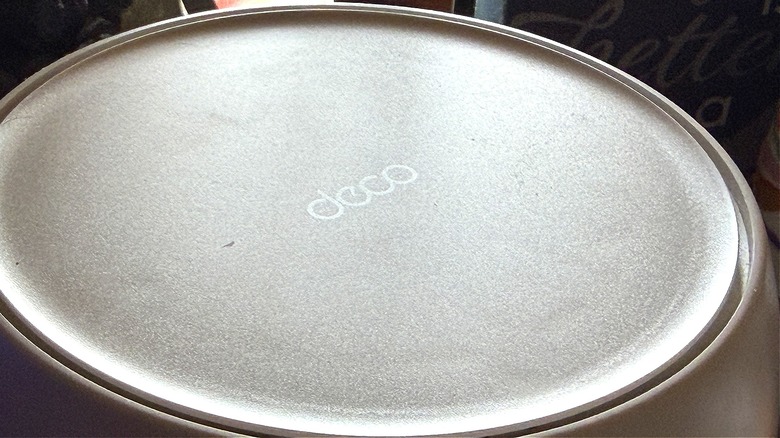
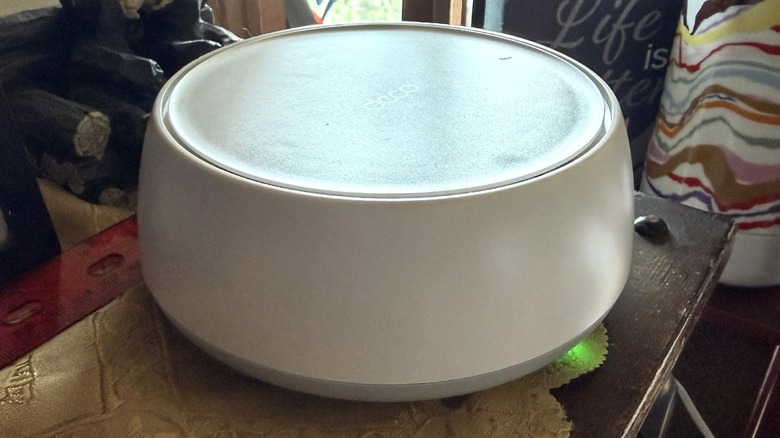
The Deco name was well-earned when it first came out. These units don't really look like routers that you might be picturing in your head. There are no antennas, nor metal boxes with a bunch of plugs in them. The Deco units are a simple white, round design, with an LED light peaking out from the bottom. They're overall very decor-neutral; they'll blend in with just about anything. These new units are just under 2.5" tall and just under 6" in diameter.
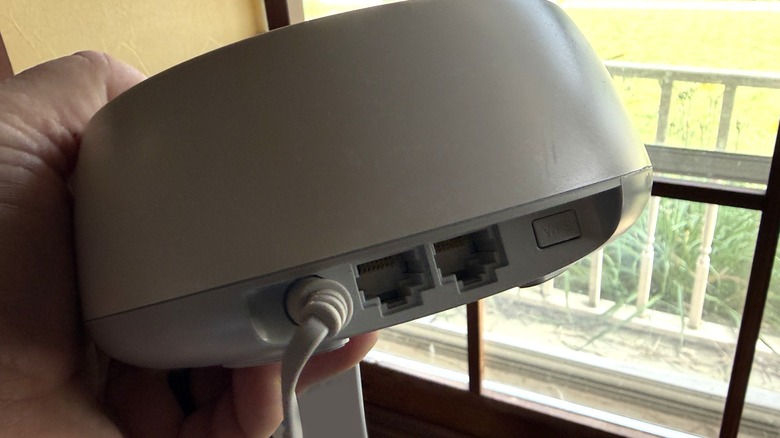
Each unit has a barrel plug for power and two Ethernet jacks on each unit. These can be used for wired backhaul or for connecting internet devices that require a wired connection. Some examples in my home include a Eufy base station, a Yarbo RTK beacon, and a Phillips Hue hub, all of which are plugged into different routers. It's frankly pretty handy to have these network connections available all over the house, and the fact that my wife doesn't hate the look is certainly a bonus.
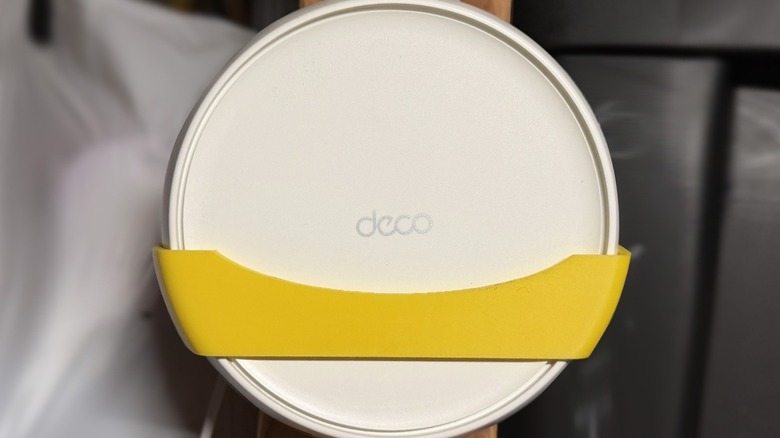
The one thing missing is the ability to wall-mount the router. I didn't really have a great place to put one in my garage — or my kitchen for that matter. Fortunately, I was able to use my Elegoo 3D printer to whip up a wall mount design I found online. Still, it'd be nice to have a wall mount built in.
Broadcasting your signals
One of the benefits of mesh networking is the ability to have multiple routers all broadcasting the same SSID, or Service Set Identifier. This is basically the name of your network. A long time ago (as I understood it at the time — I'm not a networking guy), multiple routers broadcasting the same SSID was bad news, meaning you sometimes had to set up multiple Wi-Fi networks in the same house just to get coverage. Mesh networking eliminates that need.
You get the same functionality as most routers — you can hide your SSID (but don't, because it's not really a good idea), broadcast on 2.4 GHz and/or 5GHz simultaneously, and physically connect devices as needed. These routers support Wi-Fi 7, so your potential speed is up to 4,324 Mbps on 5Ghz signals and up to 688 Mbps on 2.4 Ghz signals. They're compatible with mesh protocol 802.11k/v/r and can support MLO networks as well. You can also set up a Guest Network, and turn it on and off as needed, but you'll never have a better Guest Wi-Fi password than me: "IAmAParasite." All of the networking options are controlled via an app on your smartphone.
App controls
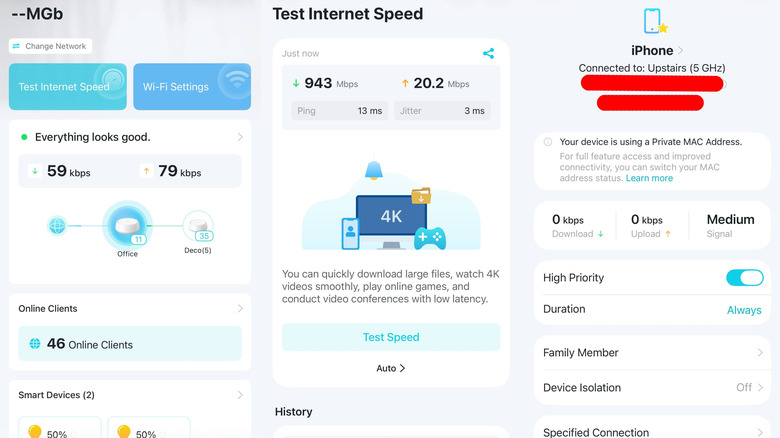
The Tp-Link Deco app is really straight forward. It allows you to play with settings if you're a networking guru, or just leave them alone if you're not. I'm definitely in the "not" camp. The app shows you how many devices are connected, and allows you to control those connections as needed.
You can prioritize devices if you want, specify which deco they can connect to, and even isolate that device from other devices in the network if you want to. Of course, you can also block devices from your network should you find the need. Other features in the app includes an Internet speed test and security features as well. You can even connect them to Alexa or your Google Home, so you can so things like turn on your Guest network with your voice. Finally, there's network optimization which can help you dial down interference that you might be picking up from competing Wi-Fi in the area.
Built in security
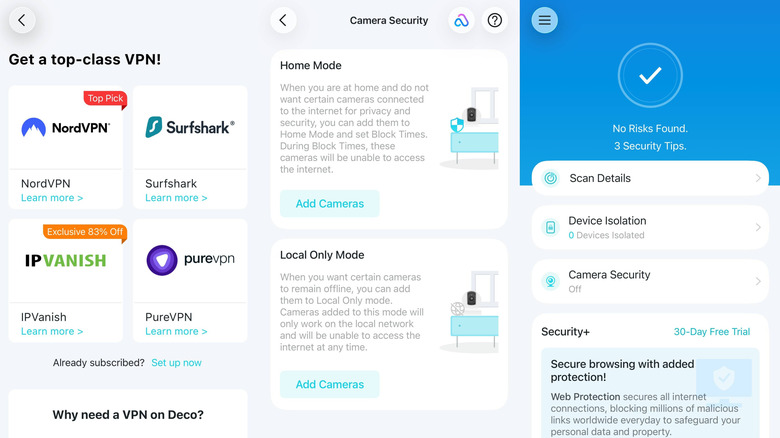
One of the nicest security features that's built into the software is the ability to have a network-level VPN. This allows you to mask your internet traffic to keep your surfing habit private from your ISP. The software supports NordVPN, Surfshark, IPVanish, and PureVPN by default, but also allows you to set up a custom VPN as well. Personally, I don't use a VPN when I'm at home, but if you were using one to, say navigate around some regional restrictions on streaming content, it's nice that you can do that on a network level, so all of your devices can have the same access. Plus, if your kids are misbehaving, you can troll them by switching your location to somewhere in the EU so they have to accept cookie permissions on every app and website until you mercifully release them.
Another nice feature is camera isolation. With it, you can set up your home security cameras to only broadcast to devices that are connected to the same Wi-Fi network. This is a nice extra layer of security if you don't trust your home security cameras to keep prying eyes away.
The app can also scan your network for threats. TP-Link link also has a Security+ plan you can subscribe to which includes secure browsing, intrusion prevention and IoT protection.
UPDATE: Announced on July 9, 2026, and enacted as of August 1, 2026, TP-Link will be ending IFTTT services for this device (and all other Tapo and Kasa products).
TP-Link Deco BE25 price, availability, and verdict
You can buy the TP-Link Deco BE25 router on Amazon, where prices start at $89.99 for a single unit, up to $269.99 for a set of three. Personally, I'm a fan of these devices since they look good, and blanket your home with Wi-Fi. I am a roamer who uses an internet connection in every nook and cranny in my house, so it's important to me just for that reason alone. The plethora of devices I have on hand is another reason why it's necessary.
At $269.99, a three-pack is a solid way to go. The app is very easy to use and intuitive as well, which is a bonus for me, being something of a network toddler. More advanced capabilities are there for those who need them, but what's equally important is that this technology is accessible to everyone who can plug in a cable and use an app on their phone to set up a network. Sometimes simplicity is the winning move.