

Why A 27-Inch Monitor May Not Be The Best Size For Your Home Office

We may receive a commission on purchases made from links.
Your monitor's screen size can actually play a big role in your overall productivity. Too small, and you may not see all the elements of a page, spreadsheet, or presentation that you otherwise would with a larger screen. Too big, and you may not have the desk space to fit all of that screen real estate. Some experts, like HP for example, claim a 27-inch monitor is the optimal size for your home office, but there's more nuance to it than that.
For one, a dual-monitor setup is often the most efficient setup you can run with if you regularly work with documents, work chats, and video calls. Swapping between windows, or being limited to a video call without an easy way to take notes, can get annoying pretty quickly. Having dual monitors lets you focus on two key aspects of work at the same time – but two 27-inch monitors are going to take up a ton of desk space, and are often a bit gratuitous. Opting for a pair of smaller monitors instead may be the best setup available to you. On the other end, a single ultrawide monitor larger than 27 inches can achieve the same effect and doesn't require you to plan out a dual-monitor setup.
Home office monitors: when to go big
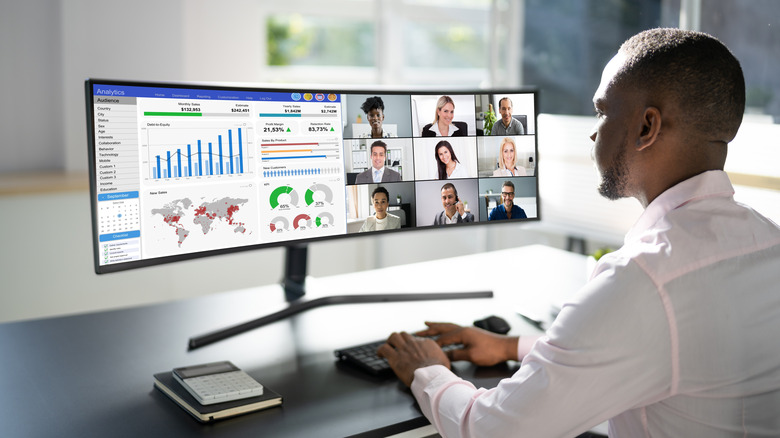
An ultrawide monitor, like the 49-inch Samsung Viewfinity S9 or the 34-inch Dell S3425DW (monitors always have such easy to remember names) is a fantastic alternative to a 27-inch monitor or even dual monitors. These impressive displays essentially act as two monitors in their own right – instead of moving your work chat or notes to another screen, you can simply drag it to one side of the ultrawide display and have plenty of real estate left for your main focus. Plus, they're as much of a desktop centerpiece as they are an effective productivity tool.
Surprisingly, these massive monitors can even be more affordable than dual-monitor setups, too. Along the same vein, you won't have to deal with getting the monitors positioned correctly, finding the right viewing angles for both screens, or going through two out-of-the-box setups. Many of the best ultrawide monitors are curved, allowing you to sit centered and have everything you need in view without craning your neck from one extreme to the other. Two curved monitors in a dual setup rarely works for this reason.
So, if you just want to focus on one monitor, you deal with large spreadsheets or presentations, and especially if you often juggle multiple tasks at once during your workday, an ultrawide monitor larger than 27 inches can be quite advantageous. Perhaps, though, you'd rather have a bit more compartmentalization, or you're a gamer as well as a home office worker – in either case, a dual-monitor setup may be perfect for you.
When two monitors are better than one
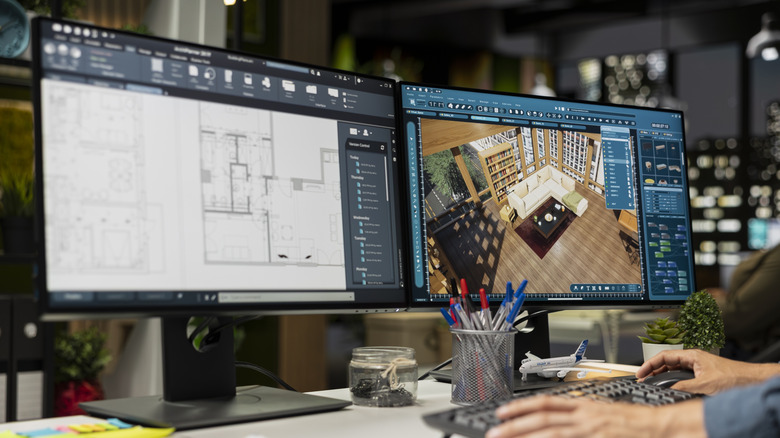
27-inch monitors are often a bit too bulky for home office dual-display setups. But 21.5- or 24-inch displays take up significantly less desk space and are typically far more manageable, especially if you pair your screens with an accessory like a dual-monitor desk arm. Two monitors allow for greater compartmentalization over a single ultrawide display because you can use one monitor as your primary focus (a slideshow or Word doc, for example) and the other for secondary tasks like Slack or email. You can even split the screen space of the monitors up into halves or quadrants and make use of keyboard shortcuts like Windows + Shift + Arrow keys to move windows to your other monitor.
As for those who like to play some PC games in their downtime, dual-screen displays are great because you can buy two different monitors – one in 4K resolution at a higher refresh rate, for example, while the other could be 1080p 60Hz. This allows you to play your games on a high-fidelity monitor while keeping a more affordable secondary screen for communication apps like Discord – and when it's home office time, you still have two displays to stay on top of tasks.
27-inch monitors aren't one size fits all. Whether you go larger with an ultrawide or smaller with a pair of smaller displays, the important thing is to be able to see and organize everything you need to focus on.