

Your iPhone's Keyboard Has A Useful Built-In Feature Most People Don't Know About

It's no surprise that the iPhone's keyboard is far from perfect. Users have been reporting lackluster performance with the stock iOS keyboard, terrible autocorrect, and a generally very non-customizable experience. There are alternatives like Gboard and SwiftKey, but they don't play as nicely with iOS as they do with Android. Fortunately, a recent iOS update has seemingly addressed the frustrating typing experience, but the keyboard is still missing a lot of goodies, like a dedicated number row. That said, the keyboard on your iPhone did quietly receive a pretty cool feature that you may not be aware of.
Starting with iOS 18, you can quickly perform mathematical calculations without having to launch the calculator. This works in supported text fields, as long as you're using the stock iOS keyboard. Math results show up as inline suggestions, and you can quickly press the space key to insert the result directly into your text. You can test this out by opening any app that uses the keyboard, like iMessage. Try entering "4 + 9 =" and you should see the result "13" pop up as a suggestion.
For quick calculations, this feature can save valuable time and effort. In addition to basic arithmetic operations, you can also use more complex expressions like percentages, square roots, or even chained calculations using the keyboard on your iPhone. Just be sure to input the equals sign at the end of the equation to let your keyboard know when to calculate results.
Make the most out of your iPhone's keyboard
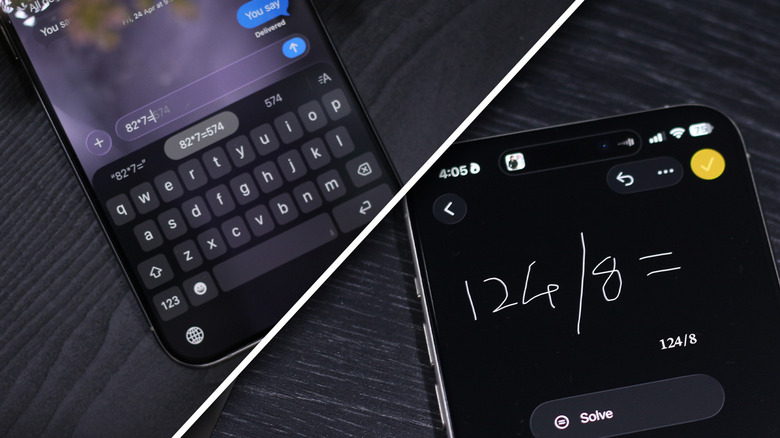
Apart from performing calculations, you can also use the iOS keyboard to do quick unit conversions. Try typing "16 Celsius =" and the keyboard will instantly convert it to Fahrenheit and display the result as a suggestion. This works for distance conversion, too. You can be specific with unit conversion as well. For instance, if you require results in inches, type "2m in inches =" and the keyboard will do the trick.
If you are unable to reproduce the same on your iPhone, navigate to Settings > General > Keyboard, and make sure both the "Show Math Results" and "Predictive Text" toggles are checked. This feature also seems to be present only on devices running iOS 18 or newer — so be sure to keep your iPhone updated. If this feature somehow failed to impress you, take a look at what you can do using the built-in Notes app on your iPhone.
You can perform all the same calculations and conversions here, but the Notes app also lets you play around with variables for more flexible calculations. You can create a formula using variables and update values dynamically without having to redo the entire calculation every time. The Notes app also lets you plot graphs using equations with "x" and "y" variables. There are several other things the Apple Notes app can do that you probably don't know about.