

How To Make Your AirPods' Battery Life Last Longer
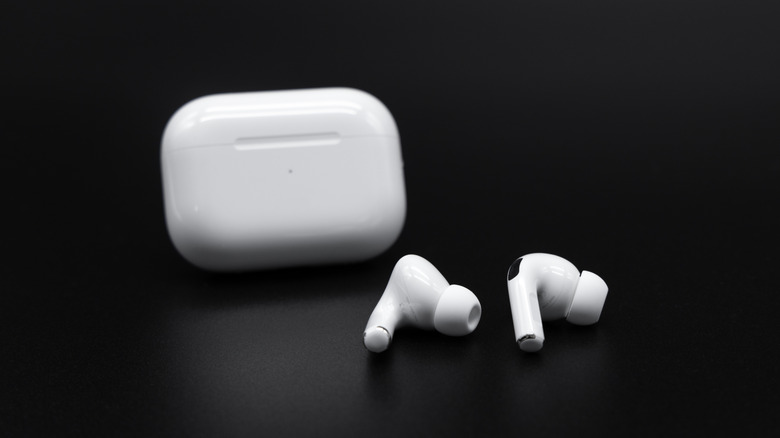
If you're committed to the Apple ecosystem, no other pair of headphones or earphones can provide as seamless an experience as AirPods. Even the entry-level AirPods 4 we reviewed have great audio quality and are available with ANC for a $50 premium. They also have decent battery life: Apple advertises up to five hours on a single charge and up to 30 hours with the charging case for the base models, while the AirPods Pro 3 last around eight hours with ANC and up to 24 hours with the charging case. But good performance and solid battery life matter little if one doesn't take care of the batteries and lets them degrade.
Battery degradation is normal, but factors like excess heat can accelerate it. Thus, you want to avoid subjecting your AirPods to extreme temperatures and direct sunlight, especially when charging. Charging cycles are another key contributor to battery wear. Each full charge cycle reduces your battery's maximum capacity ever so little, as lithium-ion cells, like the one in AirPods, also don't always like being fully charged or completely drained.
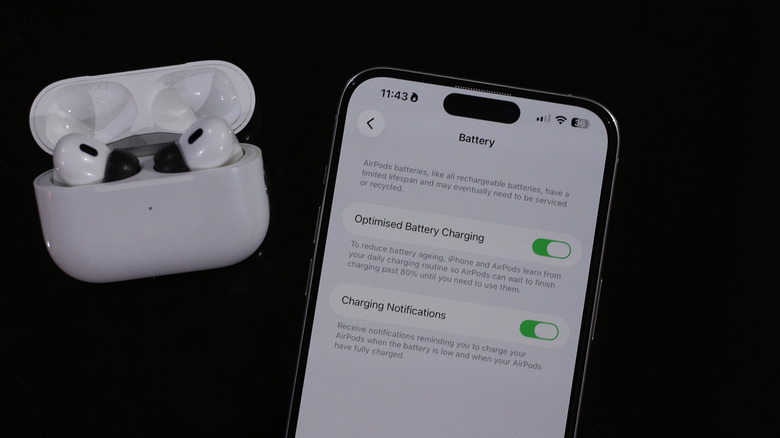
In fact, Apple has a dedicated feature that can help maintain battery longevity, which is available on supported models. On a connected iPhone or iPad, navigate to Settings > AirPods > Battery, and turn on the "Optimized Battery Charging" toggle. This setting halts charging at 80% and only tops it up to 100% when you need to use your AirPods. It does so by slowly learning your charging and usage routines.
How to extend your AirPods' battery life
When dealing with batteries, there are two kinds of decline you need to account for. The first is the day-to-day battery drain, which is only temporary. The second kind of decline, however, is more permanent. A few years down the line, your AirPods aren't going to last as long as they did when they were brand new — chemistry won't allow that. Even if your AirPods' battery reads 100%, it likely won't have the same capacity it once did.
A way to minimize charging cycles and slow down any associated battery degradation is by making sure your AirPods last longer on a single charge. ANC, for example, reduces battery life; if you own an ANC-capable model, you may want to reconsider whether you need noise cancellation enabled at all times. You can turn it off via your iPhone, iPad, or Mac. Turning off features like automatic ear detection, spatial audio, and head tracking may also boost battery life. Find My lets you locate your AirPods using your phone, and disabling it might help them last longer on a full charge.
Of course, disabling all of these nice-to-haves will take away from the experience. Plus, we don't recommend turning off Find My — it is a godsend when you misplace or lose your Apple products and need to track them down. In our experience, AirPods are already well optimized for endurance, so you're likely not going to notice a substantial gain in battery life — but they're there if you really want to squeeze as much out of your AirPods as possible.