

Reolink TrackFlex Wi-Fi Review: This Smart Security Camera Can Pan, Tilt, And Zoom
We may receive a commission on purchases made from links.
Security cameras have come a long way since video doorbells hit the scene back in 2013. Since then, security cameras, once thought to be found exclusively in businesses and high-security areas, now have found their place in the home. Some of the best wi-fi security cameras you can buy include all the extras like night vision, floodlights, and even low light sensors that can give you color vision at night. Now, 360-degree cameras are making an appearance.
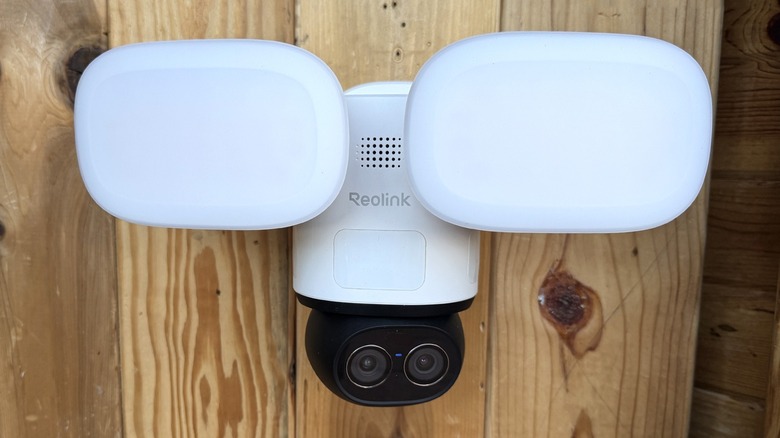
Reolink has a new wi-fi security camera called the TrackFlex Floodlight Wi-Fi that can Pan, Tilt, and Zoom (PTZ) in a single unit and track subjects as they make their way across your lawn. The zoom is the fun part for me. I have a larger back yard, so the ability to zoom in on something back in the corner can be valuable.
Reolink sent a review sample for us to test, and I've been doing testing aplenty in my own suburban residential back yard. Here's what the camera can do.
Installation Process Isn't Perfect
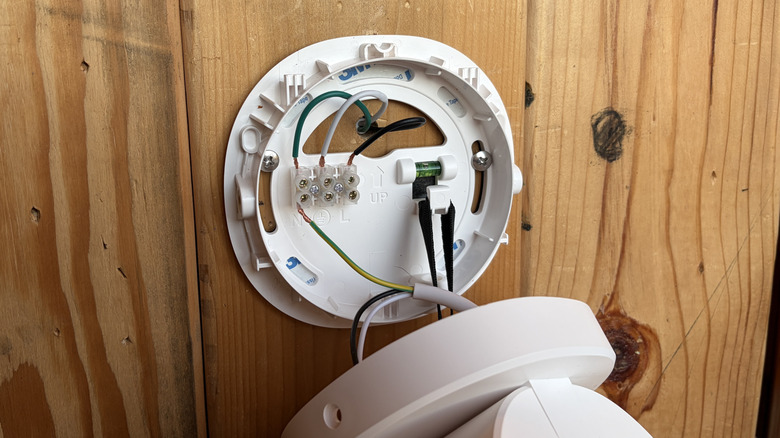
Right off the bat, the camera didn't give a good impression. Since I don't have a place in my home to hard wire the camera, Reolink sent along a power cable to plug in. I was able to rig my portable doorbell mount with a camera instead for this run which was great.
The camera comes along with a mounting box with a water-resistant seal for outdoor installation and all the mounting hardware you need. There's a connector on the inside of the box that receives the power wires that come pre-stripped. The first problem I ran into was the stripped wires were longer than the slots the wires go into, making crossing the wires a distinct possibility, and I didn't have any electrical tape on me.
I got that sorted, but as soon as I plugged in the camera, it started shouting at me in English, Spanish, German and a few other languages to install the app and pair the camera — and it didn't stop until I actually did it. I tried to download the app as fast as possible, but it was taking too long, so I just unplugged the camera because it was incredibly annoying. I get it, Reolink, I need an app. One time is enough.
Dual Cameras On A Swivel
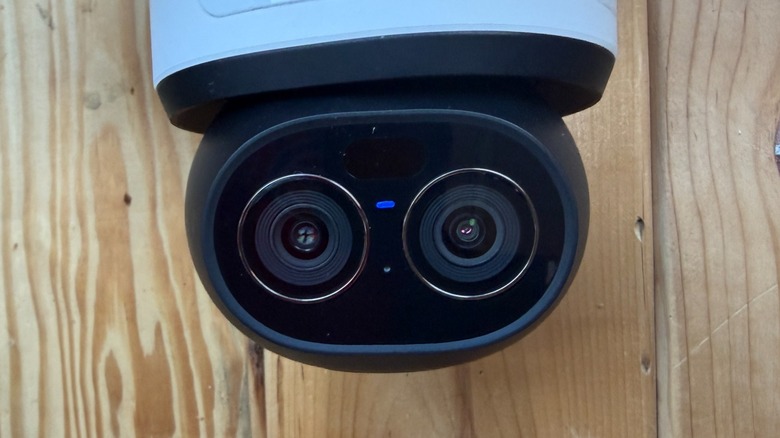
The Reolink TrackFlex is capable of panning, tilting and zooming, but there are some limitations to that. Panning is 360-degrees; it stops when facing straight back, so it can't spin in a complete circle, so I guess call it 359 degrees. The versatility of the tilting feature is... acceptable. I don't have official specifications, but I can tell you it doesn't point straight down. If this is in a corner on your ceiling, directly below it will be a blind spot (depending on how high it's mounted).
As for zooming, much like your phone, this camera has dual lenses. For lack of a better set of names, I will call them the main and the telephoto lens. The main lens is an 8-megapixel 4K CMOS sensor with a 104-degree horizontal and 60-degree vertical field of view. The telephoto lens is a 2-megapixel HD sensor with a 38-degree and 21-degree horizontal and vertical field of view respectively.
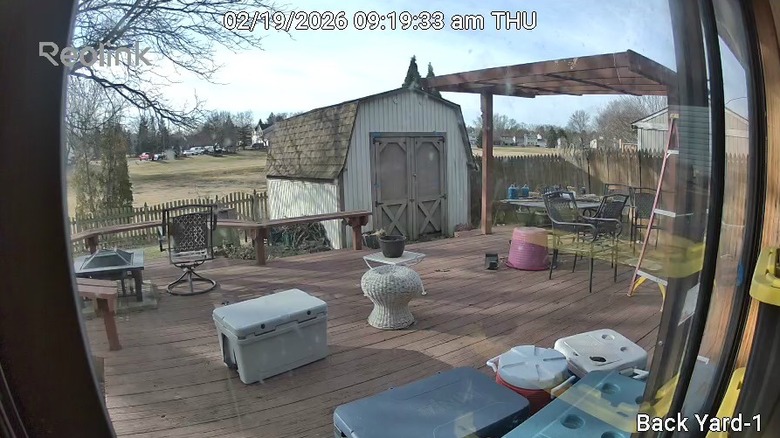
The sensors — despite their specifications — are fine. They capture enough detail for a home security camera. You won't be able to read someone's phone screen, but you can tell what a person or a dog looks like. To be honest, I thought the spec sheet I had had typos in it, because despite what looked like base-level specs, the video feed looks perfectly fine — nice, even.
Like your phone, the telephoto lens is a fixed, 6x zoom, and from there you can digitally zoom further with either lens. You see both video feeds simultaneously in the app, so you can choose which camera to zoom with.
Working With Remote Control
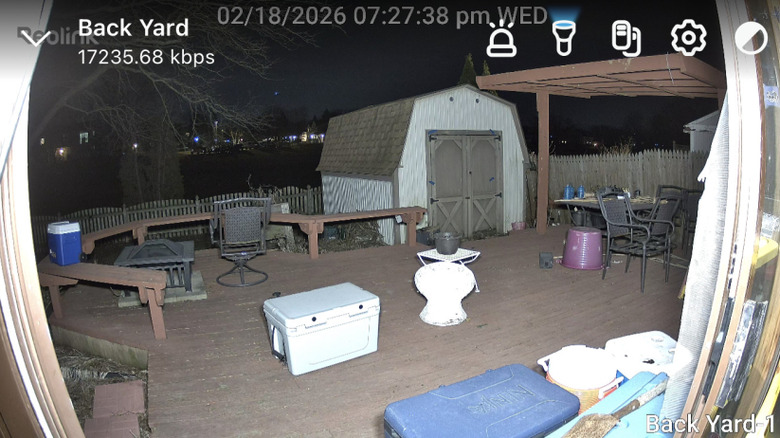
You control the pan, tilt and zoom in the app. You can set a "monitor" position which is the default position the camera sits at, until you control it, or the camera see something and tracks it. You control the PTZ using a remote-control function in the app, and at any time you can have the camera return to its default position. You can also flip a toggle to get it to return on its own.
The camera also has three passive infrared (PIR) sensors that watch for movement for 270 degrees around the camera. When they detect motion, the camera automatically pans to track the subject. When the subject disappears from view, the camera automatically returns to its monitor position. It's actually pretty cool to watch it work. My temporary setup didn't really allow it to track subjects very far, but it worked without a hitch.
These Lights Are Quite Bright
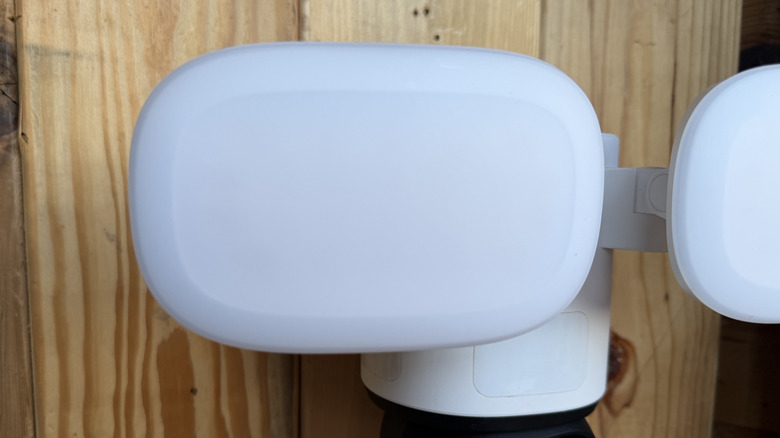
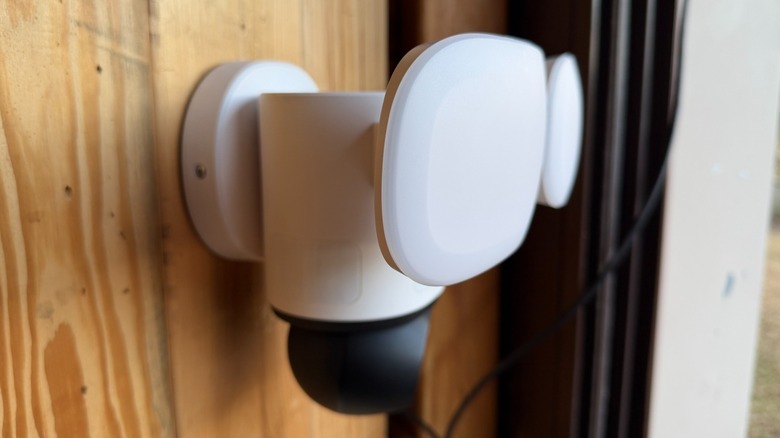
The camera comes with a typical IR light that aids in night vision, and two flood lights for lighting up the night. The IR light is mounted to the camera itself, so it pans and tilts with the camera. The floodlights are aimable, but also fairly large, so you'll want to mount this camera in an area where space is not limited.
The floodlights can illuminate up to 3,000 lumens which is incredibly bright. They're also adjustable from 3,000 Kelvin temperature up to 6,500 Kelvin — essentially yellow to bright white. The lights can come on when movement is detected or they can come on on a schedule. Of course, everything is adjustable.
The only thing that isn't adjustable is the ability to turn off the floodlights on a timer. For example, if I don't want the floodlights to come on between 1 AM and 5 AM because I don't want my neighbors to hate me, but I only want the floodlights to come on when motion is detected outside those hours, I can't find a way to do that. Of course, what I can do is turn the floodlights down to a minimal level which will tell would-be wrong doers that someone is watching, but not be too annoying to those sleeping nearby.
Granular Motion Detection In Action
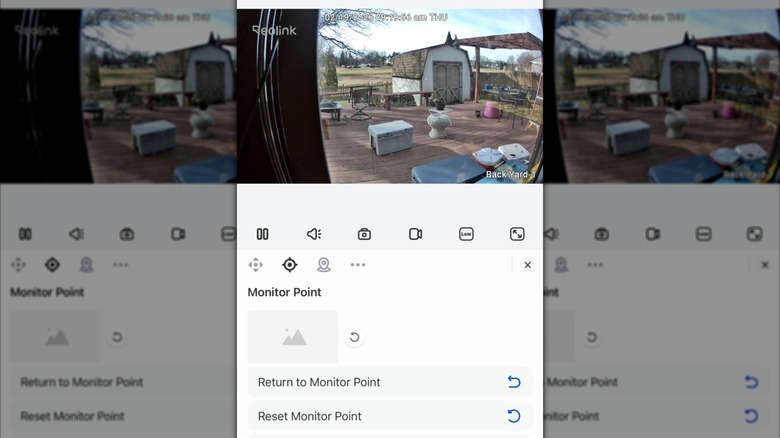
Motion detection is very sensitive by default. I got many false alarms during my time with the camera. The issue there is that Reolink notifications are classified as "Critical Notifications" which supersede other notifications until you clear them. That got a tad annoying.
You can mitigate that in a few ways. First, detection is classified into four categories: motion, people, vehicles, and animals. You can disable notifications for any of those categories. You can also adjust the sensitivity of motion detection, and this is pretty cool, you can even adjust the sensitivity of motion detection based on the time of day. So if you get a lot of people walking by in front of your house, you can turn that sensitivity down during the day and ramp it up at night. I've never seen that in a camera before, so I thought it was pretty neat.
That being said, I had more than a few false alarms, with notifications that an animal was detected when no animal was anywhere in view. I even got a vehicle notification which was particularly odd because the camera was facing my backyard... and if there's a vehicle in my back yard, I can assure you, one way or another, I am having a very bad day.
Local Or Cloud Storage
The camera does not have any local storage, which is a bit of a shame considering the price of the camera. You can add a memory card, or you can subscribe to Reolink's cloud storage, because of course you can — life is a subscription service. Both have their own advantages. Cloud storage is available to view everywhere, and of course is not limited to the size of the memory card.
Local storage allows the camera to record and use AI to search within those recordings. You can search for dogs, or delivery guys, or other animals, or whatever you want. At least, that's the theory. I didn't have a memory card during my limited time with the camera and I didn't subscribe to the cloud service, so bear that in mind if you look into picking one up. If that changes, we'll be sure to update this report.
Reolink TrakFlex Wi-fi Camera Price, Availability, Verdict
The Reolink TrakFlex camera is on sale now at Reolink's website and in the Reolink store on Amazon for $233.99. You can buy less expensive cameras (with fewer features and capabilities) from just about any other company — like Arlo, Ring, Blink, Google, and Eufy, to name a few. PTZ cameras are a little harder to come by and honestly drives up the price by a bit.
So the first question you need to ask yourself is whether or not you need a PTZ camera. For most people and more applications, a normal fixed focus camera will suffice. A PTZ camera can potentially eliminate the need to buy multiple cameras to cover your property, and the PIR sensors in this camera make that easier.
Zooming is another consideration. Most cameras won't allow you to see and read, say, a license plate for more than 10 feet away. This helps. Again, though you have to consider your particular use case. My house has more cameras on it that my local police station, but I can count the number of times I actively use them per month on one hand, and most of the time, that use is curiosity, rather than an actual security concern.
For what it is, the camera is pretty solid. I would like less of a blind spot below the camera. I would like a little more control over the floodlights. I would like a higher resolution in the zoom camera. Beyond those wishes, though, the price is really my only big concern, but if it eliminates the need to buy two cameras because of the PTZ functionality, it may be worth the cash.