

Why Some TSA Checkpoints Make You Remove Your Laptop (But Others Don't)
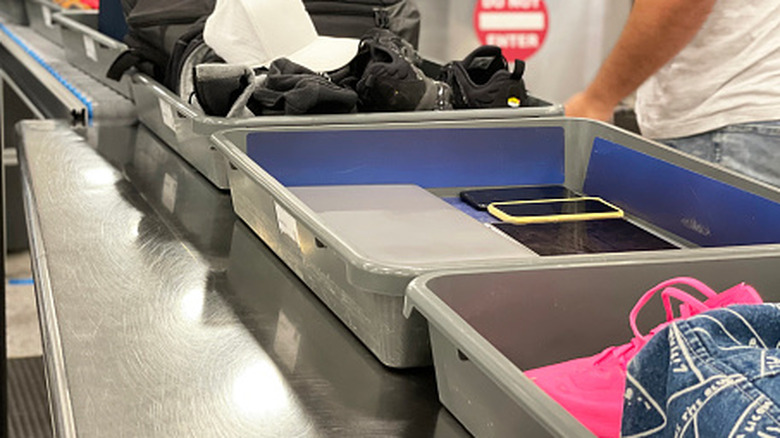
Few things are more frustrating than going through TSA at the airport. While much of the discussion around it has to do with whether or not all of these precautions are necessary in and what objects are or are not banned for carry-on travel, a lot of the frustration merely comes with not knowing exactly what you need to do once you approach the checkpoint. Do you need to take off your shoes? Does your carry-on bag go directly on the conveyer belt, or do you need to put it in a bin? Did you empty your pockets of everything — metal or not — before going through the body scanner? One of the most common questions is whether or not you need to remove your laptop from your bag and place it in a separate bin.
The official ruling on this particular scenario is yes. On the TSA official website, it states that you must remove your laptop from your bag for X-ray screening. This is something TSA has required of passengers going back at least 20 years. By doing this, the screener gets the best view of the device to see if there is anything potentially dangerous about it, be it an explosive or some other nefarious technology, and avoids the pitfall of laptop components blocking the view of other things in your bag. The TSA expanded this in 2022 to include electronics larger than a cellphone (like a tablet). However, there are some checkpoints where you may not need to remove your laptop, and there is one of two reasons for this: updated technology or paid convenience.
When you don't have to take out your laptop
When you have to take out your laptop at a TSA checkpoint, it is most certainly going through a traditional X-ray scanner. These are the machines that the airports have used for decades to peek into your bags. However, some airports are starting to replace these older machines with new ones. These are computed tomography (or CT) scanners. A traditional X-ray scan is limited to producing 2D images, so if there is a component in the laptop that the X-ray signal can't pass through, there is no way to see what's underneath it. With a CT scan, you get a 3D image that can be looked at from every angle, meaning that the isolation of the laptop is no longer necessary. The TSA has officially ruled that laptops can stay in your bags if CT scans are available. Whether the airport you go to uses CT technology is a gamble, however, so you need to be prepared for either scenario.
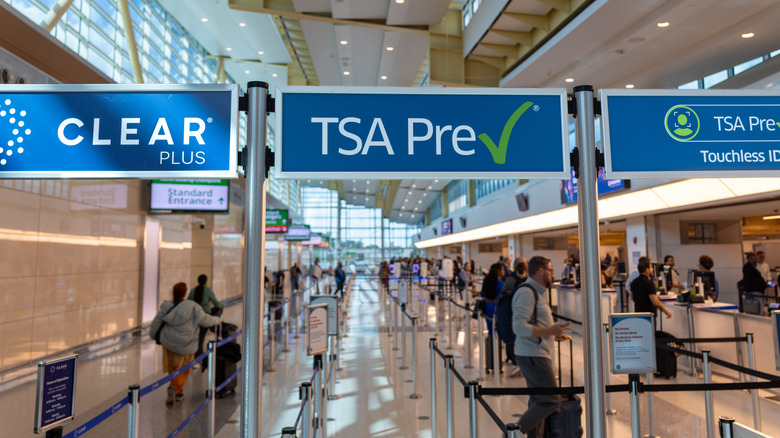
The other TSA checkpoints where you do not need to remove your laptop from your bag are the ones that you pay an extra fee for, such as TSA Pre-Check and CLEAR Plus. Along with typically shorter wait times, people with these services can forgo so much of the hassle of a TSA checkpoint. That includes things like keeping your shoes and belt on, as well as not needing to take your liquids or laptop out of your bag. By signing up for these services, you are entering into an agreement that you're a safe traveler, and simplifying the TSA checkpoint process is the benefit of adhering to that safety.