

The Cheap, High-Quality Monitor We'd Actually Recommend
We may receive a commission on purchases made from links.
Over the span of two decades working in IT, I've unboxed more monitors than I'd care to count. The range of these covers everything from enterprise-grade panels in corporate offices to bargain-basement displays ordered in bulk to save a few dollars.
In my experience, the latter was generally a bad decision, but persuading people of this wasn't easy. For many, the monitor represented an area where some money could be saved — after all, a monitor is just a monitor, right? This is even more relevant, as cheap monitors can often look good on paper, with specifications that seem to tick all the right boxes.
However, sitting in front of some of these screens for an eight-hour shift can soon highlight a bad buying decision. Poor brightness, wobbly stands with screens that shake when you type, and atrocious viewing angles can all blight budget monitors.
Yet, despite my best efforts, people still insisted that they could save a few bucks on a monitor. I quickly found a happy middle ground, where affordable didn't mean bad, and customers weren't applying eyedrops every five minutes.
So, when a friend recently said, "I'm looking for a good monitor, but I don't want to spend a lot," I wasn't surprised. I'm pleased to say that he was delighted with the LG 24U411A-B 24-inch monitor that arrived. And having tested it myself, it's turned out to be an affordable monitor I'd actually recommend.
What to look for in a budget monitor
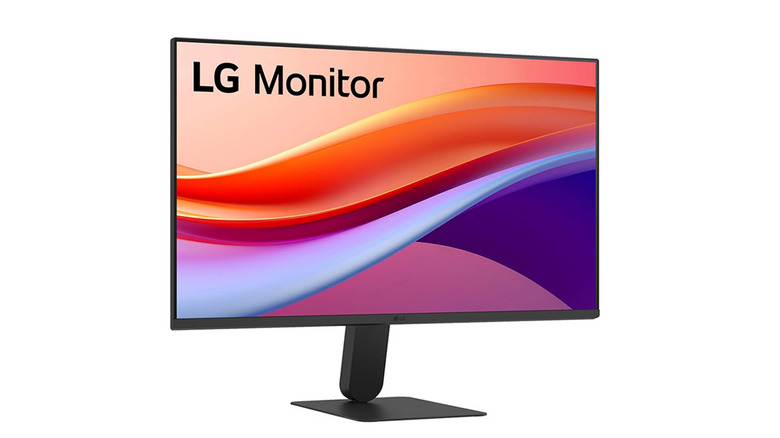
The first thing to note is that if you're an avid gamer used to twelve-hour Fortnite shifts, then step away now — this probably isn't for you. There are compromises to be made when choosing a monitor at a given price point, and these depend on what the monitor is to be used for. In this case, we're looking at a run-of-the-mill use case scenario, with the monitor being used for office work, some light gaming, streaming, and a little photo editing. There's also an imposed $100 or so budget to consider.
So, at this level, I'm not chasing ultra-fast refresh rates or wide color gamuts. What is important is a solid IPS panel with consistent viewing angles, and a usable brightness level of 250-300 nits minimum — as a comparison, some of 2025's best TVs have brightness ratings of up to 3,000 nits. I also looked for resolution that makes text comfortable to read at standard desk distance. Of course, build quality matters, as already noted, a rattly monitor is not conducive to a happy computer session.
Another area of compromise was adjustability; it doesn't need height adjustment to be good, but it should be tiltable. Finally, there are also the ports to consider — a single HDMI port has to be considered the minimum.
Anything beyond that is welcome, but not essential. Armed with this information, it's possible to track down an affordable monitor that won't break the bank or your eyes.
The LG 24U411A-B -- Cheap but built on solid fundamentals
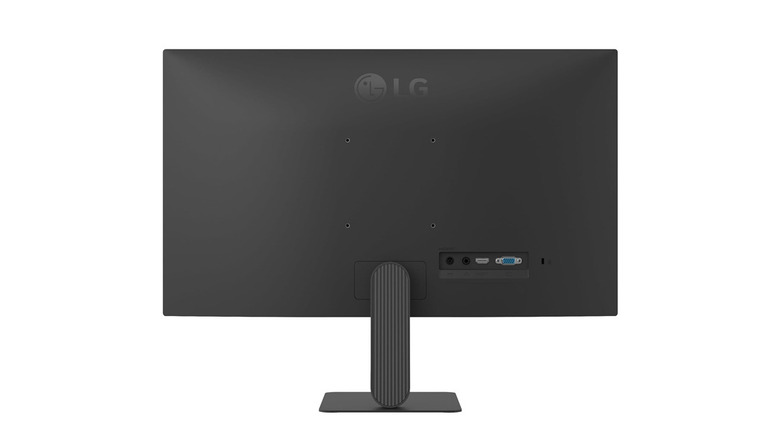
The LG 24U411A-B does something very important for any budget item worth its salt — it focuses on the basics. There are no bells and whistles with this monitor, but it gets the fundamentals right.
For under $100, you get a 24-inch IPS panel with full HD resolution, a matte finish, and 99% sRGB coverage. The 120 Hz refresh rate is a bit of a bonus at this price. It isn't essential, and I'd have been happy enough with 75 Hz, but it's a nice touch that makes for smoother scrolling and gameplay.
Of course, there are compromises. The 250 nits brightness rating is at the lower end of what I'd prefer, but it's pretty standard at the price point, and it's perfectly fine for typical indoor desk setups. There's only a single HDMI port, again not a deal breaker, and not unusual at this price point, but it could be important for some folks (an HDMI switch can help here, but it's worth clarifying the difference between an HDMI switch and an HDMI splitter before you buy one). What might also put some people off is that the stand is tilt-only, but this didn't matter in this case.
The price point for this monitor is usually $99.99, but at the time of writing, it's available on Amazon at $89.99.
Methodology
I selected this monitor based on my extensive experience working at the business end of IT. It's this experience that shaped the baseline standards used here. I focused on a realistic set of specifications that started with a 24-inch screen size and delivered decent performance in terms of brightness, refresh rate, panel type, and reliability.
Before recommending it, I compared dozens of options and quickly discounted options with poor reviews, questionable reliability, TN panels, and sub-250-nit displays. While refresh rates over 75 Hz are considered a bonus, they weren't prioritized over panel quality and color accuracy.
On paper, the LG 24U411A-B ticked the right boxes. And I'm pleased to report that in practice, it delivers good, solid performance at a low price point.