

Is 8GB Of RAM Enough In 2026? Here's What A Laptop Can Typically Do With It

It's not uncommon these days for computers to have a lot more than 8GB of RAM. 16GB laptops have increasingly become the baseline, especially for those who want a future-proof system, and gaming laptops commonly have 32GB or more. But plenty of 8GB laptops still exist, and with AI making common PC upgrades painfully expensive, they may soon become the only affordable option for many consumers. This leaves many users either stuck with their existing low-RAM systems or only able to afford an 8 GB configuration when shopping for a new computer.
Can you get by with just 8GB of RAM in 2026, though, or will you find your workflow bottlenecked by limited memory, slogging through slow loading times and system hangs as your computer struggles to keep up? Unfortunately, the answer is not a straightforward yes or no.
Whether you can make do with 8GB of memory depends largely on what kind of laptop you have and what you tend to use it for. The short of it is that, for basic tasks like checking your email, swapping messages in Slack or Microsoft Teams, or streaming videos, 8GB is sufficient. But for heavier workloads, such as professional creative tasks like video editing, or for gaming, you'll often find 16GB to be the bare minimum. Here's what a laptop can and cannot do with 8GB of RAM in 2026.
8GB of RAM still gets the job done for some users
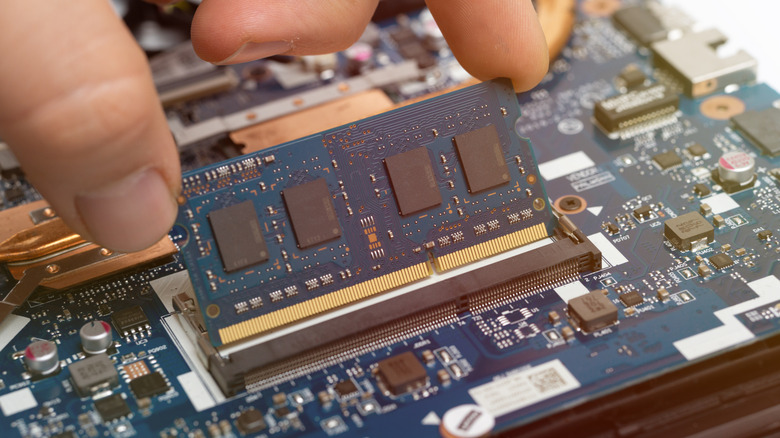
For many people, 8GB of RAM is still more than enough to get by on. If your typical computer workflow involves editing documents or spreadsheets, messaging, and browsing the web, then your bottleneck is more likely to be your CPU than your RAM. However, you'll need to be careful not to have too many programs or browser tabs running at once, as this can eat up memory.
What type of laptop you have also matters. A Chromebook will be zippy and performant with 8GB of RAM, whereas a Windows PC may require more constant user management of system resources to remain responsive — closing programs when they're not in use, disabling unnecessary startup apps, and so on. Windows 11 requires at least 4GB of RAM, but it's quite telling that it requires 16GB on Copilot Plus PCs, which can run newer AI features.
There are ways to get around RAM limitations. Converting a slow Windows laptop to ChromeOS may speed it up, but it will also remove the ability to run Windows applications. If you're adventurous, you could try various lightweight Linux distributions. On the Apple side of the fence, the company dropped 8GB MacBooks from its lineup in late 2024 following complaints about performance from some users. However, thanks to Apple's integrated system architecture, which uses unified memory, an 8GB MacBook running Apple M-series silicon will still perform well for most non-intensive workflows.
8 GB is insufficient for gaming, creative, or AI needs

While 8GB of RAM can get the job done for many people, those with specialized needs will find it frustratingly limiting. For gaming, some creative work, or running local AI, the industry has moved toward a 16GB minimum. Anecdotally, it is because of the need to run local AI that Apple moved to 16GB of RAM as the minimum configuration for the 2025 MacBook Air M4. We will need to wait and see whether this industry shift holds in 2026, since the ongoing RAM shortage may force manufacturers to release 8GB laptops to keep prices down.
Some lightweight games like "Minecraft" may run with 8 GB of RAM, and you may even get some older AAA titles like "Red Dead Redemption 2" to perform smoothly. A more modern AAA game, though, is likely to struggle on an 8GB configuration, even when paired with a GPU that meets its requirements.
When it comes to creative work, Adobe Photoshop lists 8 GB as a minimum requirement, with 16GB recommended. Adobe Premiere also requires 8GB, with Adobe recommending 16GB for editing HD video and 32GB for 4K footage. Conversely, Ableton Live should be fine with 8GB, especially since most of the workload will be offloaded onto an audio interface. In other words, some hobbyist creatives can get the basics done, but 16GB or more is recommended for professional creative workflows. Lastly, running large language models locally will require at least 16GB of RAM if you're using a mainstream application such as LM Studio.