

Can An Old Ethernet Cable Slow Down Your Internet?
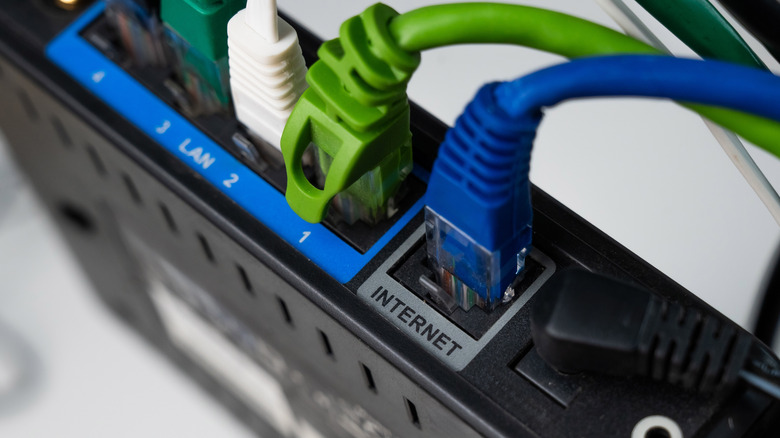
If you're diagnosing slow internet speeds, you're probably checking everything from router placement to how many devices are using all the bandwidth. But when it comes to the hardware, older Ethernet cables can have an impact. While using an Ethernet splitter can reduce your speed, older cables can do the same thing. That's because many of them, like the Cat5 and older, are limited to speeds of around 100 Mbps, or less.
A connection speed of 100 Mbps is enough to stream 4K video on several devices, play online games, and even run some smart home devices as well. While this may be enough internet speed actually needed for everyday use, it's considered the bare minimum for today's broadband service, which can reach much higher speeds. For example, some home internet plans can deliver theoretical speeds up to 10,000 Mbps (10 Gbps), which older cables just can't handle. So, if you're using one and it's rated for slower speeds, you'll likely notice the difference right away.
But older Ethernet cables can affect your internet speeds due to wear and tear as well. After all, older cables still in use have probably been there for a while, which means they are more likely to show their age. Loose connectors and internal wire damage could become problems, as both would cause a cable to not perform as it would if it were in perfect condition. If the cable is already outdated and it's also damaged, it may struggle to keep up.
Identifying and upgrading older Ethernet cables
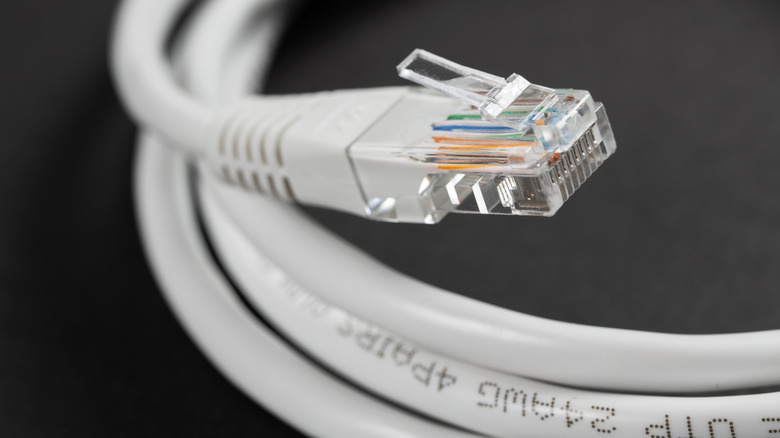
If you're curious about whether or not you have an older Ethernet cable, take a moment to inspect it. Ethernet cables are usually labeled with their category description, like Cat5, Cat5e, or Cat6, which is one of the best cables for gaming. Since this information is printed directly on the cable's covering, it should be easy to spot. But if this detail is missing, there's no way to know what cable you have, so your best bet is probably to switch it out for one that's rated to handle your internet speed.
Choosing the right Ethernet cable largely depends on where you'll be using it. For example, Cat6a is great for faster speeds, but it's designed to handle higher traffic situations than what you would likely have at home. But the cable's construction is also important. So consider choosing a firm one with a solid core, if you're running it through a wall or ceiling. If you're just going from the wall to your desk, you might want to select a more flexible stranded cable instead. However, you should stay away from cables composed of copper-clad aluminum, as they can negatively affect overall performance.
You should also check out product ratings and customer reviews, as they can help you make a more informed purchase. But beware of extremely cheap generic cables with unclear certifications or missing technical information. Do your homework on the seller to ensure you get a high-performing and properly rated cable.