

How To Force AI Tools To Use High-Quality Sources Instead Of Random Results

The rise of generative AI in recent years has completely changed the way we access information. What used to be a quick Google search away is now even snappier to access with AI tools like ChatGPT and Gemini. You no longer need to scroll through a bunch of articles to find the information you're looking for — a simple, focused question on ChatGPT will get you a tailored answer pretty much instantly.
Some may argue that this is just making people lazier, and it's true that total dependence on AI isn't ideal. A few things you should never use AI for are seeking serious life advice or editing images of people without their consent. A good middle-ground use for AI platforms is research or seeking answers to very specific, technical questions. Even then, it's definitely not a good idea to take every word ChatGPT spits out as the truth. If anything, you should always be vigilant about AI models possibly hallucinating and confidently feeding you the wrong information. Most chatbots display a disclaimer that says just this.
That said, advancements in generative AI have allowed users to tweak how a model responds or thinks. Apart from deciphering which of the dozen new models you should be using, learning the right prompts can alleviate many of the inaccurate responses you might be getting. Instructing an AI tool to stick to high-quality sources is a great start. This way, you're not constantly being fed answers from unreliable sources.
Using the right instruction prompt
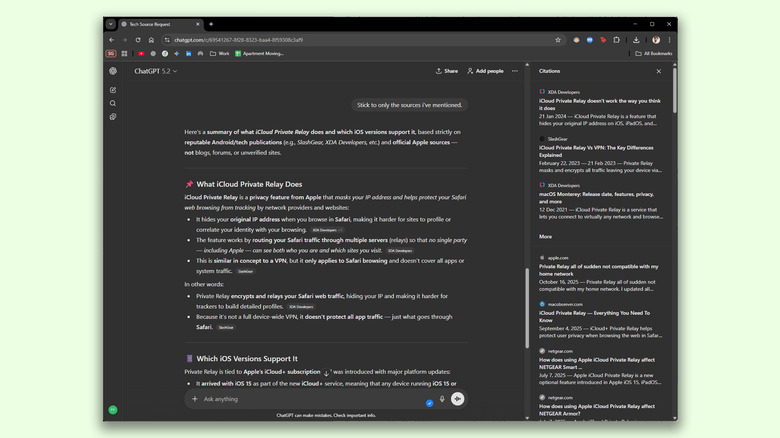
Services like ChatGPT are extremely useful because they don't require you to tinker with a bunch of settings to refine their responses. You can just ask them in plain English for whatever it is you're looking for, and they will adjust the parameters in the background. For starters, constructing the right instruction prompt can go a long way. If you're looking for information in a specific category, list a few trustworthy websites and ask the AI chatbot to only base its findings on those sources.
Here's an example prompt we generated using ChatGPT for researching topics related to technology:
"When answering this question, base your response only on reporting, reviews, or analysis from well-known and reputable Android and technology publications. Acceptable sources include publications such as SlashGear, BGR, XDA Developers, The Verge, Ars Technica, GSMArena, Wired, and similar outlets. Do not rely on unsourced blogs, SEO content, forums, or social media posts. If high-quality sources are limited or unavailable, clearly state that instead of filling in gaps with speculation."
Any subsequent questions we asked, ChatGPT exclusively fetched information from the publications we had mentioned, and even cited the sources wherever applicable. Gemini also followed the instruction prompt quite well and displayed a list of all the sources it referred to. There were instances when both AI chatbots slipped up and cited Reddit posts — especially as the thread grew longer.
Tips to get reliable responses from AI
At the time of writing, there isn't a dedicated source selection feature for either ChatGPT or Gemini — though that would be pretty neat. Using instruction prompts like the one we've shared above does make a worldly difference in the quality and reliability of responses, but it isn't a silver bullet. This is why it's important to keep an eye on the sources tab to make sure the links actually work. You may have to occasionally instruct the AI to rein things back in if it starts drifting off course.
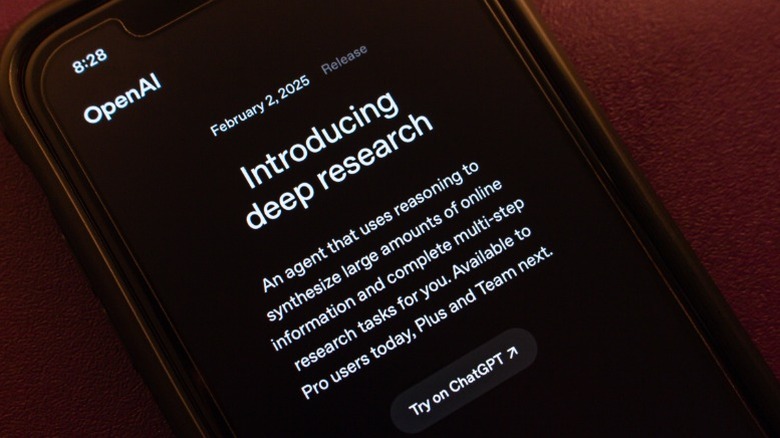
If you're looking for answers to something you absolutely cannot get wrong, consider using Deep Research. It's one of ChatGPT's features you shouldn't ignore. A Deep Research query takes much longer to process, but it restricts the AI chatbot to only refer to reputable sources and academic papers. The feature is also available on other platforms like Gemini and Claude.
Alternatively, you can upload a document and ask the AI chatbot to skim through its contents to answer any questions you may have. Once again, you will need to be watchful for when the AI model inadvertently starts citing information from random blogs and social media posts. We also noticed that the accuracy of responses diminished quite noticeably as the conversation thread grew longer. When this happens, consider starting a new chat and pasting in the instruction prompt again.