

Your Old Phone Can Be Turned Into A Cheap, Simple NAS Solution

If you're into computers, especially if you've been considering purchasing a new hard drive for bulk storage or what have you, you've probably encountered the term "NAS" at some point. No, it's not a rapper's stage name; NAS stands for network attached storage, and it can be cheaper than cloud storage in the long run. Without getting too technical, it's simply a device that holds a large amount of files and data that you can access from any device connected to your Wi-Fi network.
Of course, corporations use NAS for a variety of things, but if you want to set up your own NAS at home, you actually don't need to shell out hundreds of dollars for expensive hard drives with the same names as American muscle cars and with ridiculous amounts of storage. Surprisingly, it's very easy to turn an old Android smartphone into a NAS machine. There is a little bit of work involved, but for most home NAS users, and for those who simply need to store a whole bunch of files, old Androids can get the job done more than well enough. Let's see how it's done.
An Android phone NAS machine is surprisingly easy
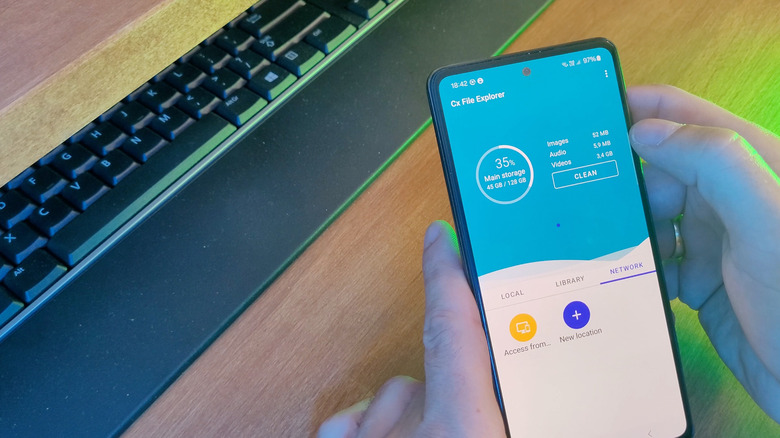
The Google Play Store is full of different file explorer apps that make this whole thing possible, with notable options including MiXplorer and Cx File Explorer. For the most part, these work like the stock Android file explorer, but with one important addition: SMB(Server Message Block). It's a file-sharing protocol that allows your Android device to be picked up by a Windows or Mac computer as a native, shared network drive. That means you can transfer files from your NAS to your smartphone, and vice versa, directly to your computer's internal storage.
Most of these apps also include an option to run automatically when the phone turns on, so you'll always have access to your shared files. The only downside is that you're limited to the device's internal storage, though an external HDD or SSD plugged into it can fix that. Also, this one is probably pretty apparent, but you should keep your phone plugged into the charger at all times.
This will likely be obvious to most people well-versed in the world of smartphones, but Android is the preferred option for the NAS transformation. It is possible on an iPhone, but it's a lot more complicated, and you might need to jailbreak your device, which carries its own risks. To be on the safe side, an Android device that you have lying around the house is preferred as long as it powers on and still works, of course.