

5 Things About Wi-Fi They Didn't Teach You In School
Wi-Fi is so commonplace that we barely notice it anymore. It hangs in the air around us like an invisible fog, connecting our devices to the Internet. It has become blazing fast with technologies like Wi-Fi 7, and we even take for granted that it can be accessed 30,000 feet in the air. It might as well be oxygen — extremely boring until you consider what life would look like without it. But once you look a little closer, this miraculous technology is far more fascinating. Unfortunately, the most fascinating things about Wi-Fi aren't exactly taught outside of computer engineering schools.
The history of Wi-Fi is as interesting as the tech itself, so it's a shame that most people never learn about either. It's more than likely you never dug much deeper than figuring out how to connect your devices to the Internet. So, we've rounded up five of the most fascinating Wi-Fi facts that will have you looking differently at the router in your living room. From the tropical origins of the protocol that helped birth Wi-Fi to the surprising role potatoes played in the development of in-flight Wi-Fi — along with some uncomfortable ways hackers can use your own Wi-Fi to spy on you — there's plenty to cover. We've even got some practical tips for making the most of your home network. So, check your signal strength, and let's dive in.
Wi-Fi was invented because of Hawaiian geography

The story of Wi-Fi's invention is rarely mentioned, but it came about when a group of scientists needed a better way to send information to one another. The brand-name Wi-Fi came later, but the standard underpinning it was called ALOHAnet, developed starting in 1968 by a team under the leadership of Norman Abramson and Franklin Kuo, two professors at Mānoa's College of Engineering.
The University of Hawaiʻi is geographically unique, with multiple campuses spread out across various islands. This made sending data between those locations challenging, since telephone lines were the traditional way of doing so. Abramson and his team thought it was possible to create a radio network using random access protocols, which could transmit data packets more effectively. The main innovation of ALOHAnet was at-will scheduling. It did away with the need for complex packet scheduling by firing off the same packet multiple times until it was received.
So promising was this early wireless communications protocol that the Pentagon funded it through the Defense Advanced Research Projects Agency (DARPA), which was known as ARPA at the time. The rest is history. The protocols that sprang forth from ALOHAnet are the reason you're likely reading this right now. The technology proved so successful that it formed the backbone of not only Wi-Fi but also cell phones and Ethernet, among others.
Your Wi-Fi network can be used to track your movements
Perhaps the creepiest thing about Wi-Fi is that it can now be used to spy on you. We're not talking about the ability to see what you're doing online, or which devices are connected to your network (though all of that information can also be accessed). In this case, we're talking about your router watching your physical movements throughout your home using a technique called Wi-Fi presence sensing.
Wi-Fi networks can be imagined as an invisible field of radio signals saturating the area around an access point. If the device you're reading this on is connected to Wi-Fi, then that wireless signal is in the air all around you. However, your body presents an obstacle that is difficult for the signal to penetrate, meaning that Wi-Fi can be used sort of like a radar. By examining where a Wi-Fi signal experiences interference and bounce, a 3D map of the environment can be created to track objects and people in real time. The shorter a Wi-Fi wave is, the more accurately it can track motion and presence, which means that higher frequency bands of Wi-Fi are better at it than lower frequency bands. Wi-Fi sensing can be so accurate that it can even detect someone's breathing patterns.
There are a number of legitimate and useful applications of Wi-Fi presence sensing. It has been suggested as a way of alerting caretakers or emergency responders when a sick or elderly person falls or stops breathing. It could also be used to automate smart homes, turning on lights when you walk into a room. However, it has also been flagged as a potential vector of attack for private hackers and government surveillance, as well as for good, old-fashioned data collection.
Some Wi-Fi bands are better than others for certain tasks
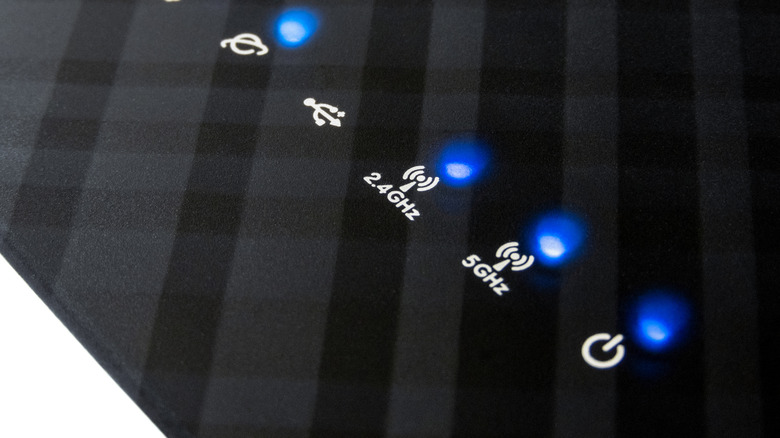
As alluded to in the section above, there are multiple bands of Wi-Fi that are primarily differentiated by their wavelengths. Low-frequency Wi-Fi sends out waves that may be several inches from peak to peak, with a 2.4 GHz wave measuring about five inches. Higher frequencies produce smaller waves, with a 6 GHz frequency measuring about two inches. Shorter waves can transmit more data since they are more frequent, but shorter waves also have a harder time penetrating through walls and other barriers.
Because of those trade-offs, not all Wi-Fi is created equal. If you really want to optimize your wireless network usage, you need to consider what frequency is best for each use case. For example, if you have a smart home setup where each of your light bulbs and other IoT devices is connected to the Wi-Fi, it's often best to connect them to your 2.4 GHz band rather than a higher frequency channel. Conversely, your personal devices, such as your phone and laptop, can be better off using the highest frequency you have available. Things like the best Wi-Fi cameras may require experimentation.
This is because your smart home devices use relatively little data but are spread out across your home, whereas your laptop uses relatively large amounts of data. Longer waves from your 2.4 GHz band will have an easier time reaching your light bulbs and thermostats in every corner of your house, whereas your laptop will benefit from shorter waves that can transmit more data for bingeing Netflix. Moreover, by putting your smart lights on the lower frequency band, you leave more room on the high frequency band for your "Stranger Things" marathon. Just keep smart home device security in mind.
Your Wi-Fi network could have an evil twin
One of the most difficult to detect cyberattacks hackers use against ordinary people is called an evil twin attack. In such an attack, the hacker simply creates a Wi-Fi network designed to look like a legitimate one, then collects information from the unsuspecting chumps who connect to it. For instance, let's say you've just checked into your hotel and want to connect to the complimentary Wi-Fi. You open the network settings on your phone or laptop and click on the network called "Grand Budapest Hotel Guest." Unbeknownst to you, you've actually connected to a hacker's Android phone in the next room over. You're presented with a page to log in, asking for your name and room number — maybe even the credit card number you booked the room with. There may be no sign-in page at all. But shortly after you open your bank's website to log in and check your balance, you notice money beginning to disappear from the account.
Because your devices have no way of telling whether a Wi-Fi signal is legitimate or not, all the hacker needs to do is create a hotspot with the same network name. These attacks work best on public, unsecured networks where large numbers of people are connecting, such as at airports, coffee shops, and so on. Even if most people end up connecting to the legitimate network, the hacker only needs a few victims to connect to their evil twin. That's why it's always a good idea to avoid connecting to networks that do not require a security key upon connection (rather than inside a web portal after the connection). Similar attacks can be carried out on secure networks, but that requires the hacker to be a bit more talented.
Boeing used 20,000 pounds of potatoes to test in-flight Wi-Fi

Today, we take for granted that many airlines provide in-flight Wi-Fi, but getting the tech to work properly while moving over 500 miles per hour at 30,000 feet in the air was no small feat. Boeing, which helped to pioneer in-flight Wi-Fi, had to figure out how wireless signals would interact with the human body in that environment. In order to avoid human testing, their scientists used the next best thing: potatoes.
The thing about Wi-Fi signals is that they're easy to block, and few things block them as effectively as water. Since the human body is mostly water, we are one of Wi-Fi's worst enemies. What else is mostly water? The humble potato. So, in order to ensure that each passenger on board its aircraft would receive the strongest possible Wi-Fi signal, Boeing packed plane seats with bags of potatoes — 20,000 pounds of them. This allowed them to test the distribution of Wi-Fi throughout the cabin.
Humans would have skewed the data further by moving around in their seats, making results slightly different on every test. Spuds don't fidget, which was another benefit to using them. So, the next time you're scrolling Instagram or sending emails from the tray table on the seatback in front of you, take a moment to thank our tubular friends for their scientific contributions.