

5 Of The Best AI Extensions For Google Chrome

Whether you like it or not, AI is here to stay, and you will find it slowly getting integrated into almost all the applications you use in your daily life. For instance, Microsoft has integrated its AI chatbot, Copilot, into Windows PC. Google now allows you to use Gemini as your virtual assistant on Android smartphones. Similarly, Google Chrome also offers some built-in AI features, like the option to create new themes with generative AI or its "Help me write" capability that helps you frame sentences.
Interestingly, along with these built-in features, you can enjoy some other AI features in Chrome by installing AI extensions from the Chrome Web Store. For instance, you can install an extension that will summarize long YouTube videos or use an extension that will help you give a personal touch to your emails. So, let's check out some of the best AI extensions that you should install in Chrome to improve your productivity.
Scribbl
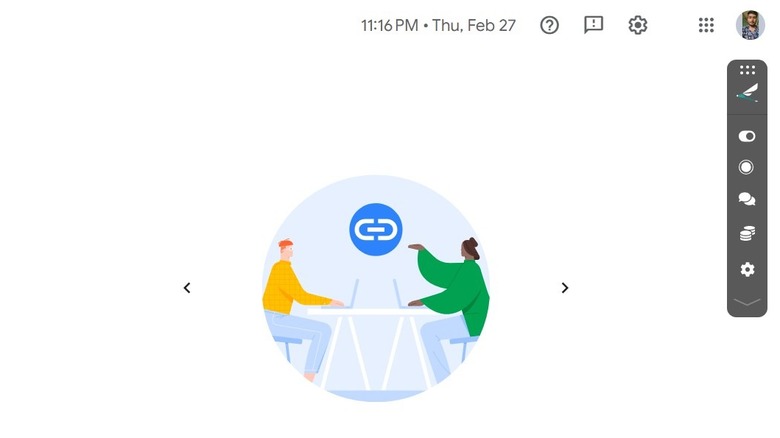
Online meetings can sometimes be very long and boring. Since you can't afford to miss any important detail that is shared by your team members, you can't even leave the meeting. However, the Scribbl AI extension can help you in such a situation with its note-taking capability.
Scribbl is an AI meeting assistant that takes notes of all the things discussed in a meeting. You can use it when you want to take a short break from a meeting, but you also don't want to miss out on things that are discussed during that time. Alternatively, you can also use it in situations when you won't be able to join an important meeting but want to know what was discussed in it later.
Scribbl currently only works with Google Meet. When your meeting on Google Meet starts, you simply need to access the Scribbl extension and choose whether you want to transcribe or record. Once the meeting ends, Scribbl will automatically open a new tab in Chrome, which will show all the main points that were discussed in the meeting. The good part is that you can share the meeting recording and notes with anyone you want. You simply need to copy the recording link and share it with the person you want via any messaging platform of your choice.
Although Scribbl is free to use, it also offers premium plans.
YouTubeDigest
It doesn't matter how informative a YouTube video is; some people will skip through it just because of its long run time. If you often find yourself in such a situation, you should try the YouTubeDigest Chrome extension.
The extension produces informative summaries of YouTube videos. One important thing that you must be aware of is that the extension requires you to have a ChatGPT account. Also, you need to ensure that you are logging into this extension using the same account with which you have logged into ChatGPT.
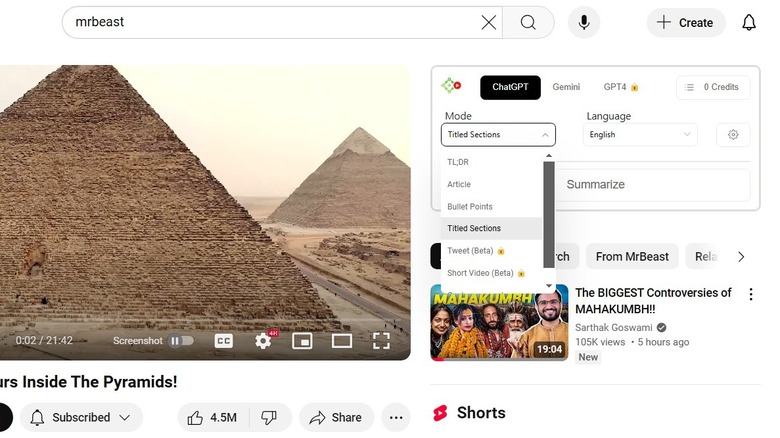
Once you've installed and logged into the YouTubeDigest extension, you simply need to visit YouTube to start using it. Access the YouTube video whose summary you want, and then, in the right pane, you'll see the YouTubeDigest window. Select the mode of summary you want. The tool currently offers four summary modes: TL;DR, Article, Bullet Points, and Titled Sections. For instance, you can choose the Article mode to get a comprehensive overview of the video in article form. Then, select the language in which you want the summary. Once you've configured these two things, hit the Summarize option to get the summary of the video.
YouTubeDigest lets you convert video summaries into PDF, DOCX, or plain text so that you can easily share them with your friends. You can also purchase one of its three subscription options, with each option offering a particular number of video summaries.
AnswerAI
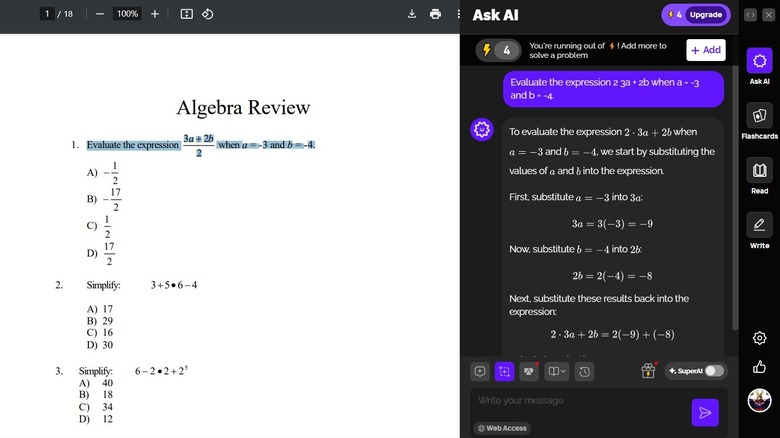
Whether you need help solving a tough Trigonometry problem or solving an equation that requires Newton's law, the AnswerAI Chrome extension will help you solve all kinds of questions regardless of the subject. To use it, you simply need to select the query and choose the Get Answer pop-up that appears.
The tool will take a few seconds to analyze the problem and then give you a detailed answer. You also have the option to upload screenshots in case you need help with a picture-related question. Just like all the extensions discussed so far, AnswerAI also offers a premium plan. The premium plan also offers some exclusive benefits like the ability to upload PDF files, get faster responses, solve graph problems and much more.
Voilà
The way you respond to a client's email can sometimes determine whether they will agree to take your service or not. If you find it hard to come up with words to make your emails more engaging, you should use the Voilà Chrome extension.
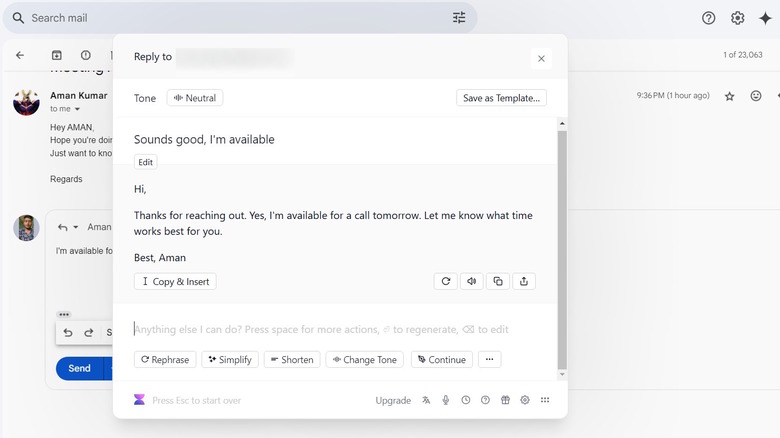
To start using Voilà, first download the extension and create an account. It will then automatically integrate into Gmail and Outlook. After that, open the email you want to reply to, hit the reply icon, and select the Reply with Voilà icon at the bottom of the text window. Voilà will then take a few seconds to analyze the email and come up with reply suggestions. Select the most relevant reply, and the tool will create a personalized, elaborated response based on your selected reply. You can manually edit the elaborated response that Voilà came up with. Alternatively, you can also ask it to regenerate the response, change its tone or adjust its length. Once you are satisfied with the output, choose Copy & Insert and then hit the Send button.