

What Can Happen If A Lithium Battery Gets Wet?
These days, you can find lithium-ion batteries in many gadgets, from phones to laptops and beyond. That's no surprise: they're generally reliable, tend to offer long lifespans, and are fairly versatile. But since they power such common devices, most of us will probably have found ourselves in situations where we got a lithium-ion battery wet.
What happens in that scenario varies by battery and device, including whether either (or both) has an IP rating. An IP rating indicates how resistant a product is to water and dirt. If a device has a high IP rating, such as IP66, IP67, or IP68, water exposure shouldn't have any significant effect. However, if a battery (or battery-powered device) doesn't have a high enough IP rating to survive submersion or heavy water exposure, you may encounter all kinds of negative consequences.
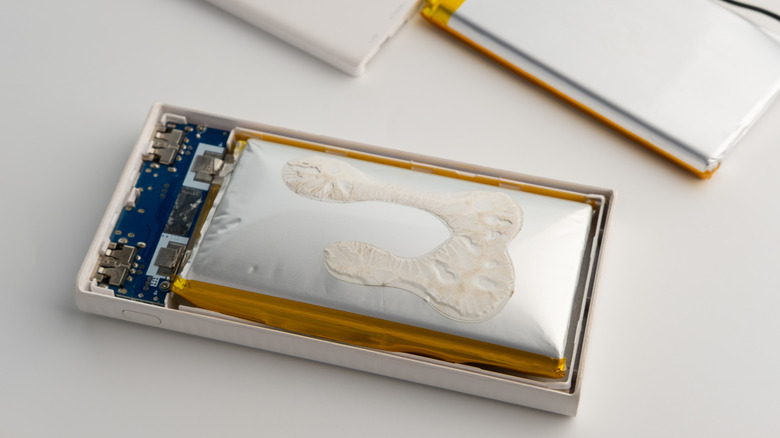
A wet lithium battery can short-circuit, corrode, or otherwise become damaged, making it a fire risk. In some cases, battery damage or improper use can trigger something called thermal runaway. Thermal runaway happens when heat is released from cells inside the battery, triggering a chain reaction. That chain reaction can then cause further damage, gases being released, smoke, and fire. If this happens, your battery might look swollen or expanded. In turn, this can render your battery unusable or unsafe — at which point, you need to safely dispose of your battery.
What to do if you get a lithium battery wet
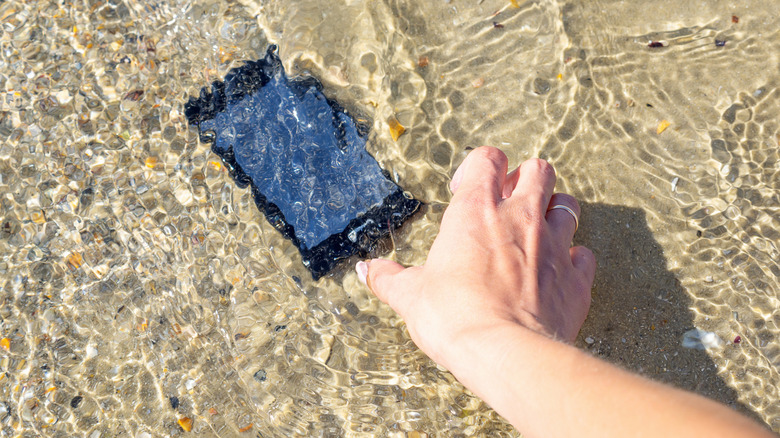
All isn't necessarily lost the minute you get a lithium battery or a device containing one wet. There are a few steps you can take to help minimize any potential damage or short-circuiting as much as possible — and some of them are remarkably simple. If it's safe to do so, then the first thing you want to do is switch off your device or battery. Doing this as soon as possible helps to make sure that any corrosion is kept to a minimum, which consequently protects your battery.
If your battery is inside of another device and it's possible to do so, then remove it once you've switched it off. In a lot of cases, this might not be possible, as many devices use integrated, non-removable batteries, but check just in case. Pat your battery dry, and set it aside for a while. Despite common advice, don't use any direct heat sources on it, like a hairdryer, as this can actually cause further damage. Instead, you could try placing the battery in a sealed container with desiccants. You might have something like silica gel hanging around in a junk drawer.
Make sure you don't use or charge your battery or device again while it's still wet, and assume it's wet for longer than you think. Just because a device or battery feels dry on the outside doesn't mean it is, as pesky droplets could have worked their way inside. Lastly, make sure you assess the battery for any visual signs of damage before considering using it again. If your battery looks corroded or swollen, then it isn't safe to use. If in doubt, reach out to a professional or replace the battery.