

The PS3 Just Got A New Update Two Decades After Release

Despite the device's recent classification as a so-called retro console, Sony's PlayStation 3 received a new software update on March 18, 2026. The console launched in 2006 and was discontinued in 2016, so it's not one you'd expect to receive that many updates. However, it still tends to get patched roughly once a year or so. March's PlayStation 3 system software update 4.93 promises to, in Sony's words, "improve system performance".
Sony's rather brief patch notes don't offer much insight into what the update offers, although that seems to be par for the course. Sony has used the same language for every recent visible update besides update 4.89, which changed some account management features. Beyond that, the patch notes stress that updating your console regularly — or, as regularly as you can update a nearly twenty-year-old console — ensures it stays secure, usable, and offers access to any additional features, should they be added. There's also a disclaimer noting that some software might not launch until you've installed the update, although that may be boilerplate text.
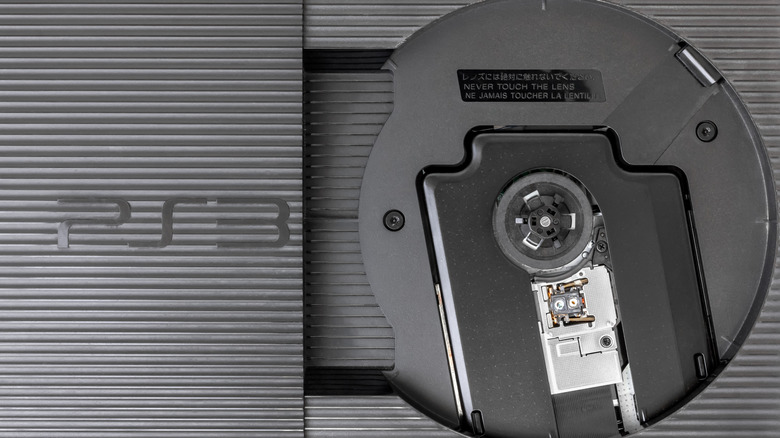
Beyond that, the patch ensures that you can keep watching Blu-Rays on your seventh-gen console. Blu-Ray discs can only work on devices with up-to-date Blu-Ray player encryption keys, which is most likely a large part of why the console still pushes patches out so many years later. So, if you don't install the latest patch, you can kiss goodbye to watching any high-definition movies on it — especially after Netflix ceased support for the PlayStation 3 back in February.
How to update your Sony PlayStation 3
The update requires at least 200 MB of free space to install. You can either install it directly to the PlayStation 3 or load it onto removable storage media using a PC, depending on your preferences. If your PlayStation 3 hasn't updated automatically, you can force it to update by:
-
Making sure it's connected to the internet.
-
Opening up your Settings menu.
-
Navigating to System Update.
-
Selecting Update Via Internet.
-
Following the on-screen wizard to finish the installation.
If you run into any issues with installing the update this way, check your console's internet connection and try again. Alternatively, you can try to install the update using an external storage device, like a USB flash drive or external hard drive:
-
Plug a FAT32-formatted external storage device into your computer and create a folder named PS3 and a subfolder named UPDATE.
-
Download the PS3 update patch from the PlayStation software update website and place it in the UPDATE subfolder. Name the file PS3UPDAT.PUP.
-
Safely remove the external drive from your computer and plug it into your PlayStation 3.
-
Turn your console on and navigate to Settings.
-
Select System Update, then select Update Via Storage Media and follow any on-screen instructions.
If that doesn't work, you may need to try restarting your console. You should also check that you named the files and folders exactly the way they're outlined above, capital letters and all. And, if all else fails, try contacting Sony support or your local tech repair shop.