

This Could Be The Upgrade Your Home Server Needs
We may receive a commission on purchases made from links.
Over the years, I've worked on innumerable servers. Both in commercial and domestic situations, I've installed, repaired, upgraded, and maintained servers at a professional level. Now, the only server I generally work on is my own home server. It's a reasonably well-specced machine, with plenty of RAM, storage, ample cooling, and it plugs into an uninterruptible power supply. It also backs up to an external hard drive. So, all good as far as the usual upgrade suspects go.
However, just recently, I was reminded just how vulnerable our data can be when a friend's computer was subject to a ransomware attack, which not only encrypted all the data on his drive, but it also did the same to the data on his USB backup drive. This is a scenario that, in my experience, very rarely has a positive outcome. It was something of a wake-up call for me; my home server was also running the same rudimentary and ultimately flawed backup system. Shamefully, fixing this is a job that has been on a "to-do" list for too long, especially when gigabytes of the family's data (and my domestic harmony) are effectively on the line.
The fix was one I'd used before in commercial situations, moving backups off the server and onto storage that isn't continually visible. In my case, I used a network-attached storage (NAS) device, but the hardware choice is secondary. The critical part of this upgrade is to introduce another layer of backup that will protect your data even if the server is compromised.
The real upgrade: isolating your backups

I hated telling clients that their data was unrecoverable. Hardware is easily replaced; memories, photos, media, and business data, not so much so. In many of these cases, people thought they were protected. More common than you'd believe was the misconception that a single copy of data was safe if it was saved on a "backup" drive. Perhaps more understandable was the notion that a permanently plugged-in external drive and a backup schedule would protect your data. Not only is such a system vulnerable to ransomware (scarier since the rise of ransomware 2.0) or other malware infections, but a single power surge can easily take out a server and its attached peripherals, including backup drives.
This is the point of this upgrade; it's not boosting the network's throughput like upgrading to Wi-Fi 7 or adding more RAM could. It's doing something far more valuable — it's giving you peace of mind. There are several straightforward ways of doing this, which I'll cover later. However, I opted for a NAS drive and purchased the Synology One Bay DiskStation, to which I added a 2 TB SSD. At this point, there were various options to "hide" the drive from the network and hence protect the data, but I opted for its schedule function and set up a matching backup routine that meant the drive was only visible for a few minutes each week.
Other ways to protect the data on your server
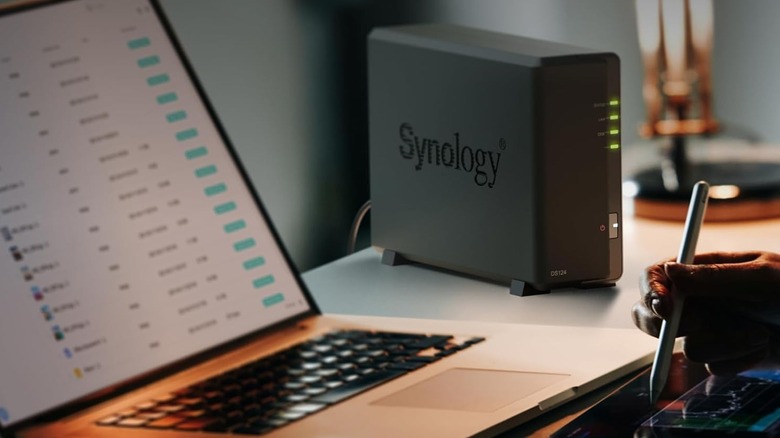
There are many ways to protect your data without replicating my setup. I chose this method for future scalability and the wide range of still-to-be-explored data protection features that came with the enclosure.
Starting with the simplest, although strictly not an upgrade, simply unplugging the backup drive when it's not needed works. However, in my experience, people soon forget to plug it in or unplug it — discipline is needed if this approach is to work. Next up is the dual-drive or rotating backup system. In this case, you'll need two external drives and only ever connect one at a time. The disconnected drive is effectively air-gapped, which means ransomware can't touch it. The downside to this is again — discipline. Failure to swap the drives often enough will quickly lead to a backup being out of date.
More complex upgrades involve introducing physical separation via a second system. By limiting how and when a server can talk to it, you can automate a procedure that minimizes its risk exposure. If you have an old computer or laptop, this could make an interesting project with a very worthwhile goal (old laptops also make great game consoles). What is also worth pointing out is that this upgrade doesn't just apply to home servers; any computer with valuable data and a vulnerable or non-existent backup system could benefit from such an upgrade.