

Gen 1 Starlink Routers Will Soon Be 'Obsolete' – But You Can Upgrade For Free
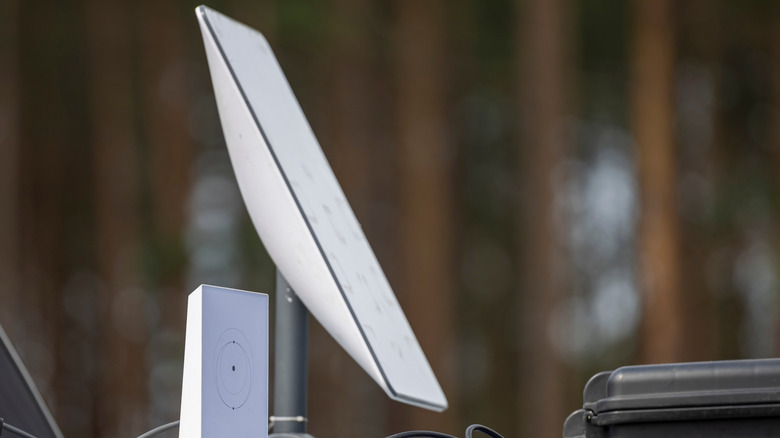
In November 2025, Starlink announced that it would phase out its first-generation (Gen 1) Wi-Fi routers that came bundled with initial Starlink internet connections. Subscribers still using the Gen 1 router were informed that the old router would soon stop receiving software updates, thereby hastening their obsolescence. While the routers would continue to work fine, Starlink confirmed that the lack of continued software updates could lead to security, performance, and reliability issues. If you are an old Starlink user still using the old Gen 1 router, there are a couple of things you need to know before moving on to a new router. What is more important, however, is the news that Starlink currently offers its Gen 1 router users a free upgrade path to a newer router model.
Even though Starlink's Gen 1 routers are good enough to be used for as long as they last, it's important to note that these devices trace their origins back to Starlink's beta testing days back in 2019-20, and have been around for over five years. They were designed for a very different Starlink network; one with lower throughput speeds, fewer connected devices, and far simpler home networking needs. Starlink has since added more satellites to its constellation, expanded its coverage, and improved overall speed and reliability.
Over time, the company also added newer and more capable router options to its repertoire. These Gen 1 routers from 2020-21 were replaced with Gen 2 routers in 2021-22, followed by the Gen 3 router in 2023. Earlier in 2025, Starlink also came up with a new compact router called the Router Mini. For those wondering, Starlink is replacing the now obsolete Gen 1 routers with this very compact router model as a free upgrade.
How to avail Starlink's free router upgrade offer
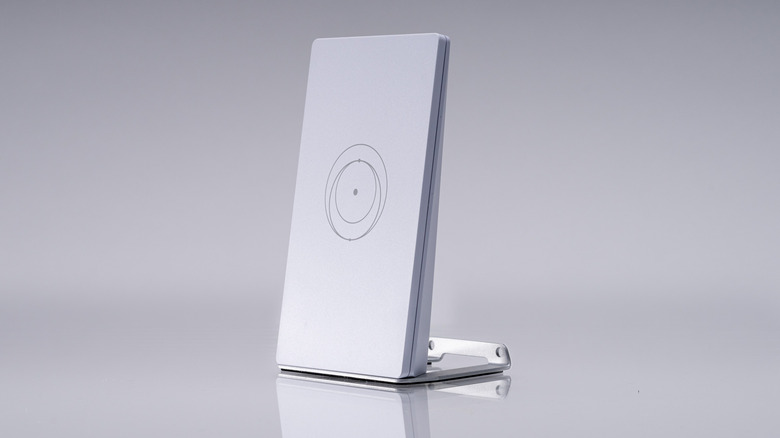
To be eligible for this free upgrade option, Starlink mandates that the customer be using an older Gen 1 router. People still using this router will get an official email notification from Starlink with a prominent "Claim Free Router" link. Upon clicking the link, the customer will be directed to a single-question survey, following which they will be asked to "confirm" their choice. Once the customer enters the shipping address to which the new router needs to be shipped, Starlink will ship them a new Router Mini. Upon receipt, the customer can swap between the older and newer routers in a fairly easy process.
The very first step in the swapping process involves unplugging the Gen 1 router from the power supply and disconnecting the Ethernet cable. After removing the new Router Mini from its packaging, connect it to the existing Ethernet cable. Note that the Router Mini comes with its own 15W power supply. It is not compatible with the power supply unit of the older Gen 1 router. Once the new router is connected, open the Starlink App and follow the on-screen process to complete the installation and setup process. Note that customers are not required to return the old Gen 1 router to Starlink once the new router is installed.
The biggest upgrade the Starlink Router Mini offers over the older Gen 1 router is support for Wi-Fi 6, which lets it offer consumers better performance and efficiency — especially when connected to multiple devices — compared to the older Gen 1 model. It is also physically smaller than the newer Gen 3 router, which should also make it a more attractive proposition.