

These Two New iOS 26 Features Are Being Added To CarPlay In December 2025
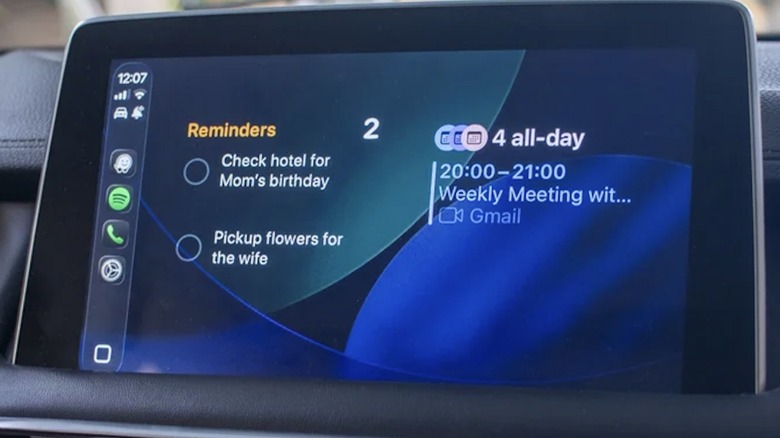
Previously accessible as a release candidate, Apple's latest software update — iOS 26.2 — is now available to the general public. Among the changes to iPhone functions like AirPlay and Apple Music are two new features for CarPlay, the iOS platform for vehicle infotainment displays found in many modern dashboards. The first is an increase in the number of widgets you can keep on your Home Screen. Previously, you were limited to two, but now drivers with larger displays can add more.
Widgets allow users to quickly view and even interact with certain apps without needing to open them or navigate further than the Home Screen. For example, you can have a calendar widget constantly displaying your next appointment or a podcast playlist with options to play certain episodes. All kinds of useful Apple CarPlay widgets are available and are highly customizable, which is why many drivers have been hoping to add more than two until now.
The second CarPlay update to come from iOS 26.2 concerns the Messages app, which has been plagued with some of the most annoying features of iOS 26 since its launch last September. It's a small, simple change, yet it's one that many users may appreciate — the ability to disable pinned conversations from the CarPlay app. Pinned conversations stay permanently at the top of Messages, even as more recent texts from other conversations come through. However, not everyone needs or wants this feature, which is why Apple now gives drivers the option to turn off Pinned Conversations. These changes will automatically update on your CarPlay once you install iOS 26.2 on your iPhone. To do so, open the Settings app and go to General > Software Update.
iOS 26 introduced Liquid Glass and other changes to iPhone and CarPlay
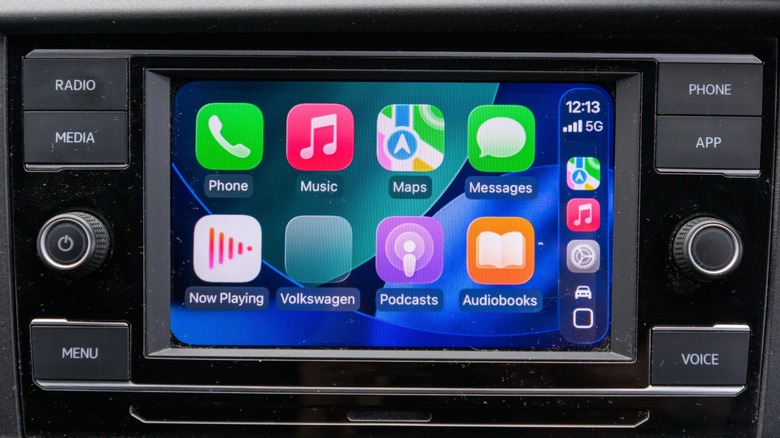
This latest update fixes bugs while also adding to and fleshing out features that were first launched with iOS 26 a few months ago. The platform update was Apple's biggest overhaul in a while, namely because of the change in the design style of the entire operating system. This change to the UI was called Liquid Glass, a new design language that changed the look of apps, fonts, and windows, making them more translucent while also adding back some of the depth that was infamously removed with iOS 7.
Reactions to Liquid Glass have been predictably mixed, with complaints that it's too hard to read. It's widely believed this new design is part of Apple's long-term plans to introduce smart glasses and build on visionOS, the software platform of its augmented reality headset, Apple Vision Pro. If augmented reality is indeed the future of how we control and interact with our devices, the transparent design of Liquid Glass will be a practical way to see apps and reality at the same time. Until then, though, many users have voiced frustrations with the new look, and some have even sought to reduce the visual effect or revert to an older iOS altogether.
In addition to adding Liquid Glass to CarPlay, iOS 26 also introduced Live Activities, a widget-like feature that updates information from certain apps in real time, from flight departures to baseball scores. Another change to CarPlay included the ability to Tapback push notifications. More customization options were also added, such as font size and wallpaper displays. Considering the widget increase included with iOS 26.2, drivers will likely be able to customize CarPlay even further with future updates to the platform.