

Odds Are Your Apple TV Is Plugged Into The Wrong HDMI Port

The Apple TV 4K might be pricey, but it's worth it. That is, as long as you're plugging it into the right HDMI port, as failing to do so can result in diminishing returns. If you want to enjoy all the content that an Apple TV offers, then you're going to want to plug it into the HDMI ARC or eARC port on your TV. Utilizing the HDMI ARC or eARC port when you also have an Apple HomePod or two creates a whole new viewing experience for you.
Plugging your Apple TV into the ARC or eARC port will allow you to play the audio through your HomePod smart speakers, creating a surround sound environment (if you have more than one). So, there's not really a wrong HDMI port for your Apple TV if you don't have a HomePod; it will just play the audio through the TV, which is typically considered worse.
To set this up:
- Set up your HomePod as the default speaker for your Apple TV 4K.
- Go to the Apple TV Home screen.
- Click on Video and Audio.
- Click on Audio Output.
- Make sure the HomePod is selected as the default under Default Audio Output.
- Go down to Audio Return Channel and select Play Television Audio.
As long as you have the Apple TV plugged into the HDMI ARC or eARC port, it will say so in the settings when you choose Play Television Audio.
HDMI ARC and eARC ports, explained
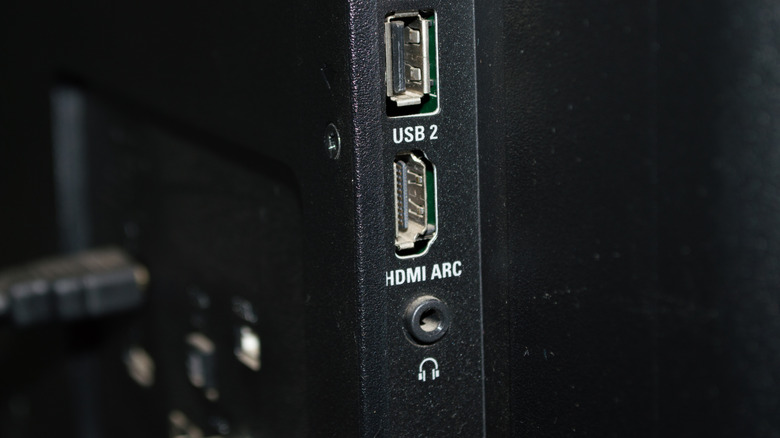
HDMI ARC, which stands for Audio Return Channel, has been around since HDMI 1.4 became the standard in 2009. The HDMI ARC port is ideal for anyone using a top-rated soundbar because it gives your devices two-way communication with only one cable. Plus, it supports higher bandwidth for higher resolutions.
Before its existence, the soundbar would plug into an HDMI port on the TV, plus an audio port via an audio cable. If you had a gaming console or media player for streaming, you would plug that into the soundbar, using three cables. The creation of the HDMI ARC port eliminated the need for an additional cord.
HDMI eARC (enhanced Audio Return Channel) arrived in 2018, with HDMI 2.1, which supports full-resolution audio signals like Dolby Atmos. The drawback, however, is that you'll need to get a new kind of HDMI cable if you opt to use the HDMI eARC port. You'll need an HDMI 2.0 or 2.1 cable, as those support the higher bandwidth. However, if you go with a 2.0 cable, you won't be able to get 4K resolution at 120 FPS. For that, you'll need an HDMI 2.1 cable.