

Voodoo IOS (Aka Splashtop) Video Demo On Envy 133
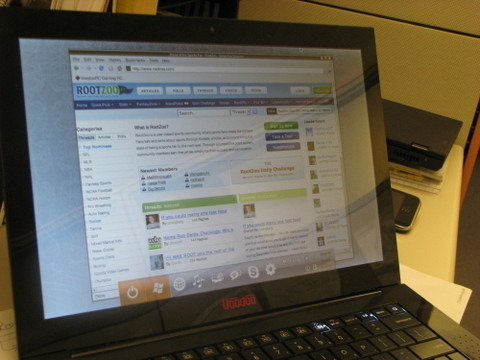
While plenty has been made of the Voodoo Envy 133's skinny dimensions, superlative performance and general aggression toward the MacBook Air, Voodoo are also rightly proud of their Splashtop implementation. A secondary Linux OS, Splashtop allows users to quickly access internet, messaging and VoIP apps without needing to go through the hassle of booting Vista. Laptop Magazine had some hands-on time with Splashtop on the 133 and came away impressed; check out the demo video and highlights after the cut.
In just five seconds from hitting the Splashtop button – here called Voodoo IOS – you'll see the menu bar with options for the browser, music player, photo viewer, Pidgin (for IM) and Skype, as well as shut-down and booting up Vista. It takes a further ten seconds to load whichever program you select, and assuming the 133 is using a familiar WiFi network you can be browsing in just 15 seconds overall.
It's not all perfect yet; although the browser is good, you can't yet download files to the internal hard-drive (though it will let you do so to a USB memory key) nor install plugins despite it apparently being a Firefox build. The media player can only see certain pre-specified folders on the hard-drive and play content in them, and Skype can't do video calls.
Still, this is a pre-production release and that could change. Check out the video below to see Voodoo IOS in action.
[via GottaBeMobile]