REGISTER LOGIN

Worth Reading?

NoYes

+4 [6 votes]

Other than it being a Microsoft project, it screws with the files you save on the server if you modify and then save them while they are on the server. They are, however, working on a bug fix and apparently whole home server team is working through the holidays to fix it.

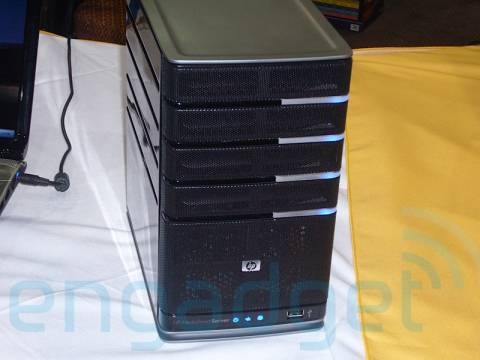
windows home server1

So, don’t modify or save the files from the following programs to your Windows Home Server: Photos, Office Outlook Files 2007, Office OneNote files (2003 or 2007), Microsoft Money files, Quicken Files, QuickBooks files, or Torrent files. The hardware and software combination is rather pricey, so I doubt a lot of people have adopted the technology, but this is just a warning to those that have.

Apparently the issue is within the shared folders code of the software, and once fixed, there shouldn’t be any more problems of this nature. But then again, this is Microsoft we are talking about, so, save yourself the trouble and find your local Linux geek and give him and old computer, some hard drives and some money and tell him you want a Linux fileserver and that is the way to go.

Windows Home Server Data Corruption [via dailytech]

picture credit: Engadget

Subscribe via RSS or Email | Read 903 times

One Response to “Windows Home Server has issues”

  1. Shawn Oster January 3, 2008

    +1 for getting the information out there, -1 for the blast-from-past “Microsoft is Evil” propaganda spin. I mean, sure, who doesn’t love a bit of mindless Microsoft bashing now and then but really, it does get a bit stale after awhile. Best to save it for parties or better yet as a chat up line at the bars.

    Not that it’ll make a bit of difference to you but Home Server isn’t geared for those that know a “local Linux geek” much less to even ask for such a thing. You’re talking about the people that still refer to hard drive space as “memory” or their desktop wallpaper as the “screensaver” yet have two or three computers in the house and have a bit of income to spend on a solid backup solution. Almost universally every review of Home Server, and especially HP’s MediaSmart, has been high on praise and low on faults.

    Home Server is also geared towards the likes of me, a software developer that would much rather spend time actually writing code or even *gasp* time away from my computer instead of playing computer janitor keeping a kernel patched or setting up cron jobs. I want to play tech support even less every time my wife needs something from backup or wants to add a new laptop into the backup cycle.

    So, yes, you can definitely reproduce the same functionality as Home Server for cheaper if you know what you’re doing and you have time to spare but I doubt you can do it as easily or in such a user-friendly way. Anyway, thanks for keeping people abreast of the issue, it’s a nasty one and people should be aware of it. It would have actually been more helpful if you would have posted a link to the KB articles that describe work-arounds for now.

    Neutral  Add karma Subtract karma  

Post a comment

Please login to leave a comment. If you haven't signed up, you can do so free here. Lost your password? Reset it. With SlashGear account, you will be able to participate on SlashGear Forums.