

SlashGear Review: T-Mobile SideKick LX
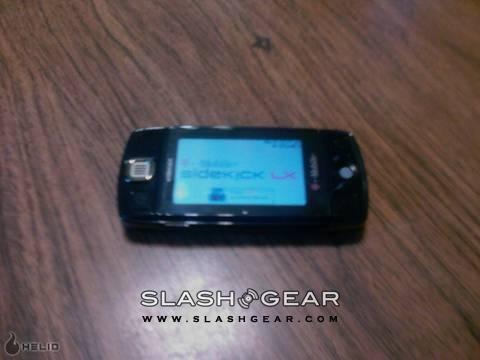
Alright, so I got the Sidekick LX the other day, and I have been playing with it for a while. The people at T-Mobile were great and sent me the device to toy around with, sadly the service where I live is shoddy at best, but the city where I go to school has great service, so I got to really test it out up there.
First off, let me state that I have never even seen a Sidekick before this one, so, this won't be a review comparing this Sidekick to other previous Sidekicks, this will be a review about this Sidekick model, with comparisons to other devices I have used where applicable. Let me start by saying that this may not be the best phone if have ever had my hands on, but it is the best everything-else device I have had my hands on.

I haven't made more than a couple phone calls on this thing since I got it, but I have used the MySpace feature, the game, the camera, the Email program (with the update that came out OTA), and text messaging as well as a hint of note taking, IM'ing, and web surfing. So, lets start the list off with the phone function, I like that I could type in a number and dial, or I could start typing a name and it would popup with a list of contacts, I didn't have to manually go to a separate contacts list, it was great, call quality was good, nothing spectacular there.

Next I used the texting function, its easy, and works just like the email app, well, almost exactly the same. That's the first real taste of using the keypad I got, and I must admit, I have used the Palm Centro and the Motorola Q as far as qwerty devices go, and I love the keypad on this Sidekick LX, its freakin amazing, the buttons aren't too small or too big, and they are perfectly spaced apart, especially for people like me with fat fingers. The best part, I don't have to shift into some weird mode to type numbers, there is a separate set right across the top, I don't think I can fully express just how much I love this thing's keyboard.

Then I used email, my gmail account was easy to set up, as was my work email account, I really couldn't believe how easy, intuitive, and instructive the email set-up program is, I think even my 8 year old cousin could do it. Using the actual email app was great, although I wish there was a function to force an email check instead of having to wait until the device decides to check, its been pretty good about updating nearly as often as the web interfaces to both of those accounts did though. Next up is MySpace, I have a Helio, so I have used the MySpace app on it as well, and I like the Helio interface a little better, but its just a matter of how the data is organized, but I like the fact that you can access the already downloaded MySpace stuff without a web connection.

Next would be the camera, I must admit, I wasn't impressed, but for snapping some quick shots of you and your friends or whatever else you find necessary, it does a pretty good job, and you can use the shoulder button to take the shot, so it literally works almost exactly like a dedicated digital camera. After that, I tried surfing the web, the browser works, and it works well, I haven't tried a broad array of sites, but all the ones I have tried work, and look just like they do on my PC. The only things left are the note taking and the IM'ing, note taking, was, well, note taking, nothing special there, the amazing keyboard made it easy and comfortable to do, but other than that, nothing special.

Instant Messaging was both a breeze to set up and a breeze to use, my reply speeds were almost on par with when I am using a full sized keyboard, which I liked, on any other device there is a clear cut delay. I didn't use the IM feature much, I don't like talking to people that much.
Well, the last things to cover are the buttons, size, and overall interface. I must admit, having never used a Sidekick before, it took me a few minutes to figure out what the buttons did, but once I did, I was off and running. And the Trackball, that makes almost everything you do on this device like 20 times easier, but if you are a traditionalist, the speaker is also a D-Pad, so you can use that. The shoulder buttons give it real potential for gaming, and the easy access volume and power buttons are great too. Personally, the flip out screen is pretty freaking cool, like I said, I have never had a Sidekick before, so that was new to me. As far as size goes, its not bad, I'd put it at slightly larger than twice the size of my Helio Fin, overall, only about 1.5 times the thickness, it fit comfortable in my pocket without causing too much of a bulge, its nice.
Other features I didn't use were the calendar, picture messaging, the music player, or myFaves, but they are all on there, and I looked at them, and they all seem fairly straightforward and easy to use. I can't express how much I love this device. Honestly, I would love to give it a perfect 5 out of 5 gears, but I can't quite say it's perfect, so it gets a 4.5 out of 5 gears.
[rating: 4.5]