SlashGear for iPad and iPhone

REGISTER LOGIN

Magic Trackpad Review
By Vincent Nguyen on Wednesday, Jul 28th 2010

Worth Reading?

NoYes

+652 [780 votes]

External trackpads aren’t exactly new, but Apple has managed to instill no small degree of excitement into their new Magic Trackpad by virtue of their multitouch technology. Essentially the trackpad from a MacBook Pro, sliced out and blown up, the wireless peripheral promises to bring gestures Apple’s mobile users have been enjoying to their desktop compatriots. Check out the SlashGear review after the cut.

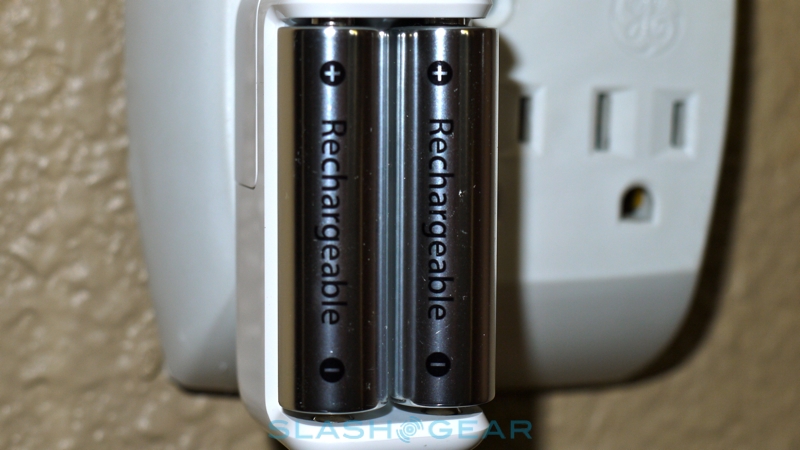
apple magic trackpad battery charger 2 SlashGear 540x368

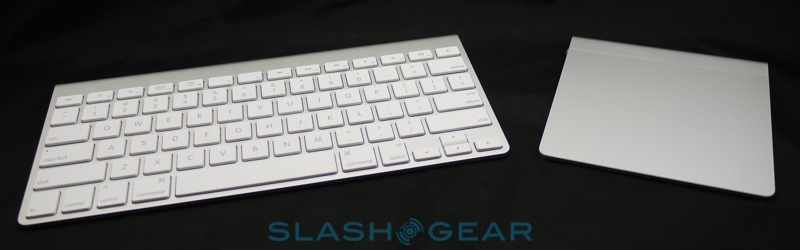
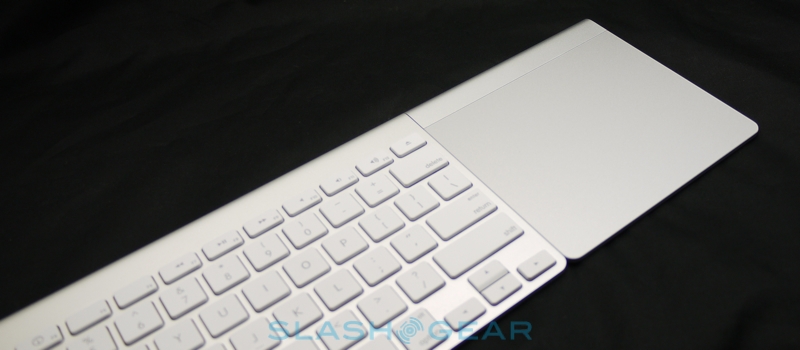
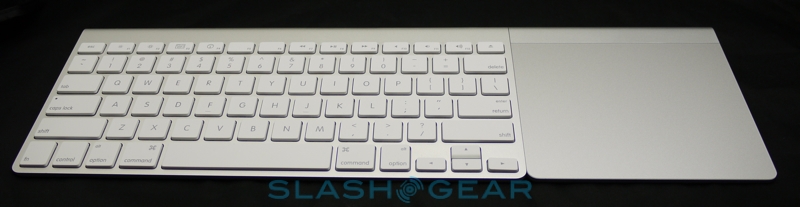
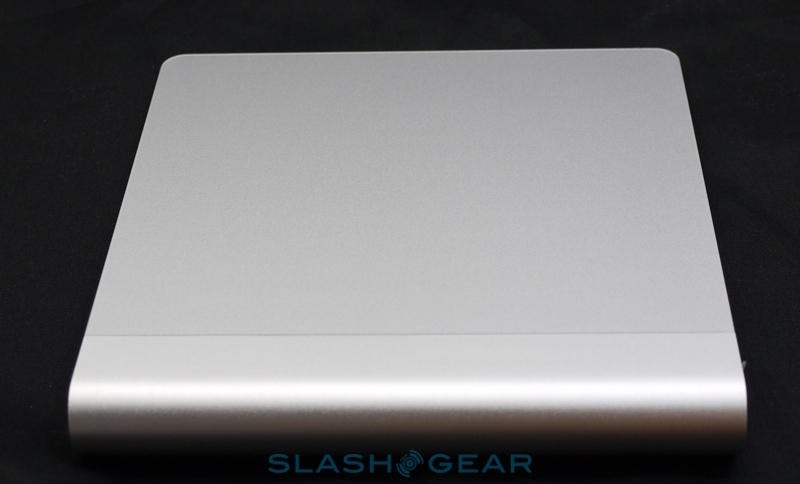
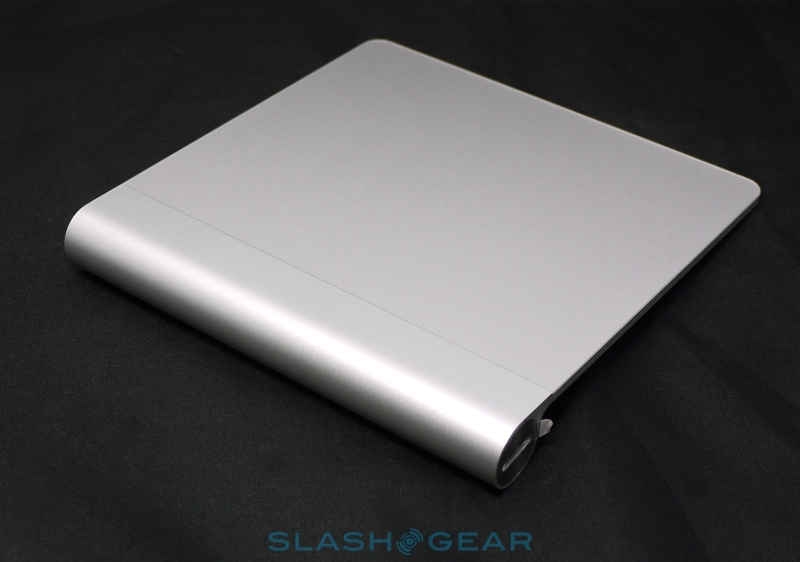
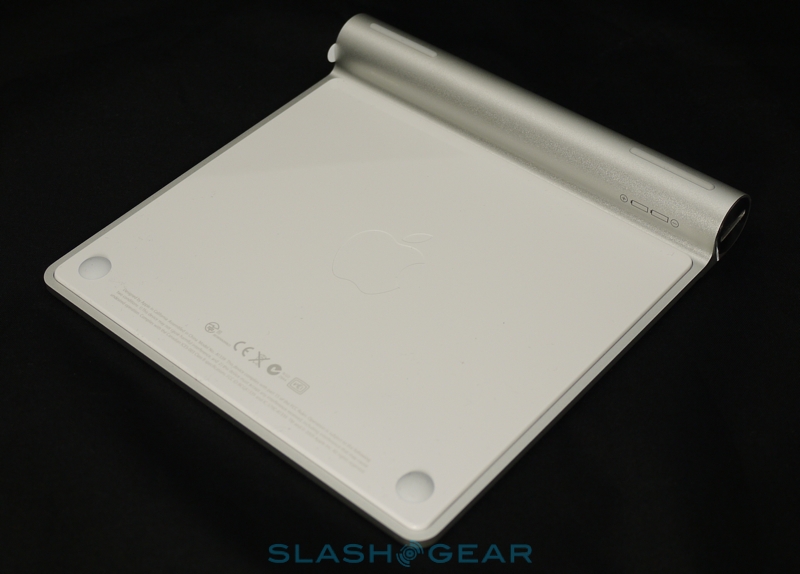
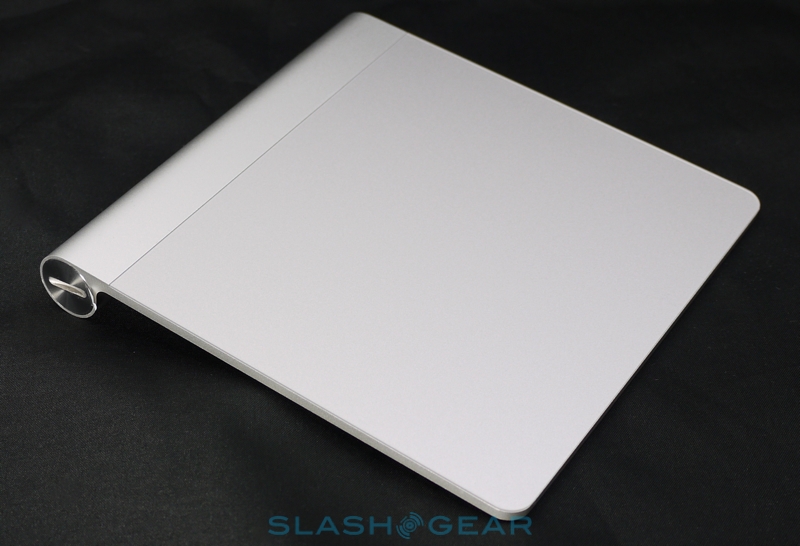
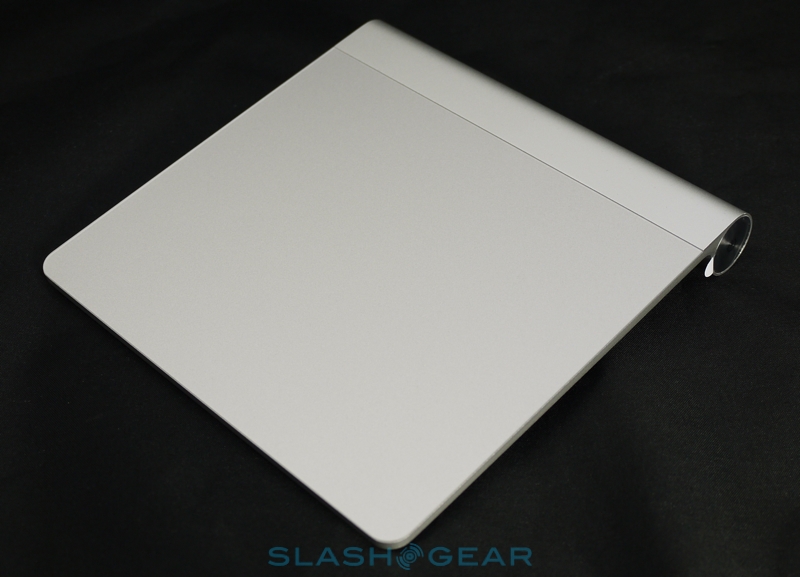
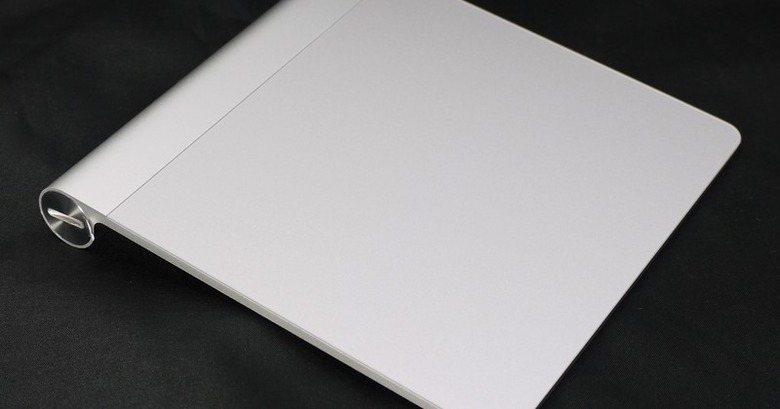
Aesthetically there’s no arguing with the Magic Trackpad’s heritage, and it’s obviously intended to sit alongside Apple’s own Bluetooth keyboard. The battery section at the back – which takes a pair of AA cells, which Apple would prefer to be from their own, new charger – elevates the pad to the same angle as the keyboard, and they’re as deep as each other. Physical controls are limited to a power button on one end; the other has a twisting cap that shuts the battery compartment.

apple magic trackpad battery charger 5 SlashGear 540x326

Otherwise the magic is all in the trackpad surface, which Apple say is 80-percent larger than what you’ll find on a current unibody MacBook Pro. It’s slightly squarer, so the difference is more noticeable in depth than it is width, but thanks to the glass surface the tactile feel is the same: just slippery enough. The whole pad clicks physically – as before it’s hinged across the top edge, so it gets easier to click the further down your fingers are – but also responds to taps.

apple magic trackpad battery charger 6 SlashGear 540x139

So far, so much a regular trackpad, but Apple’s ace is the multitouch gesture support. That’s a combination of the hardware together with the software to take advantage of it; gestures have been baked into OS X for several iterations now, but so far desktop users have had to use a Magic Mouse in order to take advantage of them. Pairing the Magic Trackpad was a straightforward matter – it uses Bluetooth, which is present on every recent Mac – and the quoted range is up to 33ft. Practically speaking, we could comfortably sit on the sofa and control the Mac mini we use as an HTPC from across the room.

Software Update 415x500

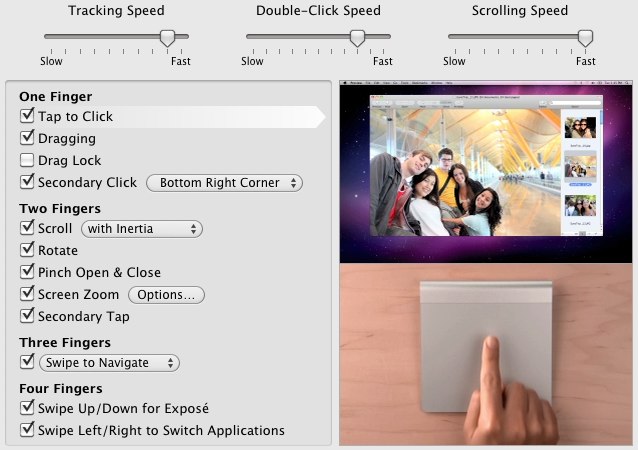
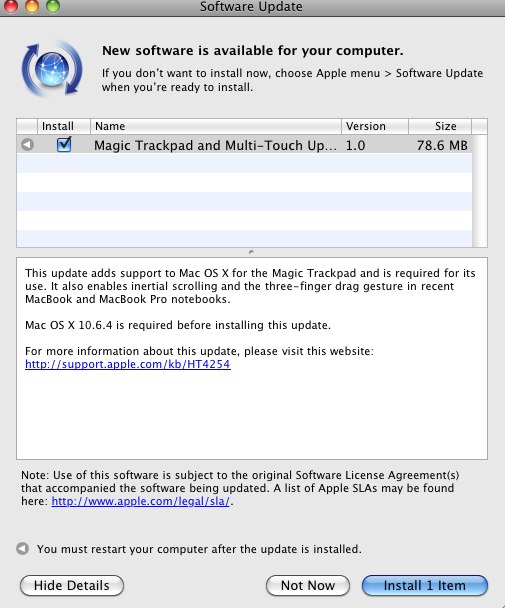
The gestures themselves should be familiar to most Mac users. By default, two fingers are used to scroll, with all directions supported, while three fingers swipes back and forth through pages. A chiral-rotate gesture flips image orientation around, while pinch-zooming is also supported. Four fingers, meanwhile, trigger Exposé when swiped up or down, or switch applications when swiped left and right. Thanks to the new settings pane, however, you can selectively shut off certain gestures if you don’t use them, adjust tracking, double-click and scrolling speed (including optional inertia), and change the behavior of three-finger use. Rather than flipping pages, you can set it to drag windows around the screen (a new software update adds the same optional functionality to MacBook trackpads).

Magic TrackPad dock 540x380

Does it work? Certainly, yes, and the experience is just like using an Apple notebook but larger. The MacBook is seldom accused of having too small a trackpad, and so the larger Magic Trackpad is even more capacious. As responsive as you’d expect, the gestures soon become second nature; if you’re familiar with them from the notebook then there’s little in the way of acclimatization time required for the new desktop product. Battery life remains an uncertainty at this stage; Apple reckon that, thanks to the Magic Trackpad’s clever power management, it’ll manage months of use before you have to replace the batteries, so we’ll be keeping an eye on that accordingly.

In the end, the Magic Trackpad is a pretty tempting proposition. Apple will still be bundling their Magic Mouse with new iMac and Mac Pro desktops (you can use the mouse and the trackpad simultaneously, in fact) but anyone who has spent a reasonable length of time with a MacBook will likely know how useful the multitouch gestures can be. $69 for that functionality seems reasonable; the closest competitor is the Wacom Bamboo Touch, which is cheaper at $49 but only supports one- and two-finger gestures and uses a wired USB connection rather than Bluetooth.

apple magic trackpad battery charger 8 SlashGear 540x168

We can also see MacBook owners who may have wanted to use third-party ergonomic keyboards but were loath to give up the notebook’s trackpad choosing the Magic Trackpad too. Perhaps more interestingly, it points to the role touch and multitouch will play in Apple’s future, as it spreads across from their PMP/smartphone/tablet and notebook lines and onto the desktop. It’s not hard to envisage a further step to home entertainment, with an updated Apple TV using a Magic Trackpad for navigation and control. As it stands, though, the Apple Magic Trackpad is a strong addition to the company’s concise portfolio of branded peripherals, and neatly sates a request many Mac Pro and iMac users have been making. Unless you’re dead-set on using a mouse, I wholeheartedly recommend the Magic Trackpad, hence giving it two-thumbs up.  Price: $69.00 Apple.com

Unboxing Apple Magic Trackpad and Battery Charger

RELATED STORIES
More in : , , , ,
Subscribe via RSS or Email | Read 164,257 times

13 Responses to “Magic Trackpad Review”

  1. benjitek July 29, 2010

    Has anyone tried it with a PC? If so — how was it?

    +10  Add karma Subtract karma  
    • Adam Bartholomew July 30, 2010

      Not compatible with a PC according to the apple website.

      Neutral  Add karma Subtract karma  
      • Rock Magiting Villano August 5, 2010

        I haven’t tried it yet.
        Although Apple didn’t include Windows in system requirements, and that you can install Windows on a Mac, I believe you would still be able to use it.
        Most people say you won’t be able to use multitouch or other gestures like on a Mac OS.

        Neutral  Add karma Subtract karma  
  2. Magic Trackpad น่าใช้ไหมครับ

    +4  Add karma Subtract karma  
  3. dhoffa21 July 29, 2010

    Great device, just picked one up at the Apple store. My Magic Mouse may be up on eBay in the next few days.

    +8  Add karma Subtract karma  
  4. wickedguy July 30, 2010

    How do you perform the “right” click and “left” click with the trackpad? I have two magic mice – one for my MacBook Pro and the second for my Mac Pro.

    To be honest, the magic mice are okay but not great. They’re definitely not as responsive for graphics apps as a corded mouse or even a typical wireless mouse. In InDesign it’s extremely irritating as sometimes the page jump to the left or right at the slightest movement or touch of the magic mouse.

    However, I can live with the magic mouse, as it’s not too cumbersome to carry around with my MacBook Pro. (Since I have the previous version of the MacBook Pro, the trackpad doesn’t have the gesture capability of the new models, so I never use the built-in trackpad.)

    However, I think the size of the trackpad would be too cumbersome for a laptop. I also don’t have the wireless Mac keyboard since I think it’s ridiculous for it not to have a separate numeric keypad – I have the Logitech dINovo Mac Edition instead, which does have the separate numeric keypad. I do a ton of work in Excel and the separate numeric keypad is a must.

    +1  Add karma Subtract karma  
    • Mini_J July 31, 2010

      to answer your question one finger pressing on the pad is left click. 2 fingers on and press is a right click. just like the current gen macbook pro’s.
      as for your mighty mouse problem i highly recommend finding a logitech bluetooth mouse. I have had very good luck with those as far as precision and all around appeal.

      I’m not sure its a must have for a laptop (that doesnt already have swiping) but maybe pick one up for the desktop and see how you like it

      +2  Add karma Subtract karma  
    • jbnimble August 3, 2010

      wickedguy…just fyi, Apple definitely makes a wireless keyboard with a separate numeric keyboard [ Part number: MB110LL/A ]. As you know, they also make one without [ Part number: MC184LL/A ]. Personally, having a keyboard without a separate numeric panel is a big plus for me, since I’ve never used the separate panel on any keyboard I’ve owned and I enjoy the smaller footprint on my desk. Of course, the smaller keyboard still has numeric entry. But, I can understand that, if you’re used to single-handed numeric entry, the extra numeric panel is a deal-breaker.

      -1  Add karma Subtract karma  
  5. wetfish July 31, 2010

    Pretty sweet device. I have retired my Magic Mouse, and just for fun I paired 2 Magic Trackpads. All you ambidextrous people out there can rest assured you can use both hands magically. Only drawback is that each Magic Trackpad must use the same settings.

    Great product!

    +1  Add karma Subtract karma  
  6. Ernest Seow August 2, 2010

    You can pair this track pad to a PC. I have it running on my Lenovo IdeaCentre A700 now running Windows 7 64bit. It pairs up via Bluetooth fine, and will work as a single click mouse only, UNTIL, you download the Windows drivers from Apple and extract the file needed to make it work with 7Zip.

    Neutral  Add karma Subtract karma  
    • jbnimble August 3, 2010

      Good to know. Thanks. Any idea how I can use a single bluetooth Apple keyboard and track pad with two machines [ 1 Win/1 Mac ]? Anyone know of a platform-agnostic bluetooth KVM switch?

      -1  Add karma Subtract karma  
  7. Louie Drago August 3, 2010

    I’ve just received my Magic Trackpad this morning. It’s beautiful, simple and exactly what I asked for a couple of years ago. From a strategic point of view, I think this is a stroke of brilliance (perhaps an obvious one, but sometimes those are the hardest to see) because it allows everyone who has been using Apple’s portable products to use the same, now-intuitive, gestural interface that they have come to favour. Further lock-in from phone to desktop and hopefully, goodbye to mouse-induced RSI.

    I do, however, have two points to raise. First, there’s no current gesture for navigating Spaces which I find strange (I had to use MouseWizard to add this to my Magic Mouse) but surely this will come soon. Second, and this one is astounding to me (and probably very, very few others), the trackpad is not actually the same depth as my Apple wireless keyboard (as this reviewer states), it’s about a millimetre deeper.

    Now a millimetre is surely not worth complaining about in this context (ammunition yes, trackpads no) but, having been a fan of the rigours of Apple’s design and the consistently high manufacturing tolerances they have adhered to over the last few years (ever since Jonathan Ive took over) – am I the only person to find this strangely disturbing? I refuse to believe it’s a mistake – there must be a reason for it – but what is it? I think we should be told before the fabric of society is rent asunder.

    +1  Add karma Subtract karma  
    • Louie Drago August 4, 2010

      …and before everyone starts telling me I’m blind, I have the ‘original’ three-battery version of the wireless keyboard. Did the dimensions change for the latest model? That’s a complete re-tool for a trivial upgrade – I can’t believe that, they must have moved factories.

      Neutral  Add karma Subtract karma  

Post a comment

Please login to leave a comment. If you haven't signed up, you can do so free here. Lost your password? Reset it. With SlashGear account, you will be able to participate on SlashGear Forums.