
Hands on with the Toshiba Satellite Pro U400
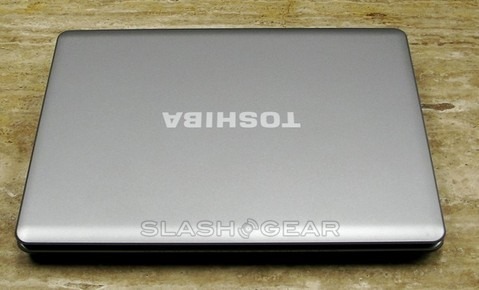
This past week we've been able to take a closer look and get a hands-on with the Toshiba Satellite Pro U400. Having already shown you the unboxing, it was time to see just how usable the U400 was in practice. We had high hopes for portability, and we weren't disappointed; this small laptop hasn't been hard to carry around, weighing only 4.6lbs.
I liked being able to navigate easily through Windows XP as opposed to Vista (Toshiba provide downgrade media at no extra cost), which many still find a frustrating (and resource-hungry) change. With its Intel Penryn chip it was able to keep up with my multitasking and web surfing; under the hood there's a capable Intel T8100 Penryn 2.1GHz processor and 1GB of RAM. If the latter sounds on the low side to you, then remember that XP is a lot less demanding than Vista; the U400 can stomach up to 4GB of memory if you're still left unsatisfied. The U400 Pro never exactly felt fast, but considering its sober, business aspirations perhaps it's unfair to compare it to some of the multimedia powerhouses we've reviewed recently.
Given the U400 Pro has a 13.3-inch WXGA 1280x800 TruBrite display, you could be excused for worrying that the keyboard might be cramped. Thankfully it's actually one of Toshiba's better efforts, showing little flex and avoiding the clacky, cheap-plastic sound that some notebook keyboards suffer.

I had a chance to compare the Satellite U400 to Toshiba's regular Satellite with its glossy finish, and I have to say I enjoyed the look of the Pro much more; it didn't call too much attention to itself and was far better at hiding fingerprints. The U400 Pro does lack any of the more entertainment-minded connections, however; despite there being a blanking plate for it, there's no HDMI nor even S-Video. WiFi is a/b/g, no sign of draft-n, though there's Bluetooth 2.1+EDR which should be useful for hooking up your cellphone and getting online via 3G.
During my time with the Toshiba I spent a lot of time testing out VoIP app Skype and playing with the built in webcam. In the past I have had to get out a separate webcam to use this feature, I found it very convenient and good quality. It's a shame, then, that Toshiba don't offer a built-in WWAN option for on-the-go video conferencing.
Overall I enjoyed my time with the Satellite Pro D400, especially because it is hard to find a laptop that is able to keep up with my ADD brain and constant multitasking! The Pro U400 will probably leave most home users relatively cold, but business customers (or anybody wanting a solid, XP-based option) will find the notebook, with its sturdy keyboard and average spec sheet, a suitable companion.
The Toshiba Satellite Pro U400 is available now, priced from $1,049.99.
[rating:3.4/5]