

Get The CloudBook Experience On Your Eee
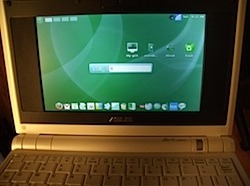
If you have been (not so) patiently waiting for the Everex CloudBook notebook to come out, and just can't wait any longer, you can create the same thing on an Eee PC. All you have to do is go find the latest build of the gOS and then get the Ubuntu drivers for your Eee, past that, installation should be a breeze.
The two notebooks hardware wise are nearly identical, so there won't be much of a difference there, you'll just have pretend it doesn't say "ASUS" on the lid. I have no clue why you'd switch between two different Linux distros that are already pretty close to the same though, but if the gOS is what really makes you happy then go for it.
Some issues that you will run into during the installation are that the install screen is much larger than the Eee screen; this can be overcome by holding the Alt key and then moving around the screen. Other than that, after the install finishes, you'll have to get the Eee Ubuntu drivers either through your Eee's Ethernet or from a flash drive and then install them all, and that's it.
[via jkOnTheRun]