REGISTER LOGIN

Worth Reading?

NoYes

+9 [9 votes]

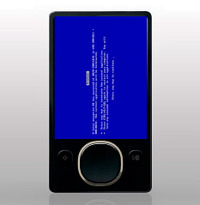
zsodMicrosoft have responded to the spate of Zune 30 crashes, blaming a bug in the PMP’s code that leaves it unable to cope with the leap year.  Since the problem will apparently reset itself on January 1st 2009, at noon GMT, the company is not planning an immediate fix; instead, users should follow instructions at the Zune forums which basically amount to letting the PMP’s battery expire and then restarting it.

“Early this morning we were alerted by our customers that there was a widespread issue affecting our 2006 model Zune 30GB devices (a large number of which are still actively being used). The technical team jumped on the problem immediately and isolated the issue: a bug in the internal clock driver related to the way the device handles a leap year. The issue should be resolved over the next 24 hours as the time change moves to January 1, 2009. We expect the internal clock on the Zune 30GB devices will automatically reset tomorrow (noon, GMT). By tomorrow you should allow the battery to fully run out of power before the unit can restart successfully then simply ensure that your device is recharged, then turn it back on. If you’re a Zune Pass subscriber, you may need to sync your device with your PC to refresh the rights to the subscription content you have downloaded to your device” Matt Akers, Zune product team, Microsoft

The section of code in question is only found on the Zune 30, hence only that model being affected.  According to Microsoft’s Matt Akers, of the Zune Product Team, a fix will be released at some point before 2012, when the leap year issue will next arise.

In the process of the fix, Zune Pass subscribers may temporarily lose their subscription content rights; this happens when the battery runs out and the PMP is restarted.  Re-syncing the Zune with the authorized PC should restore these licenses.  We’d be interested in hearing how Zune users get on with the “fix”; let us know in the comments.

Subscribe via RSS or Email | Read 3,345 times

8 Responses to “Zune 30 crash is leap-year issue; will automatically fix claims Microsoft”

  1. Cindy January 1, 2009

    I followed the instructions for the automatic fix–let the battery die, then recharge–and sure enough, it just popped back on like nothing had happened. As and avid music listener/lover, I am overjoyed that this issue is currently setteled–for the moment. This situation leaves me a bit leary about the future, so I may still look into upgrading. But for now, I’m back to groovin! Hope this post helps!

    +4  Add karma Subtract karma  
    • Chris Davies January 1, 2009

      Thanks for the feedback, Cindy – glad to hear it all got sorted out. The Zune team have promised to release a fix by the next leap year, so that shouldn’t be an issue.

      Happy groovin!

      Neutral  Add karma Subtract karma  
  2. Martin C January 1, 2009

    My 16 year old son was pretty upset when his Zune frooze as he loves that thing. He had it docked on his ihome when it happened. He was thrilled this morning to see his Zune had restarted. The music is back in my house now. Thanks for your explaination as to what’s happened.

    -1  Add karma Subtract karma  
  3. Brad J January 1, 2009

    Thanks Microsoft. Thanks for reaffirming our belief in your products. I’d be mad if I hadn’t gotten mine for free at Interop. Anyone running Linux on these yet?

    -1  Add karma Subtract karma  
  4. TS January 1, 2009

    I’m surprised that there are 4 people with Zunes. How did people even know there WAS a glitch?

    -8  Add karma Subtract karma  
  5. Tubby January 1, 2009

    Zune works perfect, but i have no games on it now. If anyone knows where to download them again please help, I can’t last long without Space Battle

    Neutral  Add karma Subtract karma  
  6. PJ January 2, 2009

    Tubby-

    Connect your Zune to your PC. Then just open up the Zune 3.1 software (and make sure that the software recognizes that the Zune is connected to your machine.) Click on “Settings” in the top-right corner. Then click on “Device”. Then click on “Device Update” (in the left column). There should be a setting for “Games”, with a button that says “Install Games”.

    Good luck!

    Neutral  Add karma Subtract karma  
  7. Ryan L January 2, 2009

    yeah my zune wont load past the loading screen even i let it die completely. i bought it at a pawn shop for 40 bucks and i have got my moneys worth out of it, so i pulled it apart(thus voiding the warranty i dont have) and unplugged the battery and plugged it back in. then i put it all back together and started it up and it worked fine. i then did the hold BACK and UP and let it reset then immediately hit BACK + CENTER BUTTON + RIGHT and did a hard reset and now it works fine.

    Neutral  Add karma Subtract karma  

Post a comment

Please login to leave a comment. If you haven't signed up, you can do so free here. Lost your password? Reset it. With SlashGear account, you will be able to participate on SlashGear Forums.