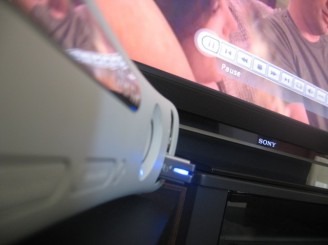
Well, the fall dashboard update landed yesterday at 2AM, and we’ve already covered most of the other features of the update, but one little thing that was almost snuck in is DivX/XviD support. For those not in the know, they are both video encoding formats, if you have ever downloaded a movie from a peer to peer network; chances are good it came in one of these formats.
The convenience of being able to play DivX/XviD movies on my 360 is almost immeasurable, except for one thing, I have my media center PC connected to my Xbox, and use that interface to stream media to my Xbox 360. Well, in case you were wondering, the DivX/XviD support stops short of working with the Extender software on the 360, so that’s a no go, you’ll have to continue using your hacked solution, or use some other method of transferring the DivX films to your Xbox.
Personally I use Transcode360, but I’d be more than willing to ditch the extra process in exchange for a solution from MS, but alas it hasn’t yet come. Although, the promised release of new Vista Media Center Extenders at the beginning of next year, featuring DivX support, well that gives me hope that and update will be released for the 360 to allow the same functionality.
Xbox 360 gets DivX/XviD playback, we put it to the test [via gizmag]


I used Windows Media Center and Transcode 360 as well - until yesterday. I added my video directories to the Library in Windows Media Player 11, and selected “Share Library”. It found the Xbox 360 automatically. Back on the Xbox dashboard, my DivX/XVid files are now listed under “Videos”, including subdirectories, and after a quick codec download (also through the dashboard, immediately upon attempting to view the first file), I was off-and-running. I tried about five different DivX files, all played perfectly, including with the ability to fast-forward and rewind. There’s really no more need for the Media Center Connector unless you want to stream TV to your Xbox. I’m stoked!
Jeffry McGee, could you tell what transcode 360 is? Could you explain how I can watch my divx movies on my xbox 360? I know you explained some but since I am clueless about this technical stuff I can’t figure out the steps. I would really appreciate it if you tell me, say, how in the world I will connect my xbox to my computer, and then the next step, etc?
there are two ways to play DivX and XviD encoded files on your 360, with the latest dashboard update, you can plug in a flash drive or presumably and external hard drive, with movies on it and the xbox now has native DivX support so you can play them right from the drive. or, if you have a Media Center PC you can download and install Transcode 360 and stream the movies, through media center, from your computer, to your 360.
for more details, if you opt to use the Transcode 360 method, check out the Transcode 360 website.
Ok Thanks J.A. Brady.