

Verizon Voyager Gets Firmware Update
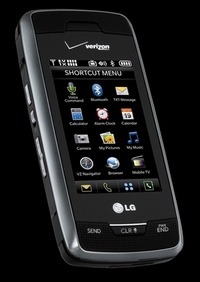
Alright, before we get into the decent sized list of bugs the update fixes, lets start by letting you know that you'll have to take your Voyager to a Verizon store to get the update. Also, its probably a good idea to call ahead to the store you plan on going to, to make sure they have the update ready to apply, but don't go to maps.google.com in order to look for the closest store, your Voyager could reset when you do that.
So, lets start with the issues V CAST was having with memory cards 4GB and larger, that's fixed, as is the ability to reset the V CAST Mobile TV app, which you can now reset it. The power settings have been updated to lengthen battery life, and there were enhancements made to Bluetooth which should net you better audio quality, easier pairing, and key tones.
The mobile web browser received some HTML enhancements, the calculator was fixed to display a certain symbol from the LG Joy font that it wasn't. They reduced the number of steps required to access the keypad when in a call, they reduced it to one step, and they fixed the auto lock so that when you turn the auto lock off, the touch screen doesn't continue to lock. They made it so that the ESPN and Mobile IM apps both work on the external touch screen. And they made it so that the preview image displayed when you take a picture is the same as the actual picture that's saved, which was apparently an issue, also, the problem with the device resetting when you go to maps.google.com, they fixed that one too, they really don't hate Google.
Verizon Voyager gets new firmware for the holidays [via jkontherun]