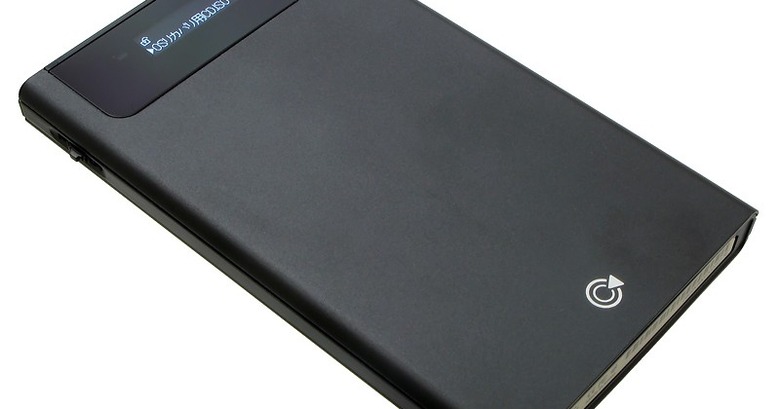
Japanese accessory manufacturer Umazone have outdone themselves with a hard-drive caddy that will likely strike a chord with anyone doing regular software installs. The Umazone UMA-ISO looks like a regular 2.5-inch HDD drive enclosure; however it also has a small display and, on the side, a jog wheel, which can be used to flick through ISO CD and DVD images stored on the drive inside. Once selected, plugging the UMA-ISO into a host computer is pretty much the same as dropping the original disc into a CD/DVD drive.

Connectivity is via USB 2.0 and eSATA, and it can also be set to show up as a regular external drive for copying over those ISOs (and other data) in the first place. It looks to be reasonably compact, too, only a little longer than the 2.5-inch drive it contains.
In the negative column right now are a frustrating limitation to XP, Vista and Windows 7 and the fact that it costs 9,980 yen ($112) without a drive inside. Still, if you admin plenty of Windows machines and you’re sick and tired of carrying around a bag full of installation discs, the UMA-ISO is still likely to appeal.
[via Akihabara]


One Response to “Umazone UMA-ISO automatically mounts your DVD images”
melstav November 18, 2009
Actually, this is the I-Odd enclosure by CNS Korea.
The things are AWESOME! They have a few annoyances about them, like the fact that the ISOs have to be in a particular directory on the first partition of the drive (which has to be formatted FAT32) for the thing to find them. And the fact that Windows’ built-in format utility doesn’t like to format USB drives > 32 GB as FAT32. (but there are ways around that) If you have an ISO that’s > 4GB, all you have to do is split the file into chunks that are 4GB in size or less.
Since the thing shows up on the USB bus as both a hard drive AND an optical drive, when you select and ISO to be loaded into the “Virtual” optical drive, as far as the BIOS is concerned, you have an optical drive attached to the USB bus that has a disk in it. Which means, as long as the computer’s BIOS supports booting from a USB CD/DVD/BD-ROM, you *CAN* boot your computer to an ISO stored on the I-Odd. And, yes, the thing CAN handle Blu-Ray ISOs.
And you can use them with any computer that can read and write FAT32 filesystems to put ISO images on the drive. Any OS with USB support should be able to see whatever CD/DVD/BD-Rom you have loaded into the virtual optical drive. (assuming your OS also has drivers for whatever filesystem is on the disk) And any computer with USB CDROM support in the BIOS should be able to boot from a disk loaded into the “virtual” optical drive.
Neutral