

Sony VAIO P Gets Windows XP Tutorial: GPS & WWAN Both Working
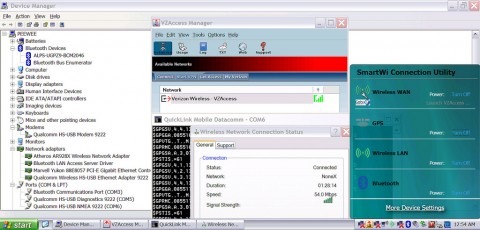
We've already discussed on way of getting more performance from the Sony VAIO P this morning: stump up for an imported 1.86GHz Atom Z540 version. Of course, there's another way to make the most of the official US-spec 1.33GHz VAIO P, and that's get rid of bloated Vista. Unfortunately switching to Windows XP isn't as easy as you might think, with the VAIO not wanting to offer the right drivers for WWAN and GPS. Happily we now have a tutorial explaining how.
It's all the hard work of tnkgrl, who hacked the driver installers to bypass the Vista check they perform; usually they won't run if they don't detect that particular OS. Currently all of the main hardware is operational, together with the brightness keys – in fact the only troublesome aspects are the volume keys and mute button.
We're yet to see benchmarks of the VAIO P's performance running the older OS, but if the general experience with netbooks and the like is to be repeated, it should whip along a whole lot faster. Of course, this is really just to tide us over until Windows 7 arrives, which should – based on previews – be as frugal as XP but as functional as Vista.

[via Hack a Day]