REGISTER LOGIN

Worth Reading?

NoYes

+1478 [1,642 votes]

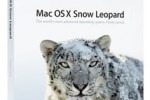
mac os x 10 6 snow leopard1This fall will see the introduction of new operating system releases by the two major vendors in this space. For the first time in recent memory, Apple and Microsoft will go up against each other head to head with the newest versions of their platforms, released within weeks of each other. First up is Apple with Snow Leopard. Originally announced for a late September release, Apple surprised the market with an early ship date. Users will be able to pick up their copies starting on the 28th. Pricing for the release is $29 for Leopard users looking to upgrade. For Mac users still on Tiger, Apple offers the Snow Leopard box set which includes Snow Leopard along with the latest versions of iLife and iWork for $169.

For Leopard users, it’s a no brainer, pick up a copy. Period. For Tiger users, the $169 box set is a great value and easily worth the price of admission (by comparison, the cheapest copy of Microsoft Office for Mac runs $149 and if you want Exchange support, which is free in Snow Leopard, that will set you back $399).

Apple is officially calling Snow Leopard OS X 10.6 but it would be more accurately described as an evolutionary release with features that are downright revolutionary. Snow Leopard is a full 64-bit OS and has the caveat that it works with Intel Macs only. This is the OS release that spells the final swan song for Power PC. Not a surprise and let’s face it, if you’re not on an Intel Mac, it’s time to move on.

I’ve been testing Snow Leopard on a variety of machines over the last few weeks, and so far I’m impressed. Apple has evolved the OS in ways that change core infrastructure while preserving and refining the experience that has differentiated the platform over the years. The result is an elegant, modern OS with some new features that help it retain the status of best of breed in personal computing.

The first step to OS migration is installation. While Windows 7 requires a clean install of applications and data (unless you’re migrating from a like-version of Windows Vista or using Windows 7 Ultimate over most versions of Vista) Apple actually recommends users do an in-place upgrade over their prior version of Leopard or Tiger. That’s pretty unusual. When I asked if it was more desirable for users to start from scratch, I was told “no”. The recommended procedure is to upgrade in place. I tried the update on several machines running Leopard and was pleasantly surprised. The install process was straightforward, simple and worked every time (you actually have to look a bit to find the setting to do a clean install).

The result was a 30 minute process on average that resulted in a stable machine with absolutely no issues, even when I tried to do things like interrupt the installer. It might seem like a small issue but Snow Leopard’s installer is the easiest, simplest and most reliable I have ever used to upgrade an OS from one version to another. Not having to deal with the hassle of moving data offline, re-installing applications and settings is a huge benefit for Apple’s customers and something that will no doubt make many Windows 7 updgraders green with envy. I had no issues post upgrade, all my apps, settings, and configurations worked as they had before, just faster and more reliably.

Even more shocking, I found that on average I recovered more than 10gb of disk space post upgrade (Apple says the average user will see about six to seven back). On machines with less than 100gb of storage, that’s significant and it’s the only time I’ve ever seen an OS upgrade reclaim space and not take up more. The only issue I’ve come across in my use were a handful of third party screen savers which no longer work. It appears that changes in Apple’s graphic architecture might be to blame.

Apple likes to point out that Snow Leopard features fall into three categories, Refinements, Technologies, and Exchange.

In the refinements, Apple’s made some nice tweaks to the UI. Expose, for example is now integrated into the dock, clicking and holding an application in the dock shows only the windows active in that application. Safari 4 is now the default browser. There’s also a new version of QuickTime called QuickTime X that supports hardware acceleration, color sync and HTTP streaming. In addition there’s some new features that make it easy to capture a video and easily upload it as well as do screen captures. It’s also easy to navigate directly through stacks placed on the dock without the need to open Finder windows. The Finder itself was totally re-written from the ground up and is much speedier in almost every way. I applaud Apple’s philosophy to not radically change the UI between releases.

There’s actually been a lot of evolution but it’s been small steps between releases that only appear huge when you compare multiple releases back. As part of the Snow Leopard process, I dug out my old G4 Cube which still runs OS X 10.1 and was shocked how much the OS has changed since that release and yet at no point in the OS release cycles did I feel that I needed to re-learn or change my behavior. By contrast, I found the changes Microsoft has made from XP to Vista and Vista to Win 7 to be useful but jarring. With Win 7, I once again had to change my behavior to map to what the OS expected of me.

In terms of underlying technologies, Apple’s got a lot of new stuff that will definitely appeal to developers. Snow Leopard is 64 bit so there is essentially no memory limit (there is a cap but it’s 16 billion gigabytes). All the OS apps are now 64 bit so they’ll perform accordingly and that sets a good example for developers to follow. In addition Apple has integrated multi-core support directly into the OS so developers don’t have to deal with threads. Called Grand Central Dispatch, developers can deal with this at the app and API level to make their apps perform more efficiently under the new architecture. I was also pleased to find proper OS support for other languages, including right to left. There’s other new technologies as well but for the most part they’re invisible to the end-user but will provide a foundation for developers to create some rather cool next generation applications.

From an end-user view, the biggest feature in Snow Leopard is Exchange support. Yep, Snow Leopard has direct support for calendar, address book and email for Exchange 2007. This is probably one of the most important things Apple has done recently and now totally opens the Mac to the business market. While Microsoft has supported Mac users with Entourage, as part of Office for Mac, Apple’s integration might obviate the need for that going forward. Combined with iWork, for productivity applications, Apple now has very credible software support for business functionality. It’s also disruptive in terms of price. The main difference between the Mac Office home and student version and business editions is Exchange support in Entourage. The difference in price is $149 vs. $399. With iWork selling at a fraction of that price and Exchange support now dropped to zero, it will be interesting to see if Microsoft can hold on to their Mac customer base until the next version of Office for Mac ships eighteen months from now. Of course, it’s even more ironic that Apple offers free Exchange support in their OS natively while Microsoft insists on charging for that functionality with the required purchase of Outlook for Windows users.

I tested Snow Leopard’s integration with our corporate Exchange server and had no problems configuring or using it. All my mail, calendar and contacts flowed seamlessly. Unlike Entourage, I’ve had no problems with conflicts and more importantly, no issues with calendar events that were mysteriously moved one day off their actual occurrence. Entourage has been the only game in town for Exchange access for a long time and it’s nice to see an alternative. As for me, I’ve totally stopped using Entourage and I don’t see myself ever going back to it.

There’s an OS war brewing this fall and at this point, it’s looking to me like Snow Leopard once again comes out ahead. Apple has produced an evolutionary release, but they’ve priced it as such making it a no-brainer for users to upgrade. If you use Exchange, that feature alone with worth more than twice the cost of admission. Even for non Exchange users Snow Leopard offers a refined OS X experience that will make your Mac perform even better and set the foundation for the future.

Still curious about OS X 10.6 Snow Leopard? Want to know more? Check out the full SlashGear review of Apple’s latest OS X update.


Author Bio

Michael Gartenberg is vice president of strategy and analysis at Interpret, LLC. His weblog can be found at gartenblog.net. Contact him at Gartenberg AT gmail DOT com Views expressed here are his own.

Subscribe via RSS or Email | Read 245,561 times

42 Responses to “Snow Leopard is Just Plain Cool: Gartenberg First Hands On”

  1. izzledizzle August 27, 2009

    i don’t see how snow leopard is revolutionary considering its main attraction is 64-bit which has been around since the XP days, but whatever. Exchange support is also only for exchange 2007, which a lot of companies have moved on from also. I understand that snow leopard is a step in the right direction, but calling it revolutionary is pretty ridiculous.

    -255  Add karma Subtract karma  
    • maxx August 28, 2009

      Geez. You’re right. There is nothing revolutionary about this release. Microsoft, in all of it’s genius-kissed might, already has GDC, painless upgrades, and ease of use under it’s belt.

      Obviously you are focused on the wrong word. Aside from the revolutionary aspects of the OS, it’s the evolutionary facets that will continue to make using the OS a genuine pleasure.

      +119  Add karma Subtract karma  
      • tranchester September 4, 2009

        Come on. Enough with the automatic BJ’s given to anything Apple. I run OSX6 and the latest Windows 7 RC and I’m really impressed with W7.

        MS’s problem is that Ballmer has no creativity. He continues to think that MS can continue it’s client-side monopoly while the rest of the world is learning how tangible unix based efficiencies are.

        That said, W7 is fantastic.

        -9  Add karma Subtract karma  
  2. Neil2112 August 28, 2009

    Like a lot of people, ‘izzledizzle’ isn’t paying attention, either to rules of English or to much else. Apple has made a point (right on their website) of saying this OS is a refinement, not a giant leap. Hence the name Snow Leopard.
    The verdict so far is that Apple has once again set the OS bar out of reach of the directionless Micros**t. Even PC reviewers accept this as fact.

    Snow Leopard is to ‘7′ what a 328i is to a Mercury Sable. Until you’ve driven both you’ll not know why the one is so good and the other is so average.

    +110  Add karma Subtract karma  
  3. goldepipes August 29, 2009

    Have ou driven both Neil? You got it right to compare a BMW with a Mercury/Ford. BMW costs an ignorant amount of money to buy/maintain just like an Apple. and with your Ford/Mercury you can find parts and and people who wont charge you for your first born to maintain your car just like your PC. Yes, Yes i know apple has some cheaper PC’s I.E. Mac mini but I can build a PC on what a mac mini costs and blow its specs away. Don’t be so quick to throw Windows 7 under the bus or 328i so quickly. By the way, 2009 BMW 328i = Leopard; 2010 BMW 328i = Snow Leopard XP= Buick Century (Old Reliable) Vista = Ford Tempo; Windows 7 = 2010 Chevrolet Camaro SS

    -110  Add karma Subtract karma  
    • shishkabob August 29, 2009

      @goldenpipes
      I’m running both PCs and Macs. I can honestly say that it costs less to run the Macs. I refuse to steal software, but I am quite willing to use open source under the terms of the license. On Windows, I am expected to run Office, SQL Server and .Net, which for me means Visual Studio Enterprise. On the Mac, I am developing in Java with Netbeans and PostgreSQL for a database. PostgreSQL on a Mac (or any other BSD or Linux) smokes SQL Server on similar hardware. Java 5/6 is every bit the equal of .Net 3.5, especially with Spring, Hibernate and Grails. For ‘Enterprise’ licensing, I’m easily saving 1$10K with these options.

      +80  Add karma Subtract karma  
      • goldepipes August 29, 2009

        I understand that entirely Bob, when I was in school for graphic design I had a mac. The only reason i don’t have on now is because I no longer do graphic design work except for my own hobbies, so I gave the PowerBook G5 I had to my younger brother who uses it for homework. I still use macs sometimes but these days I’m with Ubuntu/Windows 7. The course I paid for came with Photoshop CS1 (I think at the time) Flash, Dreamweaver etc etc…. and I got the PowerBook through the schools program so it wasn’t like i had a choice, but I would have chosen an Apple anyway because thats what the course was being taught with.

        I was looking at it through more of a hardware standpoint. I mean a macbook pro for $3K vs an Asus laptop with a faster CPU, more RAM, bigger HD, and a better GPU for a fraction of the cost. I’d have to go with the Asus laptop… which lets face it can run mac OSX anyway (OSx86) I know its not exactly legal. Unless your an Apple Dev with the certain builds of the OS but you get my point.

        -69  Add karma Subtract karma  
        • Laraine August 30, 2009

          All the problems my friends are having with their Windows computers definitely makes me want to stay away from them. My sister has an Asus laptop. It gives her nothing but trouble–both hardware and software. You get what you pay for. If you want a decently equipped Windows machine you will have to pay every bit as much as you would for an equivalent Mac. And I’ve never heard of a G5 PowerBook either.

          +34  Add karma Subtract karma  
        • Van August 30, 2009

          (WARNING: I am so sorry for the length of this post, please forgive me, at least on word count. I just go on and on and on… I am sorry. It is informative, if that is anything to my credit. Please forgive me, I’ve been rambling while, both, writing and talking lately. Meh. Sorry. -V)

          @goldepipes

          Have you driven both? From your point of vie– well, I doubt it.

          As pointed out, there was never a PowerBook G5, but I will easily give you the benefit of the doubt and assume you meant the PB G4. Which ran like a 1977 Huffy 3-speed (paddling uphill) when compared to Apple’s current lineup. So, yes, I too would recommend reevaluating.

          One place to start? Go to HP’s web site and configure a computer to match the $1,199 MacBook Pro… oh, student discount (if you still have your ID, as I have mine) it makes it 1049 or 1099 (and that comes with an iPod touch!); I can’t remember for certain so I’ll say 1099. The point, even though HP advertises a the model starting at 500 or 600—I would rather have your old G4 than a 500 dollar portable, and after upping the specs to the equivalent or better… wait, I did this a month+ ago… so I’ll go do it right now for the latest prices (discloser: I own HP stock, and several HP printers, and have owned HP desktops in the past; I also own Apple stock and computers; I use to own MSFT stock, but now I only own Office and Vista Ultimate, I built PCs; I fix both PC and Mac; I’ve been certified to work on Macs; I ams trying to show I am pretty impartial—I feel though I am, but also open-minded, and I was on HP’s site pricing computers for a reason… before I realized Apple was more of a deal than I expected). Okay, I’m off to HP’s site.

          Wow, they have gotten closer: HP, I guess—well, this is weird (Pardon the expression: but the screens are sort-of like apples to oranges), HP could win on the display factor with the fact it has a 16.6″ screen, but I say a tie: I read all over, and although they push a proprietary HP technology called BrightView, it apparently is not an LED display, and it runs at the same resolution my 17″ LCD did seven years ago, or the same resolution the MacBook Pro 15″ currently does, though with its LED backlight. I, myself, hate 17″ portables (Apple’s or anyone elses—don’t like them) and even don’t care much for 15″ displays; I have a desktop—I really want a true (throw it in any bag) portable, so 13.3 inches running JUST 100 PIXELS less verticly than the HP 17″. The 13.3″ MacBook Pro is still as HD as the close to 17″ HP… ready to make 720p HD look beautiful. Only, it looks more beautiful on the MBP’s tighter DPI on its LED display.

          I run Vista Ultimate and now Snow Leopard on my MacBook Pro, the HP required more money to grab the 64-bit Vista Home P. rather than their shipping OS: freakin’ VISTA which came out with OS X 10.0 at the beginning of the decade. Sorry, winner here: My MBP with BootCamp and Vista Ultimate (which I am sticking with for a while, I paid for it, I beta-tested Windows 7 and I am fine with Vista for now. That’s right, I never attacked Vista, I actually liked it while everyone else whined.)

          Who thought you could say this about a Mac portable: The graphics chip in the 13.3″ MBP is better than, BOTH the included on-board Intel GPU and, their offered, expensive upgrade to an NVIDIA chip that is STILL not as good as the MBP’s… Graphics *gasp* are far superior on this Mac? Wow. Vista even agrees (thats where I play Spore, WoW, SIms 3, ect…).

          Points that are up to the user but the Apple wins in my book: a rock-solid “unibody” construction on the all aluminum MBP: this tromps unmercifully over fragile, thin, inject-molded plastic cases we see all too often(besides we’re given a HUGE increase in the MBP’s strength to weight ratio when using aluminum). Also the MPB beats HP’s machine in a lot of smaller categories: glass display. No PVCs, mercury, arsenic, BFDs or, shiver, the huge amount of plastic (Go look up the Great North Pacific Gyre—plastic, when not recycled, is an awful thing and aluminum is not, plan and simple). If you care or not, the strangle hold on our planet by plastics alone has made my purchase of plastics drop to as close to zero as I can get it.

          I regress: Oh, I had to shell out fifty US dollars to have Wireless-N and Bluetooth! The HP comes standard with Wireless-G and, unbelievably, NO Bluetooth. I do use N, and transfer files between my N computers as well as to a media server all through my N router, well… in the configuring of the HP: I think that it is a ridiculous upgrade—$50 for what should have been standard everywhere many years ago.

          MBP webcam is now 640 by 480, HP didn’t state their default resolution or the bandwidth it uses (Apple streams 640×420 up using only 300kbps now). HP only states I would notice an improvement in Voice/Video syncing together… I have never, NEVER, had a problem with this, and the first iSIght came out in 2002 and I can use my current one within Vista too.

          They could ‘win’ with the LightScribe technology offered on their burner, but then they quickly lose that advantage considering they burn only ONE TYPE of blank CD (CD-R) where the MBP will burn anything thrown into it.

          HP’s battery lasts UNDER THREE hours, this MBP in my lap last 6-7+ with 1000 charge cycles. Hmm.

          HP: no backlit keyboard—in fact the keys are not separated at all and with their darkness there would be much mistyping lying in bed with the lights out. I could get it again, but once you have a Backlit keyboard… well, it’s like a DVR, you never want to go back, ever.

          Also, subpar environmental ratings when compared to the MBP. I had to pay far TOO much to get the exact same processor the MBP comes standard with.

          Two years of virus protection for the HP: $70. Didn’t you say how expensive it is to maintain a Mac? I don’t have to pay $35+ a year just to KEEP my computer functional (I know about AVG and other free alternatives, but I need to spec it on the HP site. As 90+% of computer buyers don’t know what we do, and pay too much to ‘maintain’ Windows…)

          Oh, interesting… since my HP would come with a free Windows 7 upgrade, but W7 will not include an email program, or true photo management; I’ll need to buy Elements, for 80+ bucks, just like an average American shopper would. Also,
          LightScribe DVDs are a dollar a piece! LS CD-Rs are 50¢ a apiece! But, yeah, Apple sure jacks up their prices all right.

          I can build a cheap Desktop, too, as you said you could—that isn’t a portable. A friend of mine just bought two MBPs—always having been a Microsoft user, he did what I did, built portables through several retailers online, and the best deal he found were on Apple’s website.

          Weird, I get a free HP wireless printer in Apple’s stores (online or physical), but the same printer on HP’s site, with the portable purchase and after rebate: SEVENTY DOLLARS!!

          Go build it yourself… and if you want to be adamant in your argument, I understand flaws in this comparison: The biggest one I would expect to hear is 17″ vs 13.3″. But if you are technologically ahead of most, you also must see the value of the two machines, and the fact that the HP out prices the MBP, with concessions that you can’t have as good as graphics, media burner, screen, casing, keyboard, or trackpad (to name a few),

          They do have a 13″ ultra-portable/screen swiveling tablet/portable (much closer to the 13.3″ MBP’s weight), but it has a higher base price. If you want me to compare it though, I will, even though it would be far more expensive than the MBP. Which, again, this makes the entry MBP look even better when one considers the miniaturization that went into the product you don’t seem to be paying for—at least not very much if you are.

          Then, there’s the fact, as pointed out, the DPI is much higher on the glass LED display running at 1280×800 vs. the traditional, seemingly outdated, display of the HP running 1440×900, and if you touch the HPs screen, which still does the LCD trippy, color bleeding when pressed upon. Much harder to do when the LCD sits behind glass.

          I also had to pay 100 dollars to get with HP to get the same service the Genius Bar offers one for free. The two machines both have automatic one-year warranties with no additional purchase of an extension.

          HP price: $1,504.97
          After rebates: $1,361.97
          (I just now priced their way over-priced 14″ with the same printer:
          14″ before rebates and with the same printer: 2,046.94
          After 319.99 in rebates: 1,726.95… Wow
          I can’t even believe that one, if you want proof, or how I built it, I would be more than happy to show you. <–I even downgraded the hard drive to match the stock MBP below… this build compares with the computer below! Indeed: "Macs ARE SOO more expensive.")

          Apple price: $1199 + $129 for the printer.
          After rebates: $1099 + $29 for the printer.

          One last thing, on the Apple brand and price, I have been listening to the "Macs = expensive" argument since… wow… as long as I can remember: since the early 90s? While once holding some truth, you have to ask yourself: is the near 20 year-old argument still valid? Or, perhaps, just a continuance of stereotypes you have grown so accustom to repeating. Saying they are more expensive to 'maintain' is bollocks. Maybe for you or me, we can repair Windows and PC hardware, but the vast majority of this country have no clue the difference between RAM and a hard drive. How many time have you had to answer that question? You want them poking around in their machines? Or registry? They get infected on the Internet; they need our help, and will pay to get it. How is this a bad thing? I dunno, but even adjusting for market differences: I always see more PCs than Macs. And their questions, problems, and my solutions are a waste, a lot of times. "Wow. what'd you do?" … "Your power cable was loose."

          I went to college for computer-science, the field I have worked in since I was 14, and though I'm much older than that now, I still work with computers, PCs and Macs, everyday. Yes, I have a personal use preference, but never attack PCs nor people who choose to use them. As I stated, I use Vista often on my MacBook. I just really… can't stomach ignorance and the perpetuation of myths over what is actually easy to see, and compare, when one opens their mind and eyes. You use your machine, I'll use mine. As long as we're both happy, what difference does it make?

          Sincerely (and with respect and friendship),
          V

          +72  Add karma Subtract karma  
        • HughJasswhole August 31, 2009

          Hey, PowerBook G5, nice, where can I get one of those? (ura-d-bag)

          -21  Add karma Subtract karma  
  4. nozark August 29, 2009

    @goldepipes
    Apple never introduced a G5 laptop. Other than that, you make a reasoned choice in selecting your current machine over a Mac. However, the pricing and specs of Macs have changed drastically since you were in the market, and this might warrant some new considerations on your part. If you’re looking for a compromise between real portability and performance, then the Macbook Pro line has better offerings (IMHO) than most PC makers. If you’re looking for a desktop replacement, stick with a PC.

    +11  Add karma Subtract karma  
  5. Satsuki Then August 30, 2009

    Snow Leopard is major under the hood overhaul, it depends on how you sees it. calling it revolutionary is not entire wrong to some people

    +25  Add karma Subtract karma  
  6. Neil2112 August 30, 2009

    Where the 328i is sharp and controllable the Mercury is floppy and vague. And this on the exact same stretches of road. The Mercury is a pretty good car, Ford has made some strides in a number of areas, but the BMW is a truly great car and Ford has no chance of keeping up.
    Sorry, Buicks have NEVER been reliable. With hundreds of thousands of viruses and a pathetic satisfaction rating XP is indeed a Buick. There are hundreds of sites with thousands upon thousands of pages of posts where poor sods detail their windows woes; defrag this and DLL hell that and virus this and trojan that. I like to read them sometimes for a laugh.

    Here’s a very recent survey:
    http://www.infoworld.com/d/mac.....hrinks-010

    Notice the headline?! That’s big news?! Shouldn’t have been:

    “The gap has closed a little bit [between Apple and Windows PC makers], but it’s still much bigger than it was four years ago,” VanAmburg said. “Apple’s leadership over the last five years has been huge.”

    Yep, a BMW costs more. But it’s soooo worth it.

    +13  Add karma Subtract karma  
  7. Richard Beer August 31, 2009

    I upgraded to Snow Leopard from Leopard on my Macbook Pro 2.53ghz with 4GB RAM. I have been using the 10.6 for about two or three days now and it is exactly what Apple made it out to be, if not slightly better. Programs load faster. The OS comes out of sleep a lot faster (It was already fast!) Quicktime X is nice, overall it works like Leopard but with more conveniences, smoother and faster and smaller.

    +14  Add karma Subtract karma  
    • unstranger September 10, 2009

      The upgrade disabled my broadband connection. To fix it I clicked the apple logo top left, system preferences, network, advanced and switched ‘vendor’ to other as that was required by my vendor. Frustrating for a while and apple couldn’t give me that info when I phoned! Ridiculous. However it seems not to have caused any other glitches; yet.

      Neutral  Add karma Subtract karma  
  8. Neil2112 August 31, 2009

    V
    Wow that was too much!
    There is one thing you didn’t factor in: Time.
    How much time do you spend configuring and messing with your computer? For the poor sods who use ‘Vista’ there’s a lot of unnecessary steps involved (Do you really want to scratch your butt? Cancel or Allow?) the least of which is the retarded treat-you-like-a-criminal authentication process Micros**t makes every new user slog through.

    I will never forget the joy of buying the very first Bondi blue iMac. We were so excited we forgot to buy a computer desk for it, so when we got it home we just put it right on the floor.
    From cracking open the box to playing Nanosaur was less then 10 minutes.
    No 38 digit codes to enter, no calling home so Apple could make sure we hadn’t stolen the thing. Just let it know who its new owners were and off we went.

    The latest iMac: Same exact thing. About 10 minutes from open box to up and running. We don’t need MacAfee or Norton or ‘Defender’. We don’t need to defrag anything or fret when an email comes with an attachment and lastly, we don’t get pop-ups warning us that our protection money is due.

    Let me tell you, the only people I know who do well running windows are tech geeks, and the people who have been put through tech hell are normal people who just want it all to work.

    +29  Add karma Subtract karma  
    • hoseman68 September 5, 2009

      The Mac Approach: Apple computers are only manufactured by Apple computers with limited amount of hardware approved for the operating system. The software for a Mac operating system is also limited and there is a lot of restriction building software for a Mac. Because of these restrictions and limitation the Mac is very secure and very stable operating system.

      The PC Approach: PC are manufactured by hundreds of manufacturers with different models existing from Low End Hardware to very expensive hardware systems. The Hardware manufactures make up thousands of different motherboard, Video Card, Network Cards, I/O devices, etc. Additionally, the PC has thousands of Software developers that have developed millions of Software for the PC. Because of all the different Hardware Vendors and Software Manufacturers the PC is less stable and less secure. Honestly, it is amazing that the PC is able to work under these conditions to cater to every hardware and software vendor is truly amazing. This is a feat that Microsoft never gets credit for.

      +6  Add karma Subtract karma  
  9. Aaron Davis August 31, 2009

    I just got snow leopard, I like it when i’m only using apple applications. problem is is that I use a lot of third party apps, and i have yet to find one that works fine.

    All my documents in Finale Allegro show up with scrambled garbage on the page
    Firefox freezes up.
    Even Logic now force quits itself within minutes of opening.

    I’d wait off on upgrading until a few updates have come out

    +3  Add karma Subtract karma  
    • jdkahler September 5, 2009

      Did you install Rosetta? It’s not standard but an option so depending on the version of apps you may need to install Rosetta as well. Have had no problem with older apps including Firefox and even Office 2004 and Adobe CS2 (which was never certified for Leopard, much Snow Leopard, but runs faster under Snow Leopard).

      +2  Add karma Subtract karma  
  10. HeyJoe August 31, 2009

    As far as Exchange on PC… if you are running Exchange Server you have to buy client access licenses. With each license you buy you can legally run a copy of Outlook and/or Entourage. All you have to do is spend $20-$30 on an Exchange Server media kit and you can load either app on however many systems you are licensed for. To use Exchange you will still need to buy client access licenses if you are on a Mac or a PC. That hasn’t changed. If you don’t you risk the Business Software Alliance or Microsoft busting you. I am pretty dialed up on the Exchange support. Hopefully it will be better than Entourage, which can be called entou-RAGE since it sucks.

    -3  Add karma Subtract karma  
  11. HughJasswhole August 31, 2009

    Mac is the best, hands down….My vagina itches.

    -18  Add karma Subtract karma  
  12. Khairilzaman Kamarulzaman September 1, 2009

    Apple’s new snow leopard is very interesting. I would want it, but where can u get the disc?

    -14  Add karma Subtract karma  
  13. Chris Paul September 1, 2009

    first computer with color
    ” sound
    midi
    windows
    hard drive
    dvd
    cd
    IBM windows computers have been playing catch up for 25 yrs
    for jo Q public mac is light yrs ahead of windows
    ps I work for IBM for 32 yrs I’am not a mac nut they are just the most user friendly computer

    +8  Add karma Subtract karma  
  14. Notneeded September 1, 2009

    Speaking of easy upgrade installers in particular, I’d have to put Ubuntu’s at the top of the list. One day, the update manager says, “New distribution release ‘9.04′ is available,” and you say, “jolly good,” and click the Upgrade button. It downloads everything, installs it, asks you to confirm a few file replacements, and restarts the PC. No fiddling with discs at all.

    If you don’t have network access, you can get a friend to burn you a copy of the upgrade CD, and the process is the same.

    I’ve been through 3 Ubuntu in-place OS upgrade cycles over the last 2 years, and it’s been brilliant. All geared up for another next month. The Windows Way still seems pretty scary.

    -1  Add karma Subtract karma  
  15. fredphoesh September 1, 2009

    Michael,
    I have two macs, but as an ex windows user of three years, I still struggle terribly with OSX, finding it unfriendly, unintuitive, and not any more stable than XP.

    The absolute worst thing about OSX is the so called Finder. What a load of crap compared to windows explorer. In windows, if you do a search, you can sort your results by directory path (working with thousands of video and image files, this is very important) but no such luck with finder. I also often need to sort results by file size, again no such luck in Finder.

    OSX is still a bastard, half extremely powerful Unix, half dumbed down preventative design (like the inability to cut and paste files, or the inability to delete or rename files in the open/import/save as dialogue boxes (often necessary) or the inability to copy a path from Finder and paste it into an open/import/save as etc dialogue box, necessitating you digging away into directories repetitively.

    I could go on, but I was very disappointed that in many of these simple but important ways, windows is still much more powerful and does not assume the user is a moron, so you can delete what you want, at your own peril

    Maybe next time?

    Mark

    -11  Add karma Subtract karma  
    • fredphoesh September 1, 2009

      One more thing, WRT upgrades, I upgraded Final Cut Studio and Snow Leopard, and have had several Grey Screens of Death (four in one day on two different systems) On the Creative Cow forum, in the Final Cut forum, the senior forum leaders say one should NEVER upgrade, but ALWAYS do a clean install, ie Mac is not good at upgrading, you have to start from scratch if you want a reliable installation.

      Mark.

      -8  Add karma Subtract karma  
      • Nicnac September 2, 2009

        this comment proves you are a microsoftie fanboy.

        many MANY Mac users have in-place upgraded OSX through multiple versions with none or few problems. That this is not even a reliable option in Windows 7 has already been mentioned in this article.
        Hell, on my XP PC, I have all sorts of trouble even DOING A CLEAN INSTALL.

        +5  Add karma Subtract karma  
    • Nicnac September 2, 2009

      Funny, right now, I hit command-f, typed in a word, and it pulled up a bunch of items. I switched to list view, and I CAN sort by size, kind, date, etc.
      While it’s true I don’t see how to sort by directory, on my XP PC at home, I also can’t browse in columns view.
      My point is, you are picking on a very specific something.
      Answer this: why would you want to find the directory of multiple items. If you are searching for ‘dogpic2009′, and ‘dogpic2009.jpg’ comes up, wouldn’t that be what you are looking for? Are you searching for “.jpg” and need to know where you put them?

      This reminds me of an argument I had with someone years ago where his basis for slamming mac OS9 was the lack of batch file processing. I asked him what that was and why I would need it since in years of using a mac I had not heard or missed that function. He flew into a rage like batch processing was the most essential thing he required on a computer EVER.

      +10  Add karma Subtract karma  
      • fredphoesh September 2, 2009

        Nicnac, Please send me a screen grab.
        What you say is simply not true.
        Command F something brings up a list view with ONLY the columns Name Kind Last Opened and all other options are GREYED OUT!
        That is pathetic.
        So pathetic I had to spend about 40 dollars getting Pathfinder JUST so I could do basic things the PC sneezes at.

        I work with tens of thousands of files, and there are several other editors who also use the system which is on a network with other systems… so things can get very messy trying to keep track of what files are where. Not having the simple FIND then SORT by directory path is, again, unbelievably bad, and was the other reason I had to buy Pathfinder.

        Lastly, when I am working on a project and am rendering out a file or saving something as… I will often find some other freelancer has incorrectly named a file in the folder I am wanting to save the new item in. Unfortunately I have navigated in the SAVE AS dialogue box, and the last thing I want to do is to cancel all that, then open Finder and dig deep into drives and subfolders to find the offending file, then return to my app to save the file I was first going to save as with the correct name! With windows this is unnecessary. A Save As or Open File dialogue box will always allow you to delete, rename, move, cut copy paste ANY FILE, with no need to go to windows explorer. In other words the dialogue box acts as a mini Windows Explorer. Why cant Apple catch up with these basic things???

        -3  Add karma Subtract karma  
    • Mysterious September 6, 2009

      See the funny shaped icons at top of Finder’s search function? Click on them & learn something new. It was staring you in the face all this time. You can also go to menu bar & choose options. Depending on view mode selected you can see what you wish including info you were wanting by using the options. eg: will immediately show: jpg will show you dimensions. mp3 will show you duration, zip file size, etc.

      Personally I always found Windows search function so incredibly slow. And besides, you are thinking too much like a ‘windows’ user.

      This is Mac OSX. The OS that M$ have tried to copy & copy for years. Why do you think Apple took them to court many years back for copying their concepts. Thing is M$ does such a terrible job at copying ideas lmao. Their equivalents in Windows look so plastic. And definitely lacking the ‘ability’ to animate functions like OSX does. Win 7 very roughly copied the dock concept with their new taskbar, erm the concept is only like 10-11 years old.

      Unlike M$ Windows, Mac users are not ‘forced’ to use specific software such as to receive updates or achieve specific things; a monopolistic approach by M$ over their users.

      I think it’s funny how when Mac reviews are done, Windows users feel themselves ‘forced’ to sign up to hit out at them. lol :D

      +5  Add karma Subtract karma  
  16. ike185 September 2, 2009

    I think while talking about computers, each one can speak of their personal experience, so I’ll state mine. I had a Toshiba before running windows XP and seriously i used to bang on it when my programs crashed. Then i got a HP Pavillion running Vista and honestly speaking it was a nightmare. Just using MS word 2003 to work on my assignment was so frustrating as i had to paste diagrams i drew from Smartdraw unto it. It kept crashing, the only way i could find to work around it given my limited time to submit my assignment was saving every 1 minute.

    I recently became a MAC user 5 months ago and WOW! Its everything i’ve wanted in a Computer. Am not bragging but I really have peace of mind working on a MAC. True, it took me a while to get used to it and maybe i found answers quicker because i graduated with an IT degree making me a bit familiar with solutions i got through Google and Apple discussion forums, but goggling answers about my MAC was something else as they were always helpful tips. I was able to solve all problems or rather, brighten gray areas I was not familiar with on the MAC with answers from Google and the Apple discussion forums.

    Earlier while using a PC, I used to connect to the net at Varsity using Cisco’s VPN. During my PC days, the VPN would always disconnect and I had to reconnect again and again and again. Imagine working on an assignment and having to connect more often than you work. This also went for my friends. Since when i got a MAC, VPN does not disconnect, not even once for the whole day. That blew me away; it might not sound great to many but if you are one who has been frustrated by something and you found a solution, you’ll know what i mean. So, i’ll not even go further but like I said earlier, this is my personal experience of a PC and a MAC. I also love Apple’s care in going the extra mile to give customer satisfaction. I hope it continues and they don’t get over their head as they receive praise upon praise for their customer care and satisfaction. A happy customer will always be a loyal customer, Apple should never forget that.

    Always remember guys, whether a MAC or a PC, they are all tools. If you are happy with a MAC like I am, then its good for ya, if you are happier with a PC then the same thing. Personally for me, MAC ROCKS!!!!

    +11  Add karma Subtract karma  
  17. Satsuki Chan September 2, 2009

    Grey Screens of Death could due to hardware failure

    +2  Add karma Subtract karma  
  18. Stef1223 September 2, 2009

    For any Tiger converts, try going straight to Snow Leopard. According to Walt Mossberg in the WSJ Apple admitted that it works. http://online.wsj.com/article/.....02148.html

    +3  Add karma Subtract karma  
  19. Stef1223 September 2, 2009

    Oops, I meant with the cheap “leopard” version. Skip the $169 Tiger upgrade.

    +1  Add karma Subtract karma  
    • drcheard September 2, 2009

      The $169 Tiger upgrade includes the latest versions of iWork and iLife, which individually sell for $79 each. That’s what makes it “expensive,” but it’s a 15% discount over buying the $29 Snow Leopard upgrade and then buying iLife and iWork individually.

      +2  Add karma Subtract karma  
  20. Facebook User September 2, 2009

    I’ve found that not following the rules/guidelines often times ends up in problems. I would not suggest buying the upgrade from Leopard> Snow Leopard for tiger machines. Apple probably has more reasons than money behind the different upgrades, and although the problem may not pop up immediately, my money would be on eventual problems down the road. $169 is still a fair price, compare that to whatever Windows 7 costs (i do not know but I’d assume its like $300 or $400)

    oh yeah. just a little stab at windows really quick. Anyone who still uses XP because its “stable” and “better” and “more solid” or whatever. Lets be honest, you just do not like change.

    +1  Add karma Subtract karma  
  21. macpen September 3, 2009

    I installed this program last night and everything was working great until I plugged in my Dlink DWA-140 and it doesn’t recognize it. I looked on the web and I don’t see a driver thru Dlink. Does anyone have any suggestions. Thanks

    +2  Add karma Subtract karma  
  22. ogre81 September 4, 2009

    I’m a recent mac convert, after having the need to buy a new notebook and having experience with VIsta. Which I find really weird and just not intuitive.
    So far I’m loving the Mac OSX. Granted the lack of compatible accessories and the fact that iMac is not much more than a supersized notebook is a bit disappointing, but I’ll rather have that than putting up with VIsta.
    For those who complain that MAC is difficult to use, to me it’s a heck of a lot easier than Vista.
    I agree with those saying that Snow Leopard (SL) is not much of a revolution. It’s more of an evolution of the Leopard. Everything is where it was, unlike from XP to Vista and now apparently to ‘7′. Perhaps Microsoft should take a look at this, just keep improving things until it is the best it can be instead of re-doing everything again.
    The other problem with just buying a Mac is that I love smart phones. I used various phones, most with window mobile. Ended up having problem syncing, so went and grab the iphone. Sure it’s an expensive way to solve a problem, but a new phone was due anyway.

    +3  Add karma Subtract karma  
  23. tranchester September 4, 2009

    Sorry to multipost but one last opinion; using the term “best of breed” makes Goldberg sound like a 1990s huckster. Apple quoting it on their homepage is far worse. “Best of breed”. Give me a break.

    +2  Add karma Subtract karma  
  24. Eya Lalican September 4, 2009

    I agree too.

    +1  Add karma Subtract karma  
  25. praveen September 8, 2009

    Tranchester, Meriel

    Yes, I agree three. The phrase “best of breed” gave me a goose-bumps feeling. Somehow reminded me of horses, I don’t know why…

    +1  Add karma Subtract karma  

Post a comment

Please login to leave a comment. If you haven't signed up, you can do so free here. Lost your password? Reset it. With SlashGear account, you will be able to participate on SlashGear Forums.