
Samsung YP-Q1 PMP: Hands On at IFA 2008
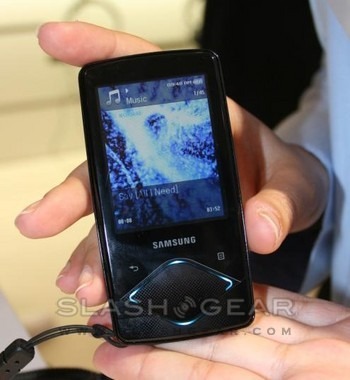
Samsung took the wraps off their new YP-Q1 PMP at IFA 2008, and we stopped by to have a play. With a 2.4-inch QVGA LCD, a choice of 4, 8 and 16GB capacities and touch-sensitive controls, the Q1 really should be a home run for Samsung; unfortunately, from our brief hands-on at least, we'd wager it's not.

The screen pales in comparison with rivals and the body, while solidly built, feels larger than it should. Menus and the GUI in general could do with taking a lesson from Samsung's cellphone team; the Q1 is uninspiring.
The frustrations don't end there. Apple might get away with using a proprietary connector since they hold the greatest market share, but everyone else is slowly migrating to some form of USB and Samsung should really do the same. Meanwhile the capacitive touch-sensitive controls basically just replace hard buttons, rather than offering scrolling gestures; that makes the Q1 actually harder to use in a pocket.
We didn't have enough of an opportunity to test the DNSe 3.0 audio processing Samsung have added, which the company claims can "upscale" lower bitrate tracks to sound higher quality. If they can pull it off, it might be the Q1's saving grace.
Expect the Samsung YP-Q1 to launch in October, available in white, black or silver.