

Samsung T260HD & T240HD Touch Of Color HDCP Woes
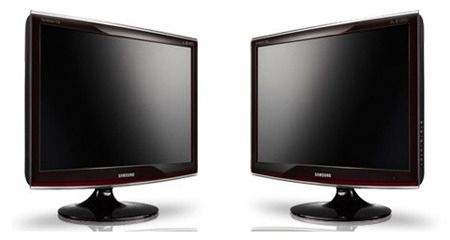
Samsung's two new 'Touch of Color' LCD monitors, the T260HD and T240HD, which began shipping last month promised the best of both worlds: hook up to your PC or Mac for work, enjoy the ATSC / ClearQAM tuner and dual HDMI ports for play. However users are reporting that the displays' HDMI ports are not HDCP compatible, leading to problems playing Blu-ray content. [Updated with Samsung's response - the monitors are HDCP compatible - after the cut]

HDCP is the anti-copy protection used by studios to ensure that high-definition media is not illegally duplicated. Without support for it in the playback device, HDCP-encrypted content will not display.
Some reports claim that Samsung's tech support have confirmed that only the monitors' DVI ports support HDCP, but others say neither connection will operate. Samsung's own webpage for the T260HD suggests that the HDMI ports are suitable for hooking up a Blu-ray player.
I'm waiting to hear back from Samsung, hopefully with some clarification; I'll update this post when that happens.
Update 1: We're waiting for absolute clarification from Samsung's Korean engineers. Hopefully should have that on Monday.Update 2: We've received the following confirmation of HDCP from Samsung's engineers:
"All Samsung Touch of Color Monitors and HDTV Monitors support HDCP through their HDMI and DVI connections. This is true for all Samsung LCD monitors, except for our XL30 and 305T monitors"
If you're still having problems with connecting up your Blu-ray player, we'd recommend you get in touch with Samsung support.
[thanks Xolan for highlighting the issue]