Nokia E72 review
There's always a risk when a high-interest product is announced that by the time it hits shelves its moment has passed. The Nokia E72 has been just such an anticipated smartphone, with eager E71 owners keen to upgrade to the Finns' latest QWERTY marvel; problem is, at nigh on six months between announcement and availability, that's a long time for the appeal to pale. Has tardiness robbed the E72 of its market, or does a well considered keyboard save the day? Check out the SlashGear review after the cut.
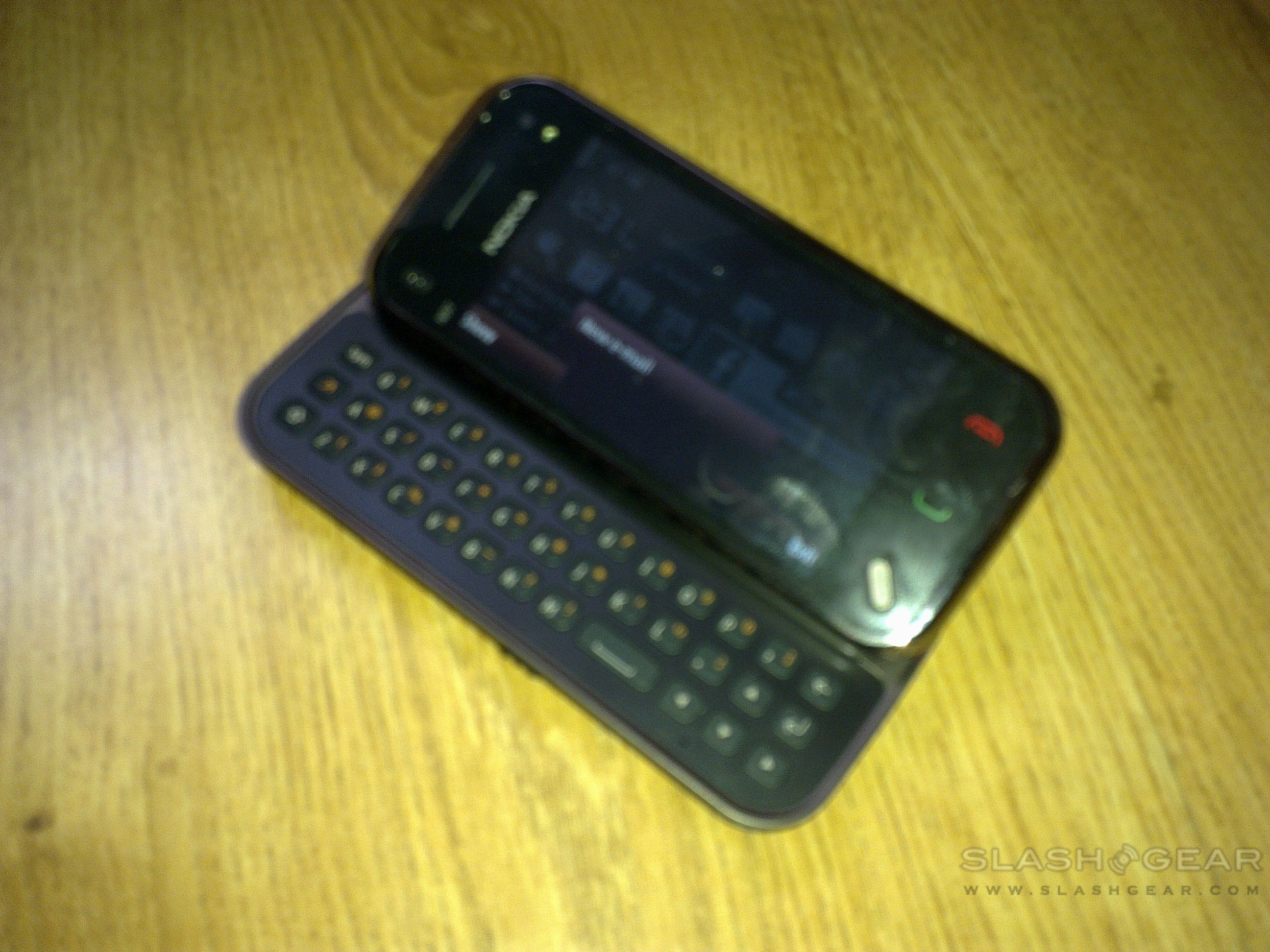
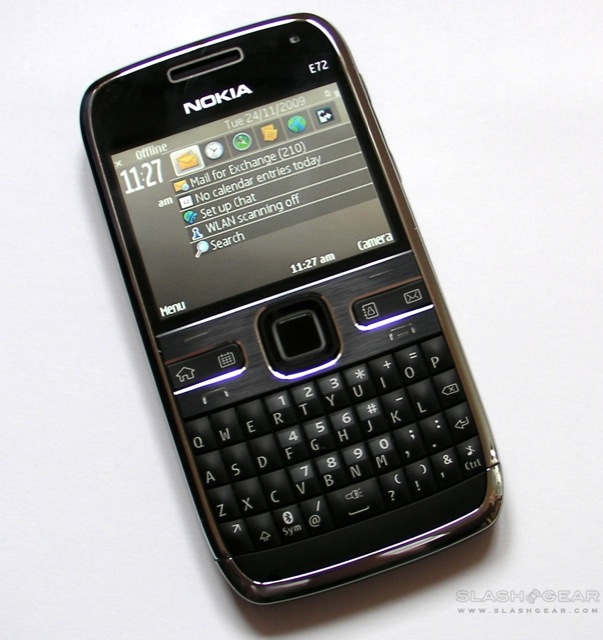
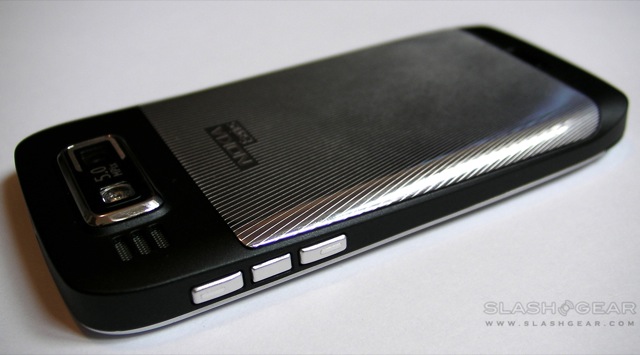
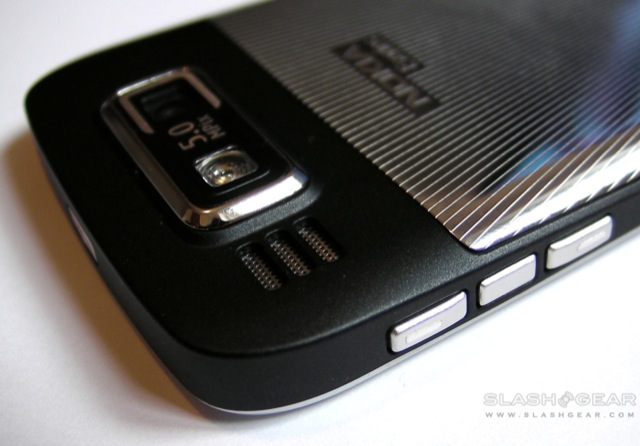
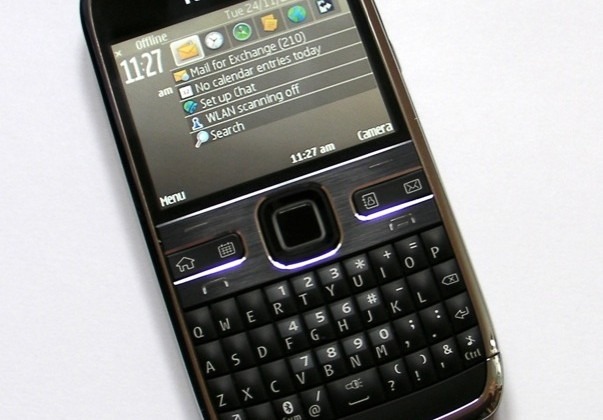
The E72 is certainly a handsome handset, and reasonably compact for something offering a full QWERTY keyboard. It measures in at 114 x 58.3 x 10.1 mm and weighs 128g, and Nokia have been lavish with their use of metal trim: both the fascia surround and the battery cover are fingerprint-collecting chrome. Up top there's a 3.5mm headphones socket and the power button, while the left side has a microUSB port and microSD slot hidden behind fiddly plastic covers. On the right there are volume keys flanking a voice-command shortcut button; unlike other Nokias there's no camera shortcut. Around the back lurks the 5-megapixel camera and LED flash.
Nokia E72 unboxing video:
[vms 5beae847a7ff6e220b5c]
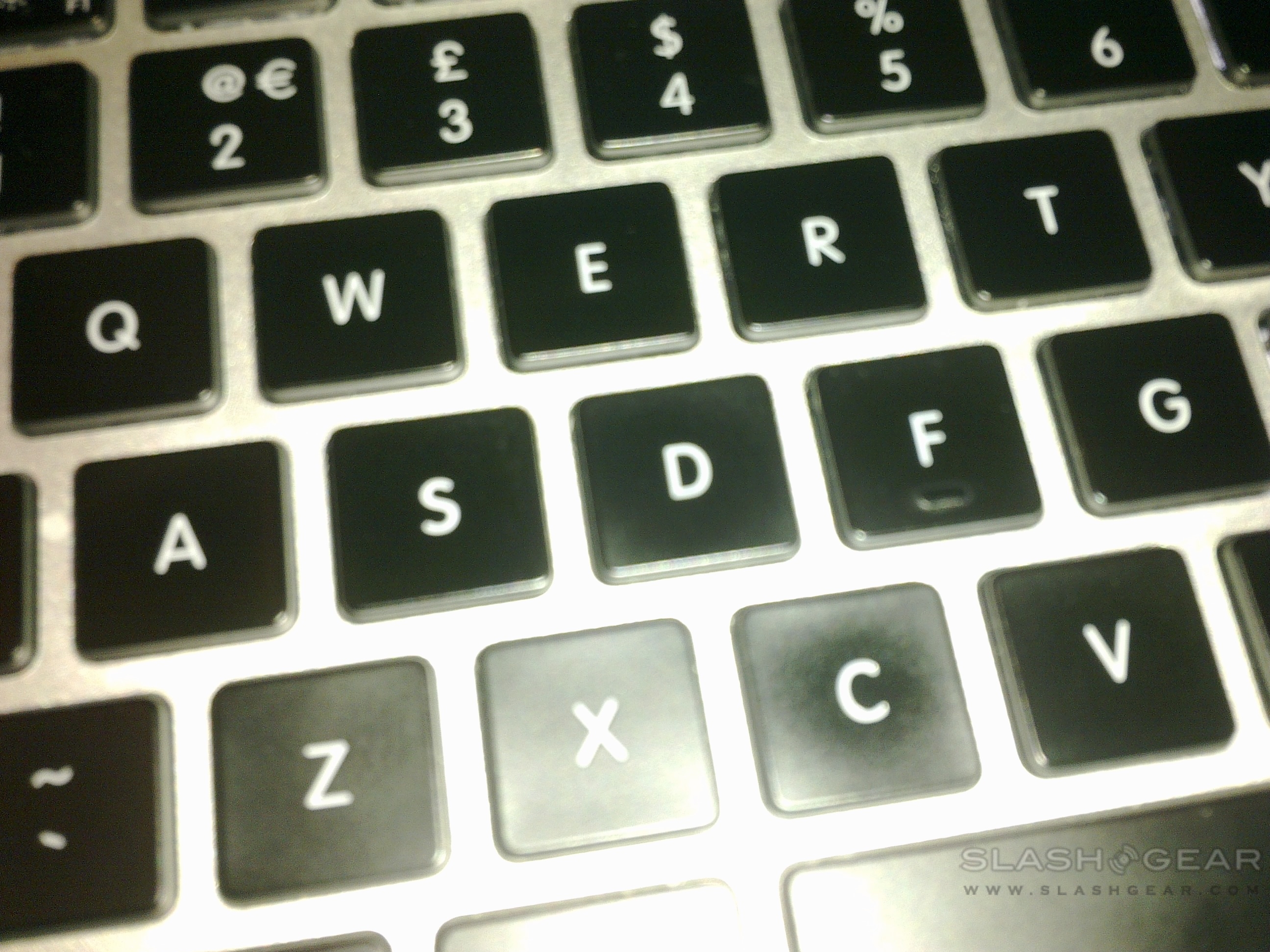
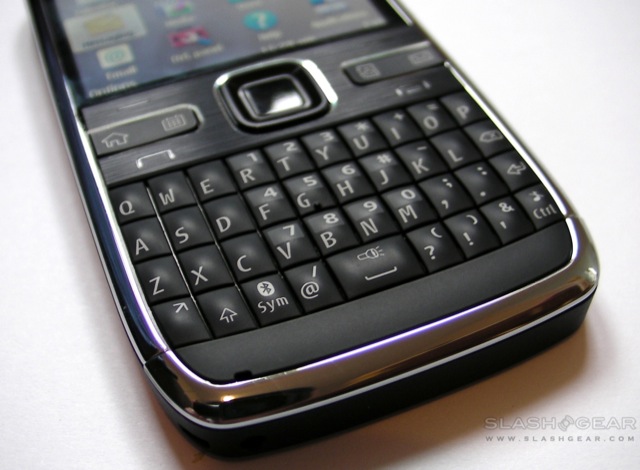
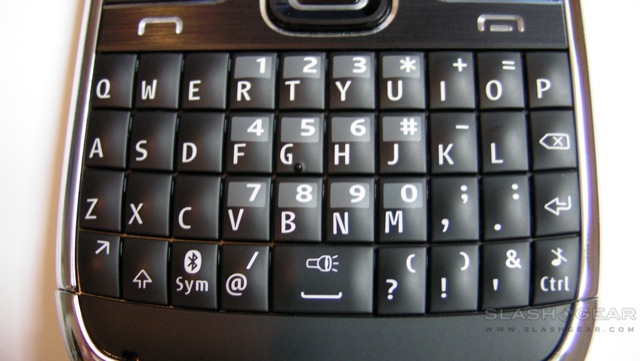
Of most interest to frequent messagers, however, is the keyboard, and we've been surprise at just how usable the E72's QWERTY actually is. The keys are small – around the size of a tictac, in fact – but their pronounced domed pads and practically perfect tactile feel add up to a 'board that's incredibly satisfying to use. We've been switching between using the E72 and the Nokia N97 mini, and the key layout of the Eseries device is far preferable; commonly used punctuation, including @, ? and ! don't require a shift or function modifier, and while the space bar is only double-width it's broad enough in context.
Across the middle of the phone there's a row of control keys, borrowing the layout we've already seen from the Nokia E55. Home, calendar, contacts and messaging shortcuts are sandwiched in-between the left and right softkeys and the call/end buttons, while in the middle there's a four-way D-pad and center-select button. New to the E72 is an optical trackpad, however: brushing your finger across the center pad is recognized as directional control. We've had middling success with such navigation systems on other handsets but the E72's system is reasonably useful, being neither too sensitive nor too blunt in its responsiveness. Still, you can dig into the settings and turn it off if you find it offensive.

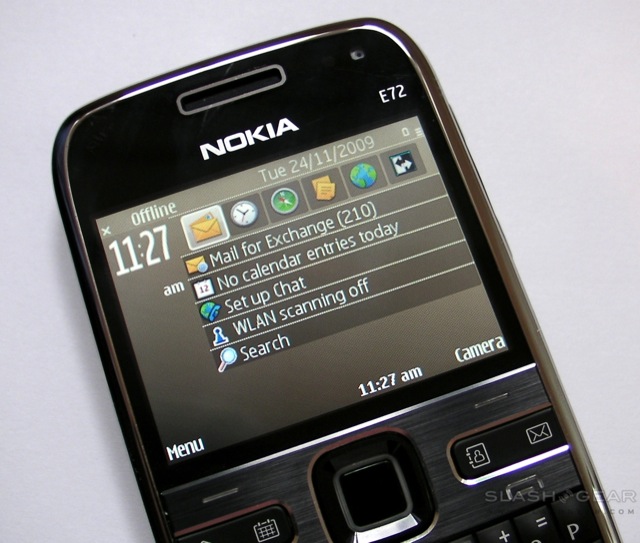
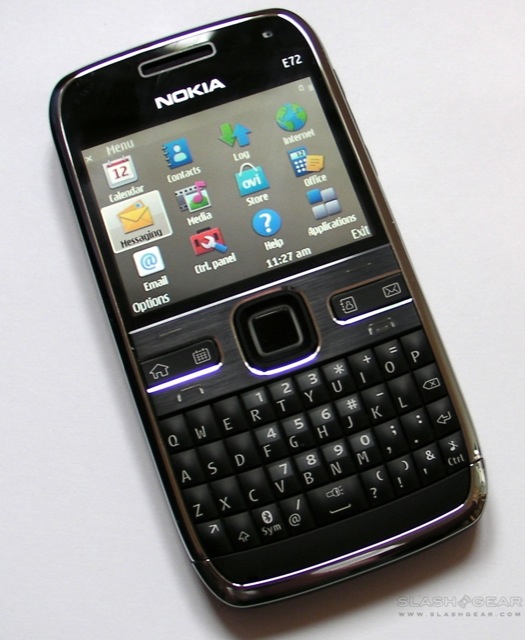
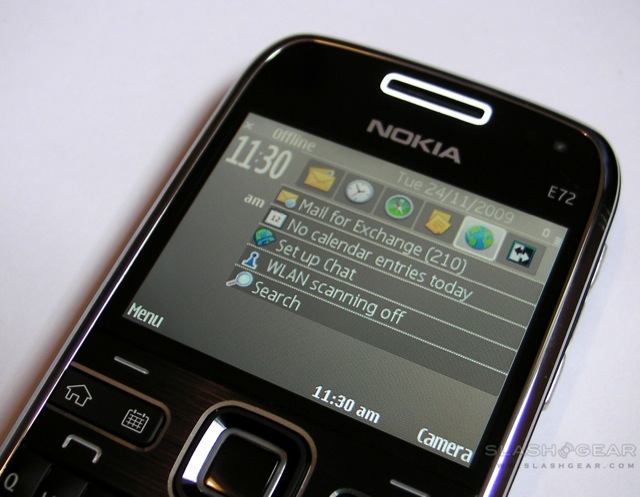
Up top there's a glass-covered 2.36-inch 320 x 240 QVGA display, and we're disappointed that Nokia didn't squeeze in something more impressive. The panel is capable of 16.7m colors, though the default business theme – which makes heavy use of coffee-shaded browns – does little to show that off. We'll lay part of the blame at the S60 3rd Edition FP2 (3.2.3) OS; while we don't subscribe to the increasingly common attitude that S60 deserves to be consigned to the junk heap, we do wish Nokia had put in some more effort to give users the impression they're dealing with a modern, up to date platform.
Part of that experience is hampered by usability confusion, likely a non-issue to those staunch Nokia addicts who are upgrading to the E72 from its well-esteemed E71 predecessor, but which presents stumbling blocks to those fresh to the platform. Little things, like managing WiFi network and cellular connections, were less obvious than Android, webOS and the iPhone OS make it; mockingly obvious to those familiar with the ways of S60, but a headache to everybody else.
Since messaging is the name of the E72's game, there's plenty of account type support onboard. Basic POP and IMAP4 are of course accounted for, together with Nokia Messaging, ActiveSync, Lotus Notes Traveller and Mail for Exchange. Several accounts can be active simultaneously, including using different poling settings – your personal email account, for instance, can be set to check every few hours, while your corporate account is pushed – and you can pin different accounts to the homescreen depending on whether you're viewing the "business" or "personal" layout.
In general it all works well, though we did have some issues with our Kerio Mail Server system (which usually smartphones – including the N97 mini, curiously – simply handle as an Exchange server) and the E72's Mail for Exchange app. Unfortunately it seems this is an issue with Nokia's implementation, rather than something Kerio can change, and we ended up using IMAP instead. If you're planning to use the E72 with your corporate email account, it's worth checking out what exact setup they have to avoid headaches down the line.
The E72 isn't short on connectivity, with quadband GSM and three versions of the handset covering various combinations of WCDMA HSDPA/HSUPA. There's also WiFi b/g and Bluetooth 2.0+EDR, together with UPnP and PictBridge support. Flash is supported in the browser, which means you can view streaming YouTube videos, and while the UI might not be as streamlined as on Webkit-based rival devices, page layouts were rendered pretty much just as on a desktop browser. Nokia Maps also has a few usability differences to the Google Maps app many are used to from their cellphones, but once you're past the UI it's a strong navigation offering. Copious keyboard shortcuts keep menu-surfing to a minimum, and features like easy map-panning are things we've longed for in Google Maps. It's also possible to grab screenshots of the current map view, which can then be sent in emails or MMS messages. GPS locks were speedy and accurate, and there's a digital compass with a more useful in-map display than, say, Street View on Android devices.

Nokia have squeezed a 5-megapixel camera into the E72, and the optics slightly protrude from the rear panel of the phone. It lacks the Carl Zeiss lens commonly found on Nseries handsets, but there's still an LED flash and autofocus. Normal photos in natural light are good, if a little on the cool side with regards color balance, but with reasonably fine detail and no odd fringing or the like. However despite the close-up mode setting switched on, macro shots proved blurry and disappointing. The LED flash is bright but prone to washing out nearby items; we do like being able to use it as an impromptu torch (by holding down the spacebar) however. There are full-sized camera samples in the gallery below.
Media playback is functional if not especially appealing, with the native PMP app filtering tracks by artist, album, genre and composer (and the microSD card hot-swappable), while sound quality is reasonably once you plug in a set of aftermarket headphones. There's also Bluetooth A2DP support, for wireless headphones, but you'll need a wired headset plugged in to use the FM radio (it uses it as the antenna). Access to the Nokia Music Store (though not Comes With Music) is preloaded via a shortcut in the media menu (though browser based) and you can download tracks over 3G or WiFi connections. Video playback is via a separate app, which also supports streaming video feeds, and though the UI is basic it's nonetheless functional and reasonably loud through the built-in speaker.
You'd hope a business-centric device like the E72 would perform well at voice-calls, and happily it puts in a strong showing. Basic calls revealed decent audio for both parties, while there's a front-facing VGA-quality camera for video calling and SIP VoIP 3.0 support for compatible internet-based services. A Skype app is also available in the Ovi store (which is reasonably well populated but falls short of the iPhone App Store when it comes to ease of navigation and accuracy of search results). The voice dialling works well for a non-trained system, picking out our intended contact each time then moving through the default communication method with pauses to allow you to scroll through the list and pick something or someone different.
Battery life is rated as up to 12.5hrs GSM talktime (5hr 54m of WCDMA; 13hr 42m of VoIP) or up to 492hrs GSM standby (576hrs WCDMA; 110hrs VoIP) from the standard 1,500mAh battery. While we didn't quite see those sort of times, we were impressed by the E72's longevity. We're used to charging smartphones nightly, lest they expire midway through the following day, but the E72 could happily go a couple of days in-between rejuicings. That's with regularly polling email and both WiFi and 3G switched on; you'll be able to eke out even more runtime by adjusting the peak/off-peak messaging settings and shutting off the various wireless radios when you're not using them. When iPhone (and other device) owners are crossing their fingers that they'll get through a whole day without resorting to a Mophie-style battery case, the E72 makes a strong case for itself merely on its relative frugality.

Still, we can't imagine many mainstream users bypassing the iPhone or other eye-catching handsets in favor of the Nokia E72, and that's a real shame. It's one of the most successful messaging devices this side of a BlackBerry when it comes to hardware keyboard performance, pushing even successful onscreen keyboards with killer auto-correction into the shade. There may not be as much screen-space for the browser or Nokia Maps to shine, but each performs well; we wouldn't buy the E72 for either, certainly, but neither will we particularly criticise them. The camera is a mixed bag, and falls short of the promise of Nokia's recent Nseries cameraphones, while media handling is serviceable but not especially inspiring.
If you prioritise messaging above all else, though, and want a compact but highly usable device with a strong QWERTY keyboard, the E72 makes an excellent case for itself. We're not convinced that S60 requires retiring quite yet – though we wouldn't argue with a usability refresh – and spend a little time setting up VoIP and you've got a decent internet phone that hardly needs to step near a cellular network. Niche? Certainly, but we'll be comparing hardware cellphone keyboards to the E72 for some time to come.