Tuesday, Aug 21st 2007 by Chris Scott Barr
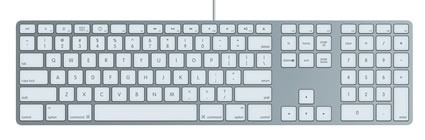
Did you rush out and get yourself one of those new fancy-pants slim keyboards for you Mac? Those of you that have, be sure that all of your keys are working properly.

Apparently there is an issue that people are experiencing where the F3 and F4 buttons are not working at all. As far as users can tell the issue lies with the keyboards, and not the computers themselves, as the non-working units can be tested on several different Macs with the same issue.
Apple hasn’t made any official statements regarding this issue. If they do, we’ll be sure to let you know.
Apple’s new keyboards not working for some [via tuaw]
Relevant Entries:


That’s nonsense. The F3 and F4 keys itself work fine. There’s nothing physically wrong with them. When you press the fn-button and then try the F3 and F4 keys you’ll see that they work. They don’t work like they are supposed to, but that can be fixed with an update or something. The keys aren’t dead, that’s for sure.
So it’s not just me! I just got the new wired keyboard and was wondering why F3 (exposé) and F4 (dashboard) buttons weren’t working. I thought it was because I needed the Apple keyboard update 1.01 they released recently, but even after that, it wouldn’t work on any of my Macs (I tried 4 different ones).
And to prove it’s the keyboard, the one that shipped with my new iMac 24″ has keys that work just fine…but this keyboard doesn’t work on it either (those two keys).